







Published: August 27, 2024
Updated: May 22, 2026

Quick Summary
Conga Composer is powerful, but it's not always the right fit. It lacks transparent pricing, has a steep learning curve, and offers limited design flexibility. Proposify, SAP CPQ, and Salesforce CPQ are three top Conga Composer alternatives in 2026. Proposify stands out for its ease of use, transparent pricing, and design flexibility, making it a strong choice for sales teams.
When Conga Composer Isn't the Right Fit for Your Sales Team
When you have a broad, customizable product line, being able to provide accurate quotes to prospects is critical. The process can be made easier and more accurate through automation with configure, price, quote (CPQ) software.
Conga is a revenue lifecycle solution featuring contract lifecycle management (CLM) and document automation, as well as CPQ solutions. It's designed to help businesses streamline and automate their sales processes. It integrates with Salesforce, making it beneficial for organizations already using Salesforce as their CRM, and offers numerous other features.
But you're here because you're searching for Conga alternatives, and we've done the research for you. To help decide which software to choose, take a look at these ten other options.
Why Trust Us?
Proposify has helped over 8000 sales teams, from startups to brands like Dell and Paradox, send better proposals and close deals faster.
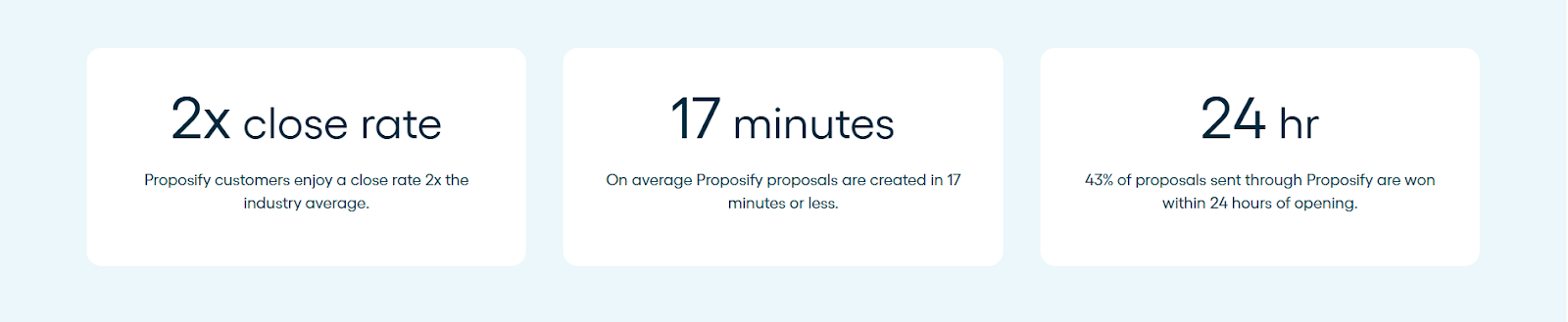
We live in this space every day, which means when we evaluate tools like Conga and its alternatives, we know what to look for and what actually matters to the reps doing the work.
Why Look for Conga Alternatives?
Teams move away from Conga for a few common reasons:
- No transparent pricing, making it difficult to forecast total cost,
- Heavy Salesforce admin dependency for setup and changes,
- A steep learning curve that keeps reps defaulting to Word or Google Docs,
- Limited design flexibility, and
- Zero visibility into prospect engagement after you hit send.
Top 10 Conga Composer Alternatives
|
# |
Name |
Key Features |
Pricing |
Trial |
Rating |
|
1 |
Document automation, contract management, interactive quoting software, electronic signatures, analytics |
Basic: $19/user/month, Team: $41/user/month, Business: Talk to Sales |
14-day free trial on the Basic and Team plans |
4.6/5 |
|
|
2 |
Dynamic pricing, quote generation, integration with SAP systems |
Contact for pricing |
Yes – free trial available |
4.0/5 |
|
|
3 |
CRM integration, guided selling, quote generation |
$200/user/month (annual contract) |
30‑day free |
4.2/5 |
|
|
4 |
Contract management, deal room, analytics and insights |
Contact for pricing |
No free Trial |
4.7/5 |
|
|
5 |
CPQ, document automation, real-time collaboration |
Personal: $10/month, Essentials: $19/month, Business: $49/month, Enterprise: Contact |
14-day |
4.7/5 |
|
|
6 |
Quote and proposal generation, workflow automation, integration capabilities |
Contact for pricing |
No direct standalone "CPQ trial" |
4.0/5 |
|
|
7 |
AI-powered analytics, automated workflows, centralized repository |
Contact for pricing |
DocuSign offers eSignature free trial/premium trial |
4.3/5 |
|
|
8 |
Microsoft Office integration, Salesforce native, error-free generation |
Contact for pricing |
30‑day free trial |
4.2/5 |
|
|
9 |
Template design flexibility, multi-source data integration, multiple output formats |
Flex pricing (per-page), PRO pricing (per-server) |
Free trial |
N/A |
|
|
10 |
Web-based templates, extensive integrations, automated delivery |
Documents: $83/month, Suite: $250/month, Enterprise: Contact |
14-day |
4.5/5 |
1. Proposify
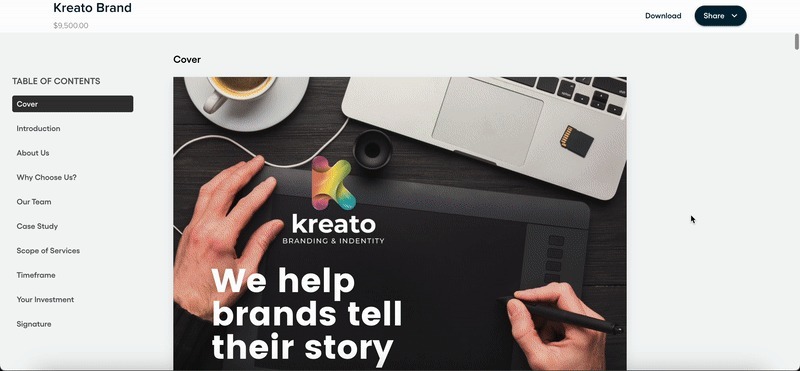
Proposify is cloud-based proposal software that provides full control and visibility into the sales process. If you're looking for powerful software at a lower price, it offers many of the same features as Conga, such as document automation, contract management (though not a complete CLM), and e-signature features—and at a lower price than most Conga competitors.
Proposify simplifies the proposal creation process with a user-friendly interface and an extensive set of features. It will allow your team to design professional-looking documents that impress prospects and close more deals.
Key Features
- Automation: Proposify integrates seamlessly with CRM platforms such as Salesforce, HubSpot, and Pipedrive, allowing reps to sync proposal data with their existing workflows. This integration tracks and records all prospect interactions, and automates proposal creation, making for an efficient and shortened sales cycle.
- Contract Management: Proposify offers a consistent and repeatable contract management process. This is accomplished through customizable templates, a content library, standardized workflows and integrated approval processes. It ensures contracts are uniform in creation, execution and monitoring, which leads to greater efficiency and compliance, and mitigated risk.
- Interactive Quoting Software: Proposify allows reps to create tailored quotes with dynamic pricing, ensuring accuracy and optimization for upsells. There's also a fee library, which links to interactive fee tables to automatically calculate prospects' pricing choices. This is especially helpful for sales of complex products and services.
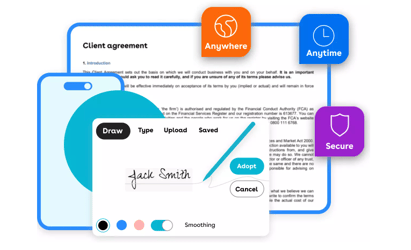
- Electronic Signatures: Proposify offers e-signature capability similar to Conga Sign, which enables reps to send proposals for signature and track their status in real-time. This eliminates the need for printing, scanning, and mailing documents, saving time and accelerating the sales cycle.
- Analytics: Proposify allows you to track metrics such as how many proposals each rep sends. It also allows reps to see when a proposal is opened, and how much time a prospect spends on any one section. These detailed analytics provide insights into proposal performance, helping to improve future processes. This enables teams to make data-driven decisions and improve their close rates over time.
Pricing
At Proposify, we offer transparent, tiered pricing with three main plans:
- Basic: $19/user/month (annual) - Up to 2 users, content library, e-signatures & payments
- Team: $41/user/month (annual) - Adds integrations, custom fields, and 3 collaborator seats
- Business: Talk to Sales - Starts at $3,900/year with premium onboarding and support. Includes approval workflows, SSO, and API access
Trial
14 days, no credit card required
Rating
4.6/5 based on 1,121 G2 reviews
Best for
B2B sales teams who want polished, trackable proposals
Pros
- Real-time proposal tracking that shows exactly how prospects engage
- Detailed section-level analytics for clear visibility into proposal activity
- Flexible, on-brand design for polished, non-generic proposals
- Built-in signing and payments to speed up closing
- Easy-to-use drag-and-drop builder for creating structured proposals
- Responsive, human customer support when you need help
Cons
- Advanced CPQ is available on the Business plan only
2. SAP CPQ
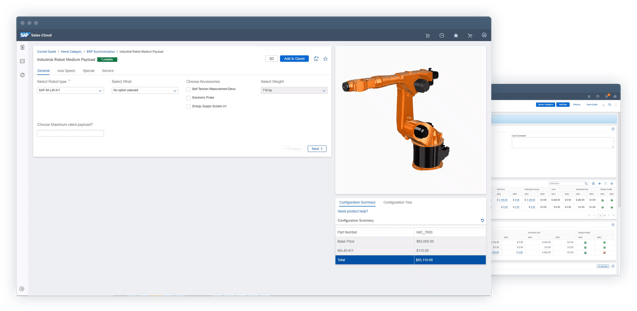
SAP CPQ automates the configuration, pricing, and quoting process for businesses with complex product catalogs. It handles real-time pricing calculations across customer segments, including tiered and bundle models. SAP CPQ also integrates directly with SAP CRM and ERP systems for a more connected workflow.
It's designed to enhance the efficiency of sales processes, particularly in environments where products have multiple configurations or where pricing needs to be dynamically calculated.
Key Features
- Dynamic Pricing: Provides advanced pricing capabilities, including real-time pricing calculations based on various factors such as customer segments, discounts, and promotions. Supports complex pricing models, including tiered pricing, bundle pricing, and volume discounts.
- Quote Generation: Automates the generation of accurate and professional-looking quotes. Users can create and customize quote templates to ensure consistency and branding across all prospect-facing documents.
- Integration: Integrates with other SAP systems, such as SAP CRM and SAP ERP, as well as with third-party CRM and ERP systems. This integration ensures that data flows between systems, helping to maintain accuracy and consistency.
Pricing
SAP CPQ doesn't publish pricing publicly.
Trial
A Free trial is available.
Rating
4.0/5 based on 75 G2 reviews
Best for
Enterprises already running the SAP ecosystem.
Pros
- Deep SAP integration
- Advanced pricing engine
- Complex catalog support
- Connects quoting directly with downstream SAP billing processes
Cons
- High implementation cost
- No public pricing
- Not built for proposal design or engagement tracking
3. SalesForce CPQ
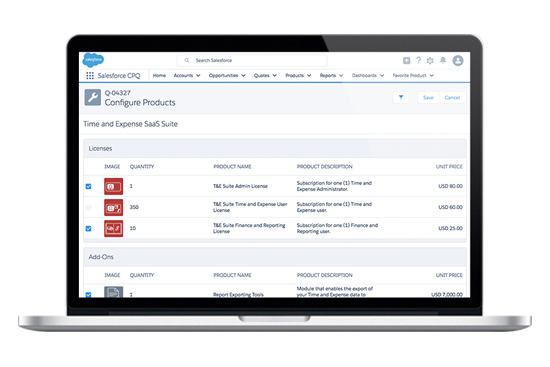
Salesforce CPQ helps companies automate the process of configuring products, pricing them accurately, and generating quotes.
It integrates with Salesforce CRM, enabling sales teams to create customized quotes, apply discounts, manage approvals, and streamline the sales process.
Key Features
- Integration: Integrates with Salesforce CRM, providing a unified platform for managing the entire sales process from lead to close.
- Guided Selling: Guides sales teams through the product selection process, ensuring they choose the right products and configurations based on prospect needs.
- Quote Generation: Automates the creation of professional, branded quotes that can be quickly generated and sent to prospects, reducing the time to close deals.
Pricing
Salesforce CPQ pricing starts at $200/user/month and requires an annual contract.
Trial
Demo available via Salesforce AE
Rating
4.2/5 based on 1,413 G2 reviews
Best for
Teams already all-in on Salesforce
Pros
- Native Salesforce integration
- Guided selling
- Strong approval workflows
- Connects quoting with billing and revenue tools
Cons
- Expensive on top of Salesforce license
- CRM required
- Not built for visual proposal creation
4. DealHub
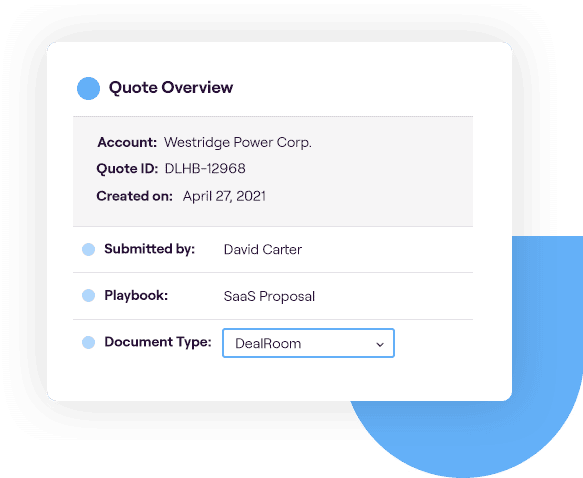
DealHub is a sales engagement platform that streamlines the entire sales process by combining CPQ capabilities with sales playbooks, contract management, and analytics.
It offers deal optimization and quote automation, with a focus on enhancing the sales process through data-driven insights. It also integrates with major CRM systems.
Key Features
- Contract Management: Includes contract management features that streamline the creation, approval, and tracking of contracts, ensuring compliance and reducing the time to close deals.
- Deal Room: Offers a collaborative digital workspace where sales teams and prospects can interact, share documents and negotiate deals in real-time, enhancing communication and speeding up the sales cycle.
- Analytics and Insights: Provides detailed analytics and insights into sales performance, helping businesses track key metrics, identify bottlenecks, and optimize their sales strategies.
You'll also find several DealHub alternatives on the market.
Pricing
DealHub uses custom pricing models and doesn't disclose rates publicly.
Trial
No free trial available
Rating
4.7/5 based on 731 G2 reviews
Best for
Revenue ops teams wanting CPQ and CLM in one platform
Pros
- CPQ + CLM combo
- Collaborative deal rooms
- Pipeline analytics
- Centralizes quote-to-cash processes for teams
Cons
- No public pricing available
- May be overkill for smaller teams
- Hard to maintain architecture documentation in complex setups
5. PandaDoc
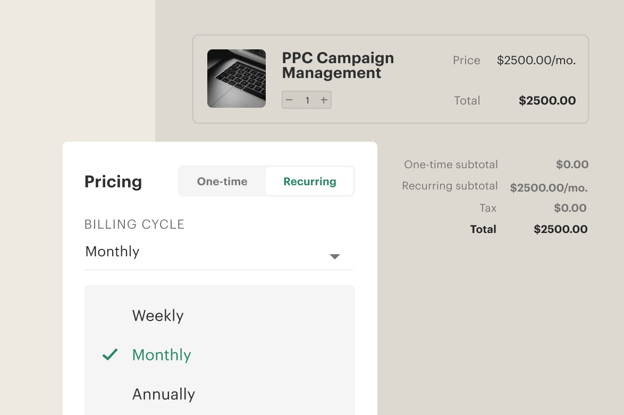
PandaDoc is a document automation platform that streamlines the creation, management and eSignature of business documents, such as proposals, contracts and quotes. It offers customizable templates, real-time collaboration, and integration with various CRMs and payment gateways.
Key Features
- CPQ: Includes CPQ features, enabling sales teams to generate accurate quotes, configure products, and automate pricing directly within documents, streamlining the sales process.
- Document Automation: Automates the creation of various business documents, such as proposals, contracts, and invoices, using customizable templates.
- Real-Time Collaboration: Enables multiple users to collaborate on documents in real-time, allowing teams and prospects to work together on proposals and contracts.
Pricing
PandaDoc has four tiers:
- Personal: $10/month - 5 agreements per month with basic e-sign features
- Essentials: $19/month - Unlimited documents and signatures with tracking
- Business: $49/month - Adds CRM integrations, custom branding, and deal rooms
- Enterprise: Custom pricing - Includes CPQ, workflow automation, and advanced features
Trial
14 days on all paid plans
Rating
4.7/5 based on 2,779 G2 reviews
Best for
Startups and SMBs needing an affordable entry point
Pros
- Affordable platform
- Auto-calculating pricing tables
- Features a strong template system with reusable content blocks
- Real-time collaboration and document tracking
Cons
- CPQ on Enterprise only
- Weak design and engagement analytics
- Limited image editing options
6. Oracle CPQ
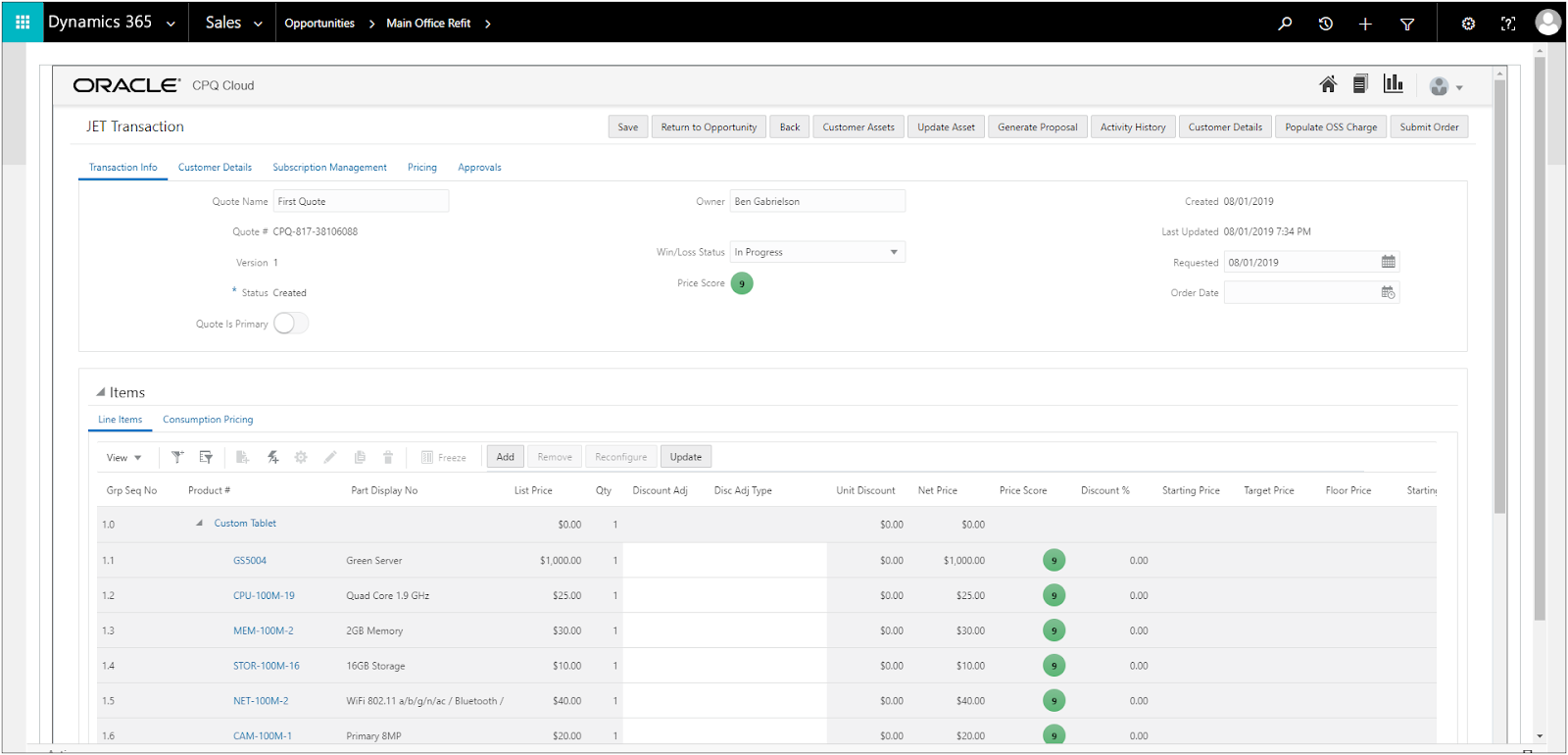
Oracle CPQ is cloud-based software that helps businesses automate the process of configuring products, determining pricing and generating quotes.
It streamlines complex sales processes, ensuring accuracy and efficiency from product selection to pricing and contract generation. It also integrates with Oracle's suite of enterprise applications.
Key Features
- Quote and Proposal Generation: Enables the automated creation of professional quotes and proposals, which can be customized and branded to meet specific prospect needs.
- Workflow Automation: Supports the automation of approval processes, task assignments and notifications.
- Integration Capabilities: Integrates with other Oracle applications, such as Oracle CRM and ERP, as well as with third-party systems.
Pricing
Oracle CPQ has no public pricing information.
Trial
Oracle CPQ only has a demo available
Rating
4.0/5 based on 260 G2 reviews
Best for
Large enterprises running Oracle infrastructure
Pros
- Strong Oracle ecosystem fit
- Automated workflow approvals
- Handles complex enterprise pricing
- Flexible API options for custom integrations
Cons
- Not practical outside the Oracle stack,
- No public pricing
- High implementation complexity
7. DocuSign CLM
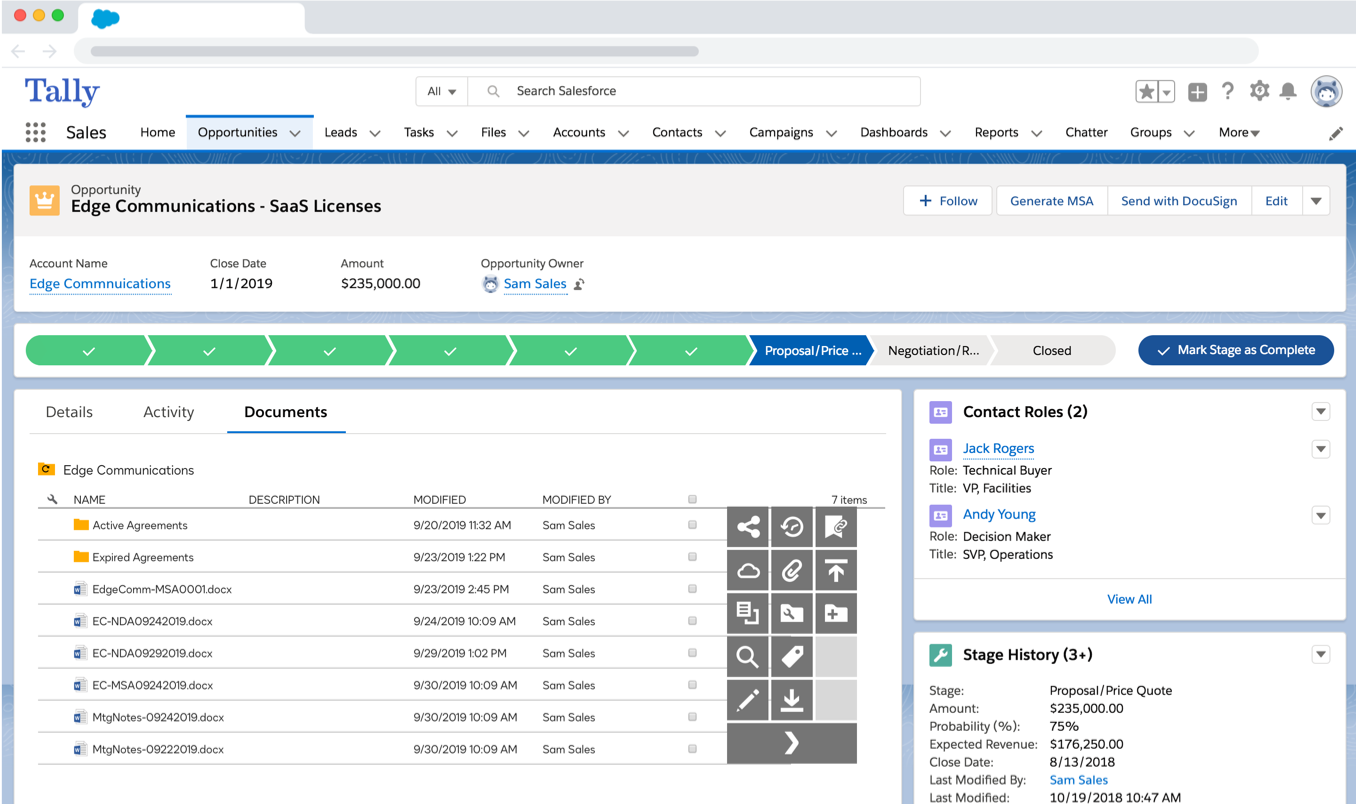
DocuSign CLM is a contract lifecycle management platform that automates the entire contract process from creation to renewal. It integrates with DocuSign's eSignature solution and offers AI-powered contract analytics, automated workflows, and a centralized repository for all agreements.
Key Features
- AI-Powered Analytics: Extract, analyze and report on key contract data points and legal topics with over 100 pre-trained AI models to reduce risk and improve contract discoverability.
- Automated Workflows: Streamline contract creation, review, negotiation, and approval processes with customizable, no-code workflows that eliminate bottlenecks.
- Centralized Repository: Store all contracts in a searchable, permission-controlled repository with automated alerts for renewals, obligations, and key milestones.
Pricing
DocuSign CLM doesn't publish specific pricing publicly.
Trial
Demo only
Rating
4.0/5 based on 260 G2 reviews
Best for
Legal teams managing high contract volume
Pros
- AI-powered contract analytics (100+ pre-trained models)
- Automated no-code workflows
- Centralized searchable contract repository
- Integrates with DocuSign eSign
Cons
- Overkill for proposal-focused sales teams
- No public pricing
- Not designed for visual proposal creation or engagement tracking
8. Nintex DocGen
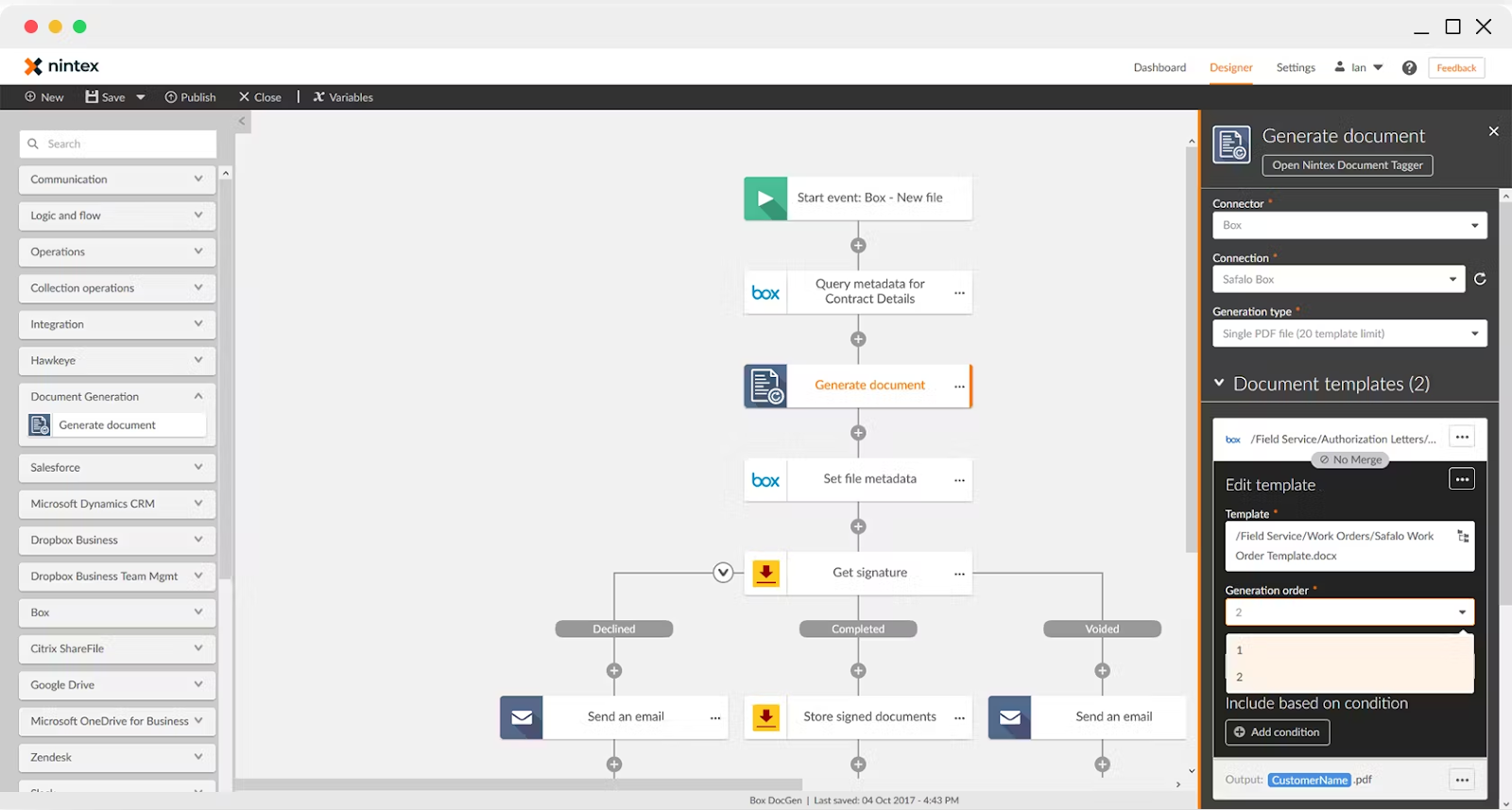
Nintex DocGen is a document generation solution that automatically creates data-driven documents from templates built in Microsoft Office. It integrates with Salesforce and other business systems to pull data and generate error-free contracts, proposals, and reports.
Key Features
- Microsoft Office Integration: Design templates directly in Word, Excel, or PowerPoint using familiar interfaces, with no need for specialized technical skills or training.
- Salesforce Native: Pull data directly from Salesforce records to automatically generate documents, with seamless integration that keeps sales teams working within their CRM.
- Error-Free Generation: Eliminate manual copy-paste errors by automatically populating templates with accurate, real-time data from connected business systems.
Pricing
Nintex DocGen doesn't disclose pricing publicly.
Trial
Only a demo is available
Rating
4.2/5 based on 1,311 G2 reviews
Best for
Salesforce users generating docs from Office templates
Pros
- Familiar Microsoft Office interface
- No specialized training needed
- Salesforce-native data pull
- Eliminates manual copy-paste errors
Cons
- No visual proposal builder
- No engagement analytics
- Pricing not public
9. Windward Studios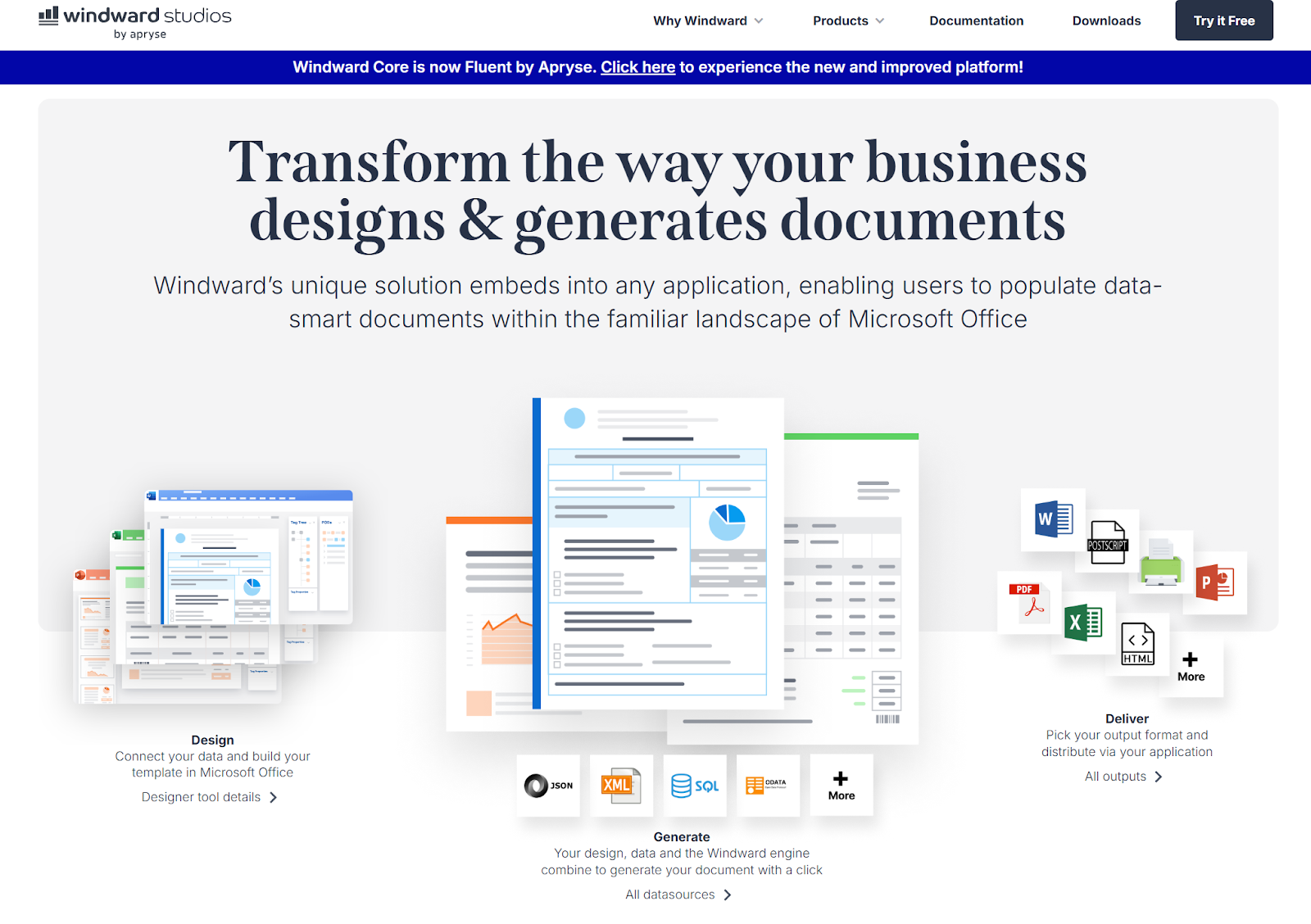
Windward Studios provides document automation software that works within Microsoft Office applications.
Users design templates in familiar Word, Excel, or PowerPoint environments, then automatically generate personalized documents by merging data from multiple sources with pixel-perfect output formatting.
Key Features
- Template Design Flexibility: Create sophisticated templates with conditional logic, charts, images, and complex formatting using standard Microsoft Office applications.
- Multi-Source Data Integration: Combine data from multiple databases, APIs, and systems into single documents with advanced merge capabilities.
- Multiple Output Formats: Generate pixel-perfect documents in over 18 formats including DOCX, XLSX, PPTX, PDF, and HTML with consistent formatting.
Pricing
Windward Studios offers two main pricing models:
- Flex Pricing: Pay-per-page generated with monthly plans that include a certain number of pages, then additional per-page charges.
- PRO Pricing: Fixed monthly fee per server with unlimited document and page generation on that server.
Trial
A 30-day free trial is available for those interested.
Rating
N/A
Best for
Developer teams building complex document generation workflows
Pros
- Supports multiple output formats (DOCX, XLSX, PDF, HTML, etc.)
- Multi-source data integration
- Highly flexible template design with conditional logic
- Strong document automation capabilities
Cons
- Developer-heavy setup
- Not for everyday sales reps
- No engagement analytics
10. Formstack Documents
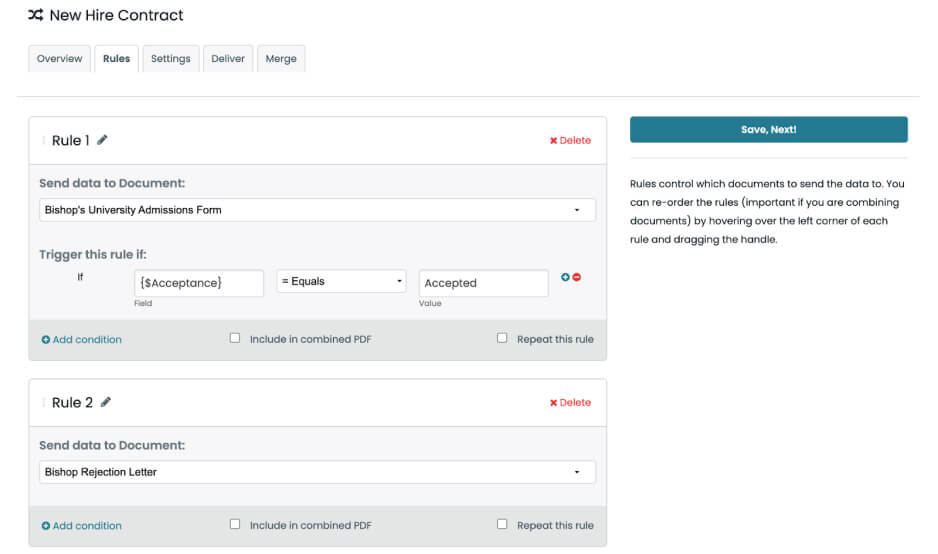
Formstack Documents (formerly WebMerge) is a document automation platform that generates PDFs and other file formats from web-based templates. It connects with popular apps and databases to automatically populate documents, streamlining workflows for contracts, invoices, and reports.
Key Features
- Web-Based Templates: Create and manage document templates through an intuitive web interface without requiring desktop software installations.
- Extensive Integrations: Connect with hundreds of popular applications and databases to automatically trigger document generation from form submissions or data changes.
- Automated Delivery: Route generated documents to specific recipients, cloud storage locations, or trigger additional workflows based on configurable rules and conditions.
Pricing
Formstack offers multiple pricing options for their document automation solution:
- Documents: $83/month (billed annually) - 1 builder user, unlimited document senders, 50 document merges per month
- Suite: $250/month (billed annually) - Access to Forms, Documents, and Sign together in a single plan with 3 builder users and unlimited document senders
- Enterprise: Custom pricing - Create a custom package from their portfolio of products to best meet your organization's needs
- Sign: Request demo pricing - eSignature and digital signature solution with 10 sign users and unlimited eSignatures
Trial
Formstack Documents offers a 14-day free trial, allowing B2B teams to test the full platform before committing.
Rating
4.5/5 based on 155 G2 reviews
Best for
Ops teams that need automated document delivery
Pros
- Extensive app integrations (hundreds of connectors)
- Web-based templates
- No desktop software needed
- Automated document delivery with configurable routing rules
Cons
- Not built for interactive sales proposals
- No engagement analytics
- Limited design control
How We Evaluated These Tools
We kept the evaluation simple and focused on five criteria that actually move the needle:
- Core features (automation, CPQ, e-signatures, and analytics)
- Ease of use
- Pricing transparency
- Trial availability
- Integration depth
Pricing transparency carries more weight than you might expect. If a vendor makes you sit through a discovery call just to find out what something costs, that tells you something about the experience waiting on the other side. G2 ratings reflect verified user reviews as of February 2026.
Proposify vs. Conga
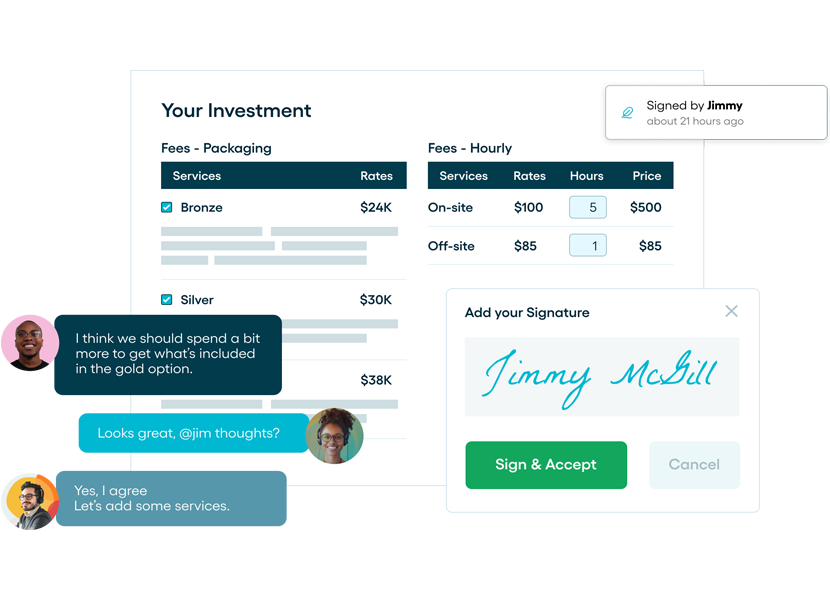
Conga offers several revenue lifecycle solutions, but some Conga competitors offer more features in general. This is especially true of Proposify. Many of our capabilities surpass Conga's, and offer users more options and better functionality.
- Design Flexibility: Proposify offers strong visual design capabilities with customizable templates, allowing users to create visually appealing proposals that reflect their brand identity. Conga doesn't offer the same level of design flexibility and aesthetics.
- Ease of Use: Proposify is known for its ease of use and simplicity, making it ideal for reps who need to streamline the sales process without extensive training. Conga's features are more complex, requiring more complicated setup and training.
- Pricing: Proposify is transparent with our pricing, publishing plan costs on our website, something Conga doesn't provide without first collecting your personal data.
Get CPQ Features with Proposify
Whether you're looking for an API, advanced reporting, or easy back-end setup, or you simply want an affordable Conga alternative, Proposify provides a wide range of essential features to automate your sales processes and efficiently drive growth.
Schedule a demo today to learn how Proposify gives you end-to-end visibility into and control of your quoting process to help you close deals more quickly and efficiently.
Sign up for your 14-day free trial; no credit card required
FAQs Buyers Ask When Comparing Conga Composer Alternatives
1. What's the Best Conga Composer Alternative for Salesforce and HubSpot Teams?
If you're using either Salesforce or HubSpot but want a simpler way to manage proposals, Proposify is a strong option. It provides document automation, branded proposals, engagement tracking, and approvals in one place, while syncing cleanly with both CRMs so teams can move faster without rebuilding their workflows.
2. Can I integrate Proposify with Salesforce or HubSpot?
Yes, Proposify integrates with both Salesforce and HubSpot. With Salesforce, you get two-way data syncing that connects contacts, accounts, and opportunities directly to proposals.
HubSpot works similarly. Reps can create and track proposals from within deals while syncing engagement data back to the timeline. Either way, your proposal activity stays connected to your existing workflow without any manual updating.
3. Does Proposify integrate with other sales tools besides Salesforce and HubSpot?
Yes. Proposify integrates with a broad set of CRM, communication, and workflow tools to keep proposal activity in sync with your systems.
It supports connections to Stripe, Slack, and Zapier for automation and notifications. It also connects with Asana and Monday.com to keep project and proposal workflows connected.
4. How Easily Can I Migrate My Conga Templates to Other Tools Like Proposify?
Migrating your Conga templates to Proposify is straightforward. The platform supports Word and PDF imports, so you can bring over your existing documents without rebuilding them from scratch.
5. What's the Difference Between CPQ Software and Proposal Software?
CPQ software focuses on configuring products, calculating pricing, and generating accurate quotes. Proposal software goes further by combining pricing with branded content, engagement tracking, and approval workflows.
Some Conga Composer alternatives, like Proposify, combine CPQ-style pricing tables with full proposal functionality in one platform.
6. Can I Use a CPQ to Track When Prospects View My Proposals?
Not all CPQ tools provide engagement tracking. However, with Proposify, you get clear visibility into how prospects interact with your proposals. real-time analytics that show when a proposal is opened, how long a prospect spends on each section, and when they return to review it. This helps you understand how prospects interact with your proposals.
7. Is Proposify suitable for small sales teams or only enterprises?
Proposify is built for sales teams of all sizes, from growing SMBs to larger mid-market organizations. If your team is handling large proposal volumes and needs a structured, repeatable process, Proposify is a practical fit regardless of team size.