







Published: December 18, 2025
Updated: July 29, 2026

Quick Summary
PandaDoc pricing starts at $19/month when billed annually, and includes a Free plan. Teams that need sales-focused proposal workflows and analytics tailored to closing deals find PandaDoc inadequate. Proposify offers the best alternative, with features designed for SMBs and scaling teams.
Is PandaDoc the Right Choice for Your Team?
PandaDoc is a well-known document automation and proposal management platform, but pricing transparency is a common concern for teams evaluating the software. While the website promotes clear pricing tiers, many businesses discover that key capabilities are only available in higher plans or add-ons.
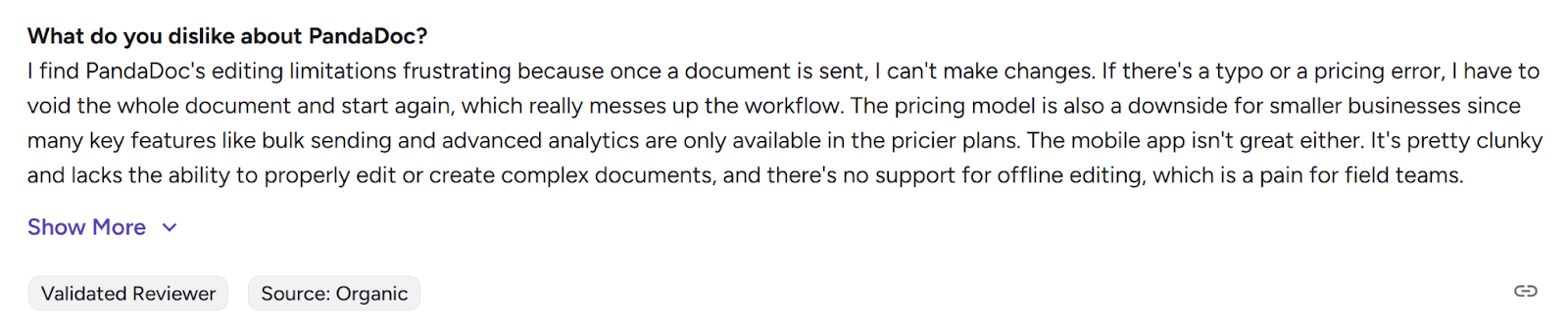
Some users also report workflow limitations once documents are sent. If a pricing mistake or typo is discovered after a document is sent, teams may need to void it and restart the process rather than edit it directly.

Another common concern involves PandaDoc's pricing model. Features such as bulk sending and advanced analytics are often restricted to higher-tier plans, which can make the platform more expensive for smaller businesses or teams that scale usage across multiple users.
In this guide, we break down PandaDoc's pricing plans, what features are included in each tier, and where additional costs may appear. You'll also see how Proposify compares as an alternative built specifically for proposal workflows with transparent, predictable pricing.
Why Listen to Us?
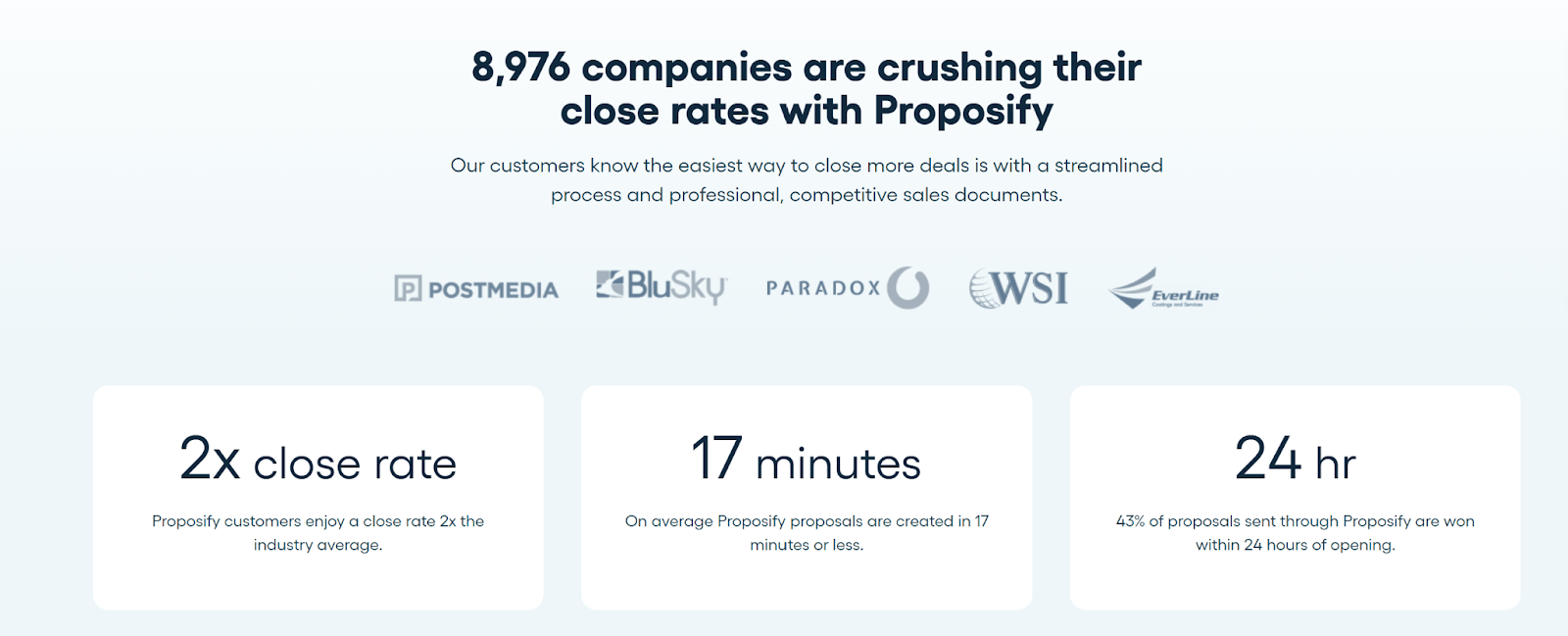
We're the proposal experts at Proposify, helping more than 8,000 companies create, send, and close proposals daily. Based on conversations with prospects evaluating proposal software and feedback from our customers, we understand the pricing concerns, feature expectations, and trade-offs teams consider before choosing a platform. We've combined those insights with up-to-date pricing research to create an objective guide to PandaDoc's plans, features, and overall value.
What Is PandaDoc?
PandaDoc is a document management software that helps businesses create, send, and track documents like contracts, proposals, and quotes. It provides easy-to-use templates and tools for customizing and e-signing documents.
The platform allows users to streamline their document workflow by tracking real-time updates, automating approvals, and reducing paperwork. PandaDoc is designed to save time and improve efficiency, making it ideal for teams that need to manage and organize documents quickly and easily.
Key Features
- Document creation: PandaDoc allows you to create professional documents using drag-and-drop tools and a wide selection of templates.
- E-signatures: You can collect legally binding electronic signatures, ensuring compliance with necessary regulations like GDPR and HIPAA.
- Document tracking: PandaDoc provides real-time tracking, so you can monitor when recipients open, view, and sign your documents.
- Integrations: The platform integrates seamlessly with popular CRM systems like Salesforce and HubSpot, as well as payment platforms like Stripe.
- Automation: PandaDoc offers automation features, allowing you to streamline workflows by automating tasks such as reminders and approvals.
PandaDoc's Pricing Structure
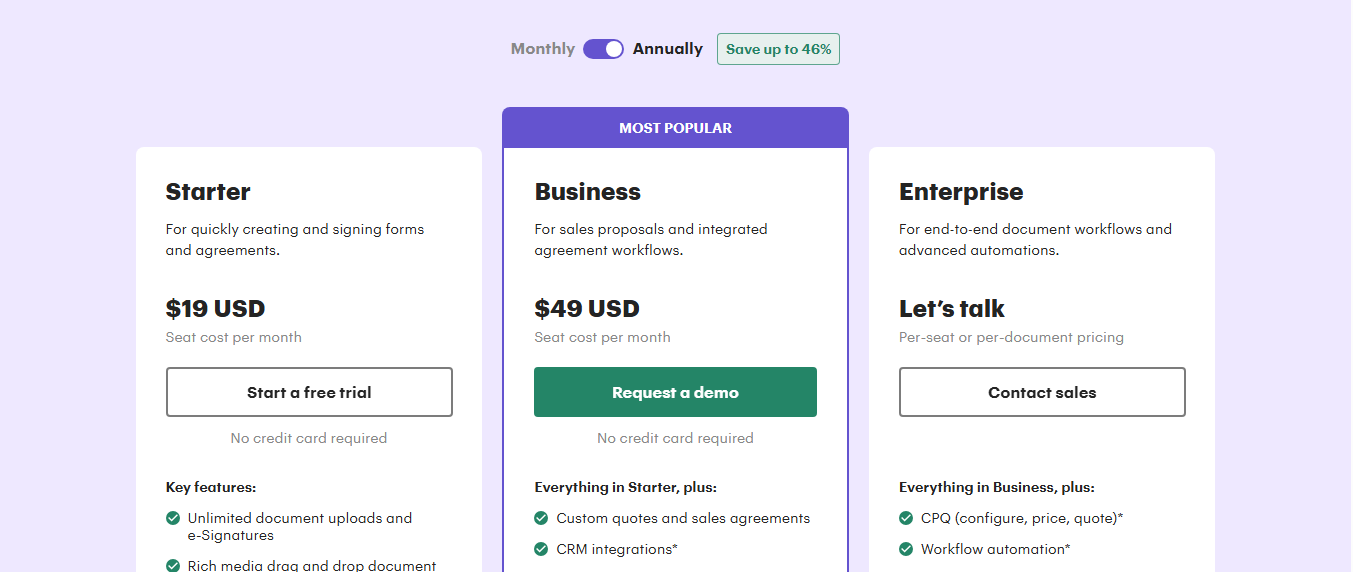
PandaDoc's pricing has four tiers.
- Free e-sign (free)
- Starter (starting at $19/month, billed annually)
- Business (starting at $49/month, billed annually)
- Enterprise (custom pricing)
The Free plan provides only basic e-signature functionality, while paid plans include advanced options like tracking, integrations, and automation. Starter and Business plans are priced based on users and features, and Enterprise is tailored for larger organizations needing custom workflows and integrations.
PandaDoc Pricing Plans Explained
Free
PandaDoc's free plan is ideal for individuals or small teams who need basic e-signature capabilities. It provides a simple solution for sending and signing documents with limited usage. It supports the following features.
Document Creation & E-Signatures
- Unlimited E-signatures
- Upload and send up to 60 documents per year
- Basic document editor with templates
Automation & Workflow Management
- Limited workflow automation
- Basic document tracking and notifications
Integrations & Customization
- No integrations with third-party apps
- Limited customization options (no branding)
Starter
The Starter plan is designed for small teams or startups. While it lacks advanced integrations and automation features, it works for businesses needing essential document management capabilities. It supports the following features.
Document Creation & E-Signatures
- Unlimited document uploads and E-signatures
- Rich media drag-and-drop document editor
- Access to templates for consistent document creation
- Real-time tracking and notifications
- 24/7 email and chat support
Automation & Workflow Management
- Basic document analytics
- Activity notifications for document status updates
Integrations & Customization
- No integrations with third-party applications
- Limited customization options
Business
PandaDoc's Business plan is for sales teams and growing businesses that require advanced document workflows and team collaboration. It includes all features from the Starter plan and adds custom branding, CRM integrations, approval workflows, and more. It supports the following features.
Document Creation & E-Signatures
- Unlimited document uploads and E-signatures
- Rich media drag-and-drop document editor
- Real-time tracking and notifications
Automation & Workflow Management
- Approval workflows with conditional logic
- Auto reminders and expiration date
- Document forwarding and status updates
- Renewal notifications
Integrations & Customization
- CRM integrations (e.g., Salesforce, HubSpot)
- Custom branding and content library
- Deal rooms for secure collaboration
- Web forms and bulk sending capabilities
Enterprise
The Enterprise plan is tailored for large organizations requiring advanced document workflows, robust automation, and enhanced security. Pricing is customized based on specific business needs, including user count and feature requirements.
Document Creation & E-Signatures
- Unlimited document uploads and E-signatures
- Rich media drag-and-drop document editor
- Real-time tracking and notifications
Automation & Workflow Management
- Approval workflows with conditional logic
- Smart content blocks for dynamic document creation
- Automated reminders and expiration dates
- Audit trails and version history
Integrations & Customization
- CRM integrations (e.g., Salesforce, HubSpot)
- Custom branding and content library
- Deal rooms for secure collaboration
- Web forms and bulk sending capabilities
- API access for custom integrations
- Single Sign-On (SSO) for enhanced security
- Team workspaces for departmental organizations
- Notary services for legal document verification
PandaDoc Pricing Table
| # | Feature | Free | Starter | Business | Enterprise |
|---|---|---|---|---|---|
| 1 | Monthly Price | $0 | $19/user | $49/user | Custom pricing |
| 2 | Documents per Month/Year | 60 per year (2 recipients per doc) | Unlimited | Unlimited | Unlimited |
| 3 | Document Editor | Drag-and-drop | Drag-and-drop | Drag-and-drop | Drag-and-drop |
| 4 | E-Signatures | Unlimited | Unlimited | Unlimited | Unlimited |
| 5 | Templates | Up to 5 | Unlimited | Unlimited | Unlimited |
| 6 | Document Tracking | Real-time notifications | Real-time notifications | Real-time notifications | Real-time notifications |
| 7 | Integrations | None | None | CRM integrations (e.g., Salesforce, HubSpot), Zapier | CRM integrations, API access, SSO, Salesforce |
| 8 | Automation & Workflows | Basic | Basic | Approval workflows, bulk sending | Advanced workflows, smart content |
| 9 | Custom Branding | No | No | Yes | Yes |
| 10 | Content Library | No | No | Yes | Yes |
| 11 | CPQ (Configure, Price, Quote) | No | No | No | Yes |
What Customers Like About PandaDoc
- Easy document creation and templates: PandaDoc's drag-and-drop document editor and ready-made templates help teams quickly create contracts, proposals, and quotes without advanced design skills.
- Strong e-signature capabilities: PandaDoc's e-signature tools are widely used and compliant with major regulations, allowing teams to send documents for signature and close agreements quickly.
- Automation and workflow tools: Tools like approval flows, document tracking, and reminders can help teams streamline document processes and reduce manual work.
What Customers Don't Like About PandaDoc
- Pricing tiers can limit access to key features: Users report that important capabilities such as bulk sending, advanced automation, and API access are only available in higher-tier plans.
- Per-user pricing can become expensive: For organizations with multiple sales reps or departments using the platform, PandaDoc's per-user pricing structure may increase total costs as more team members need access.
- Feature access varies significantly by plan: Several users mention that features like branding controls, integrations, and content libraries are restricted to specific pricing tiers, which can make it harder for smaller teams to access the full functionality they need.
Best PandaDoc Alternative: Proposify
Proposify is the best PandaDoc alternative for teams seeking transparent pricing and better value for money. It's built to help growing teams create, send, and close impressive, on-brand proposals faster. Unlike PandaDoc, Proposify allows sales teams to create visually impressive, on-brand proposals while delivering every feature upfront, with no hidden fees and no premium paywalls.
Key features
- Customizable templates: Create branded proposals using a wide selection of professional templates that can be tailored to your needs.
- Interactive quotes: Allow prospects to adjust pricing and select options in real-time for a dynamic quoting experience.
- E-signatures: Collect legally binding signatures directly on proposals and contracts for faster deal closure.
- Document tracking: Track recipient engagement with your proposals, including views, time spent, and actions taken.
- CRM integrations: Sync with popular CRM systems like Salesforce, HubSpot, and Zoho to streamline workflows.
- Approval workflows: Enable internal team reviews and approvals before sending proposals to clients.
- Content library: Store and reuse content like pricing tables, terms, and images for consistent proposal creation.
- Industry-specific templates: Access 75+ proposal, quote, and contract pre-built templates with expertise for key verticals.
- Automated email reminders: Send scheduled follow-up emails to prospects who haven't responded.
- Payment processing: Collect payments directly from proposals by integrating with payment gateways.
Proposify Pricing Structure
Like PandaDoc, Proposify uses a tiered pricing model with a free 14-day trial so teams can test proposal creation, analytics, and approvals before committing to a plan.
However, unlike PandaDoc, our pricing is all-inclusive with no additional charges for essential features. With PandaDoc, bulk sends, API access, or advanced workflows may push your costs higher than the listed price.
Why is this important? It means with Proposify, you can access everything you need without worrying about unexpected costs, making budgeting simpler and more predictable for your business. Each tier also comes with a set number of free collaborator seats.
Here's an overview of our plans.
- Basic Plan ($19/user/month billed annually): Includes 10 document sends per month, customizable templates, and E-signatures.
- Team Plan ($41/user/month billed annually): Includes unlimited document sends, CRM integrations, document analytics, automation workflows, and client input forms.
- Business Plan (Talk to Sales, starting at $3,900/year): Includes all Team features plus advanced controls such as approval workflows, user roles and permissions, API access, multiple workspaces, premium onboarding, and dedicated support.
Proposify Plan Breakdown
Basic
Document Creation & E-Signatures
- Unlimited document creation
- 10 document sends per month
- Online signatures
Automation & Workflow Management
- Basic automation features
- Client input forms
Integrations & Customization
- Basic integrations with CRM systems
- Custom fields and variables
Team
Document Creation & E-Signatures
- Unlimited document creation
- Unlimited document sends
- Online signatures
- Custom branding options
Automation & Workflow Management
- Advanced automation workflows
- Approval workflows
- Auto reminders
Integrations & Customization
- Advanced integrations with CRM systems
- Custom fields and variables
- Client input forms
Business
Document Creation & E-Signatures
- Unlimited document creation
- Unlimited document sends
- Online signatures
- Custom branding options
- Client input forms
Automation & Workflow Management
- Advanced automation workflows
- Approval workflows
- Auto reminders
- Document expiry
Integrations & Customization
- Advanced integrations with CRM systems
- Custom fields and variables
- API access
- Single Sign-On (SSO)
- Workspaces
Proposify's Pricing Pros & Cons
Pros
- Transparent, all-inclusive pricing with no hidden add-ons
- Advanced automation and approval workflows are included in mid-tier plans
- Clear pricing tiers that make budgeting predictable as teams scale
- Core proposal features available across plans
- Strong cost-to-feature value for growing sales teams
Cons
- Limited enterprise features in the Basic plan
Proposify vs PandaDoc: Which Offers Better Value for Money?
The table below compares PandaDoc and Proposify across pricing structure, feature access, and overall value for growing sales teams.
| # | Feature | PandaDoc | Proposify |
|---|---|---|---|
| 1 | Core functionality | Document automation platform with tiered feature access | Proposal-focused platform with proposal workflows included |
| 2 | Feature access by plan | Many advanced features limited to higher tiers | Core proposal features available across plans |
| 3 | Automation and workflows | Basic automation in lower tiers, advanced workflows in higher plans | Automation and approval workflows available starting in mid-tier plans |
| 4 | Integrations | CRM integrations available in higher-tier plans | CRM integrations included in Team and Business plans |
| 5 | Pricing transparency | Multiple tiers with features varying by plan | Transparent pricing with clearly defined plans |
| 6 | Best fit | Businesses needing broad document management tools | Sales teams focused on proposals and closing deals |
Close More Deals On a Budget With Proposify
PandaDoc offers a wide range of document management features, but its true cost often goes beyond the advertised plans. While it could be a solid option for enterprises with complex needs, smaller teams may find the pricing structure restrictive and unpredictable.
If you're looking for a simpler, more transparent alternative, Proposify delivers everything you need: custom templates, collaboration tools, analytics, and unlimited document sending, without hidden charges. It's designed to help you close deals faster, stay on budget, and scale your proposal process confidently.
Ready to start closing winning proposals on a budget? Sign up for a free trial (no credit card required) to get started right away or book a demo to see how Proposify works.
Frequently Asked Questions
1. Does PandaDoc Charge Extra for Integrations?
Some advanced capabilities, such as CRM integrations, approval workflows, and automation tools, are only available in higher-tier plans like Business or Enterprise. This means teams may need to upgrade to access certain workflow features.
2. Is PandaDoc Suitable for Small Businesses?
PandaDoc can work for small businesses that need basic document creation and e-signatures. However, smaller teams sometimes find that advanced features such as integrations or automation are locked behind higher pricing tiers.
3. What is a Good PandaDoc Alternative?
When evaluating PandaDoc alternatives, businesses should consider pricing transparency, proposal templates, collaboration features, analytics, and CRM integrations. Platforms like Proposify include these capabilities to help sales teams create consistent proposals, track buyer engagement, and manage deals more efficiently.
4. How Much Does PandaDoc Cost?
PandaDoc offers four pricing tiers. A free plan includes basic e-signature functionality, while paid plans start at $19 per user per month when billed annually. Higher tiers add features such as integrations, approval workflows, and automation, with Enterprise pricing customized based on business needs.
5. Is PandaDoc Free to Use?
Yes. PandaDoc offers a free plan that allows users to send documents and collect unlimited e-signatures. However, advanced features such as integrations, content libraries, and automation tools are only available in paid plans.