







Published: March 20, 2026
Updated: March 20, 2026

Quick Summary
This guide compares 10 leading e-signature platforms for sales teams of all sizes, including Proposify, DocuSign, and Adobe Sign. We review each tool's features, pricing, pros, cons, and use cases to help you decide the right one for your business.
|
# |
Software |
Starting Price |
Best For |
|
1 |
Proposify |
$19/user/month |
B2B sales teams sending proposals |
|
2 |
DocuSign |
$10/month |
Enterprise-grade e-signature software |
|
3 |
Adobe Sign |
$14.99/user/month |
Adobe-native organizations |
Struggling to Choose the Best E-Signature Software?
Every platform promises legally binding signatures and seamless workflows. But deals still go dark after you hit send because you have no idea if prospects opened your proposal, where they got stuck, or when to follow up.
This article compares the 10 best e-signature software options based on team size, industry, and workflow. You'll see when standalone tools make sense and when integrated solutions like Proposify work better for sales teams.
Why Listen to Us
At Proposify, we've spent years in the proposal trenches with sales teams. We've seen the good (deals closing in 24 hours), the bad (pricing errors that cost actual money), and the ugly (proposals built in Word that make your brand look like it's still 2008). These recommendations are based on customer feedback, market research, and hands-on evaluation. No "best tool ever" nonsense. Just an honest take on what actually works.
What Makes the Best E-Signature Software for Sales Teams?
You'll find two types of tools in this guide: standalone e-signature software, like DocuSign, and integrated proposal solutions with e-signature built in, like Proposify. Both can be excellent, but the right choice depends on your sales workflow.
Whether you choose standalone or integrated, here's what to evaluate:
1. Legal Validity & Compliance
Legal validity is what protects you when a client disputes terms, backs out of a deal, or claims "I never agreed to that pricing." Your platform must comply with the ESIGN Act and UETA (US), eIDAS (EU), and any industry-specific requirements, such as HIPAA for healthcare.
To verify compliance, check the vendor's security page for official statements and ask to see sample audit trails during demos. If you're in healthcare, confirm they'll sign a Business Associate Agreement (BAA). Every legitimate platform provides detailed audit trails and certificates of completion that prove signatures are legally binding.
2. User Experience (For Both Sides)
For senders, the tool should make document upload, template creation, and signature field placement straightforward. For your prospects, the signing experience needs to be frictionless. That means mobile-friendly interfaces, no account required, and a clear signing flow. Every extra click or confusing step costs you deals.
3. Integration & Workflow
Standalone tools work fine if you're just signing simple contracts or NDAs. But if you're sending proposals with pricing, terms, and multiple sections, embedding e-signatures in those proposals creates a smoother experience for your prospects.
Integration with your tech stack matters too. Signed documents should automatically trigger your next steps and sync data back to Salesforce, HubSpot, or your CRM. This means no manual data entry and no deals falling through the cracks because someone forgot to follow up.
4. Tracking & Visibility
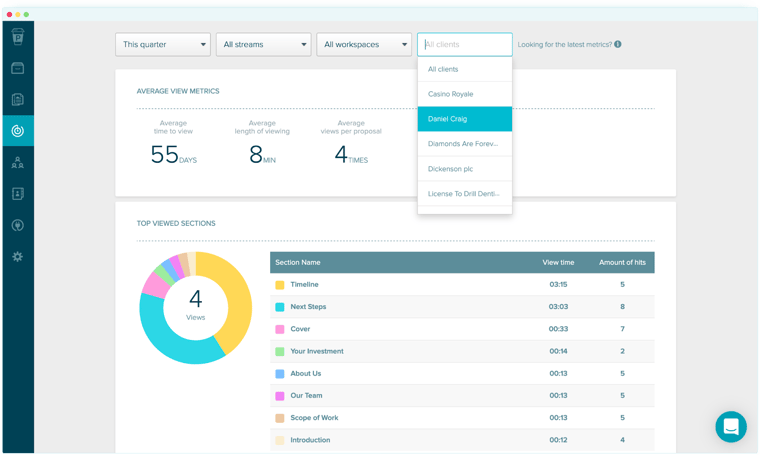
Most e-signature tools only tell you "sent" and "signed." But sales teams need to see when prospects opened the document, how long they spent reviewing it, and where they got stuck.
Reminder - automation only gets you so far. What sales teams really need is analytics that show you why prospects aren't signing yet and when to follow up intelligently. If you're serious about improving your proposal close rates, signature visibility is part of that equation.
5. Pricing Transparency
Some platforms charge per user, others per document. Premium features, API access, and storage limits can also inflate your actual costs beyond the advertised price. The best e-signature software vendors show their pricing upfront. If you have to "contact sales" for basic pricing information, that's a red flag.
Here's the key question: Do you need standalone e-signature software, or should e-signatures be built into your proposal workflow?
If you're signing simple contracts or one-off agreements, standalone tools work fine. But if you're sending complex proposals with pricing tables and terms, integrated solutions make more sense. They allow your prospects to review the proposal and sign in one seamless experience without switching platforms.
The 10 Best E-Signature Software Platforms Reviewed
This table gives you a quick way to compare all 10 best e-signature software platforms on features, pricing, and ratings. Use it to shortlist 2-3 options based on your team size, workflow, and whether you need standalone e-signatures or an integrated proposal solution.
|
# |
Tool |
Best For |
Key Features |
Pricing |
G2 Rating |
|
1 |
Proposify |
B2B sales teams sending proposals |
Proposal builder, interactive pricing, e-signatures, real-time analytics |
Starts at $19/user/month, with Team and Business plans adding integrations and controls |
4.6/5 |
|
2 |
DocuSign |
Enterprises needing regulatory compliance |
Advanced compliance, global reach, extensive integrations, audit trails |
Starts at $10/user/month; Business Pro at $40/user/month adds bulk sending |
4.5/5 |
|
3 |
Adobe Sign |
Adobe Creative Cloud and Acrobat users |
Adobe ecosystem integration, PDF editing, web forms, mobile app |
Starts at $14.99/user/month as part of Acrobat plans |
4.4/5 |
|
4 |
PandaDoc |
Sales teams wanting document automation |
Document editor, pricing tables, e-signatures, payment collection |
Starts at $19/user/month; Business plan at $49/user/month adds approvals |
4.7/5 |
|
5 |
HelloSign |
Small businesses on a budget |
Simple interface, Dropbox integration, templates, mobile signing |
Starts at $15/user/month with unlimited signatures |
4.7/5 |
|
6 |
SignNow |
High-volume signing needs |
Unlimited signatures, document routing, mobile app, custom branding |
Starts at $8/user/month with unlimited signatures on all plans |
4.6/5 |
|
7 |
Signeasy |
Mobile-first teams and field service |
Best-in-class mobile apps, offline signing, in-person mode, cloud storage |
Starts at $10/user/month; Business Pro plan at $30/user/month adds integrations |
4.7/5 |
|
8 |
Qwilr |
Sales teams wanting engaging proposals |
Interactive web pages, embedded videos, live analytics, payments |
Starts at $39/user/month; Enterprise at $59/user/month requires a 10-user minimum |
4.6/5 |
|
9 |
Zoho Sign |
Zoho ecosystem users |
Zoho suite integration, multi-party workflows, mobile app |
Starts at $12/user/month with 25 documents/user/month |
4.4/5 |
|
10 |
Juro |
Legal and procurement teams |
Contract lifecycle management, real-time collaboration, automated workflows, AI-assisted review |
Custom pricing based on contract volume and feature needs |
4.6/5 |
Here's a closer look at each platform, starting with why Proposify is a leading choice for sales teams.
1. Proposify
Best For: B2B sales teams who need proposals, pricing tables, and e-signatures in one polished, trackable experience
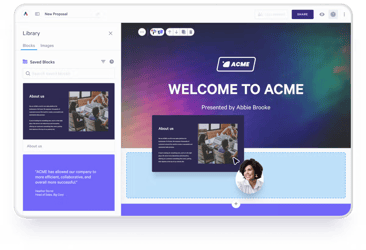
Proposify is proposal software with a built-in e-signature tool, so prospects can view your branded proposal, review your pricing and terms, and sign. A seamless, all-in-one experience without switching platforms.
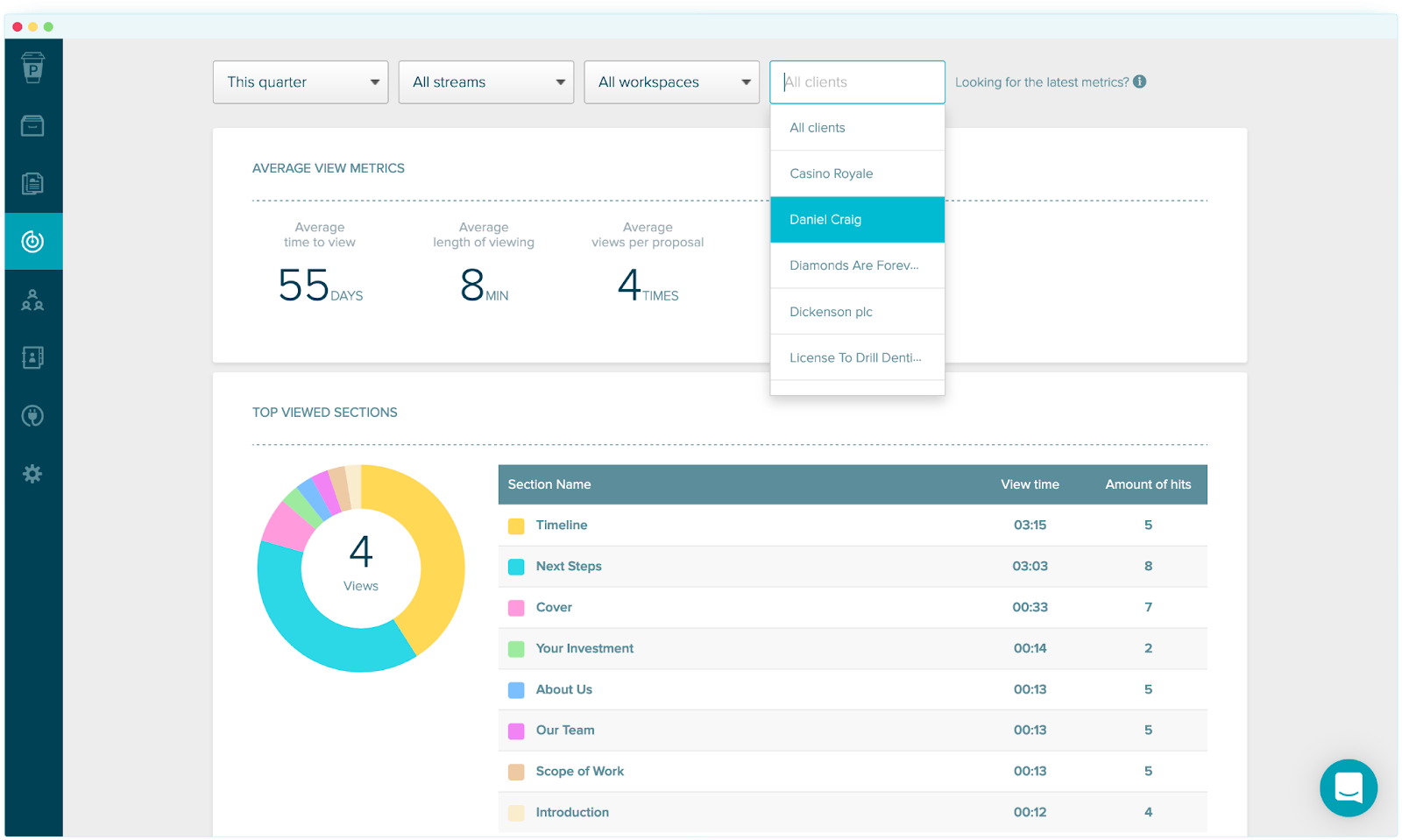
Proposify leads our best e-signature software rankings for one reason: visibility. Real-time analytics show you exactly when prospects open your proposal, how long they spend on each section, and when they're ready to sign. You know when to follow up and what to say.
That visibility works because Proposify combines proposal creation, interactive pricing tables, custom branding, and legally valid e-signatures in one place. Your CRM syncs automatically, and role-based permissions let you lock pricing or terms so reps can't accidentally send the wrong numbers.
Key Features
- Native E-Signatures: Legally valid signatures with no third-party redirects or friction
- Proposal Analytics: See what prospects actually read before signing, enabling smarter follow-up
- Interactive Pricing Tables: Prospects can adjust quantities and see totals update in real time
- Content Library: Reusable sections and locked templates to prevent costly errors
- Approval Workflows: Get internal sign-off before proposals go out
- Multi-Currency Support: Present proposals in your client's local currency
Pricing
- Basic ($19/user/month): Core features including e-signatures and dynamic pricing for small businesses
- Team ($41/user/month): Adds key integrations and collaboration tools for growing sales teams
- Business ($65/user/month): Advanced controls, automation, and enhanced security for larger organizations
All plans include a certain number of free collaborator seats for occasional contributors with additionals seats available at $8/monthuser/month.
Pros
- E-signatures integrated into the proposal flow means zero friction for prospects
- Engagement analytics give you follow-up intelligence that standalone e-signature tools can't provide
- Professional, branded proposals that make you stand out
- CRM integrations automate data entry and keep your sales stack connected
- Done-for-you implementation available and responsive support team
Cons
- Not ideal if you only need signatures on simple contracts without proposals
- Template library is still growing compared to legacy competitors
2. DocuSign
Best For: Enterprises needing best-in-class e-signature software with advanced compliance and deep integrations.
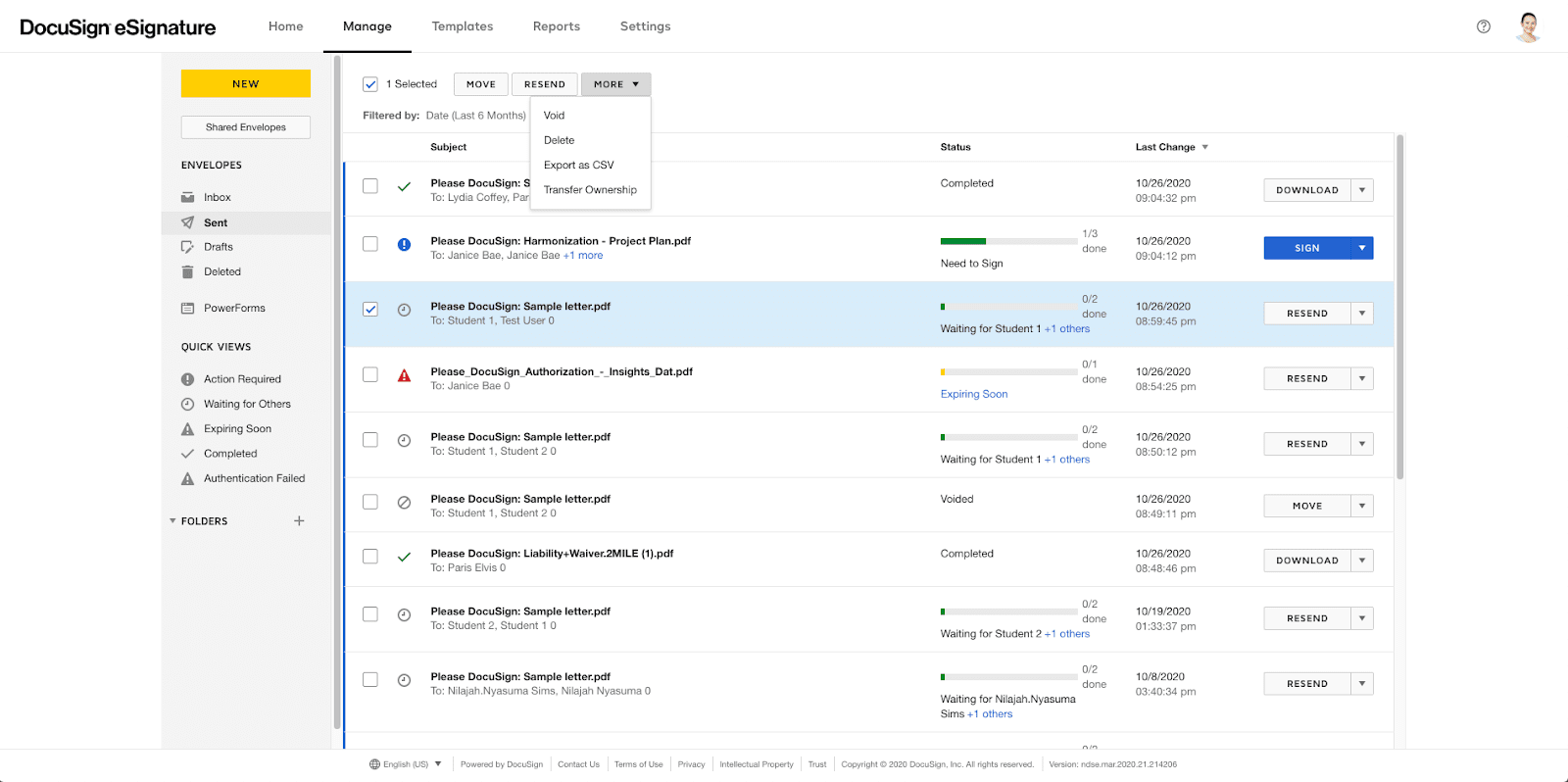
DocuSign owns the enterprise e-signature market, especially in regulated industries like healthcare (HIPAA-compliant), financial services (FINRA, GLBA), and government (FedRAMP Authorized), where compliance requirements are complex.
Unlike integrated proposal tools like Proposify, DocuSign is a dedicated e-signature software platform focusing solely on signatures and contract workflows. If you need complex compliance certifications, specific audit trails, or advanced authentication methods, DocuSign delivers.
Key Features
- Advanced security and compliance: Meets strict ESIGN, UETA, eIDAS, HIPAA, FINRA, and FedRAMP guidelines
- Extensive integrations: Connect with Salesforce, Microsoft 365, Google Workspace, and more
- Global signing support: Supports 44 languages and international signing workflows across regions
Pricing
- Personal ($10/month): 5 documents/month for individuals
- Standard ($25/user/month): Core features for small teams
- Business Pro ($40/user/month): Advanced features and bulk sending
- Enterprise: Custom pricing with advanced admin controls
Pros
- Industry-standard e-signature platform with strong brand recognition
- Comprehensive compliance and security certifications
- Massive integration ecosystem
- Reliable uptime and infrastructure
Cons
- Expensive compared to alternatives, especially at the enterprise tier
- Feature complexity can overwhelm smaller teams
- Customer support is sometimes slow for lower-tier plans
3. Adobe Sign
Best For: Organizations already in the Adobe ecosystem (Adobe Acrobat, Creative Cloud)
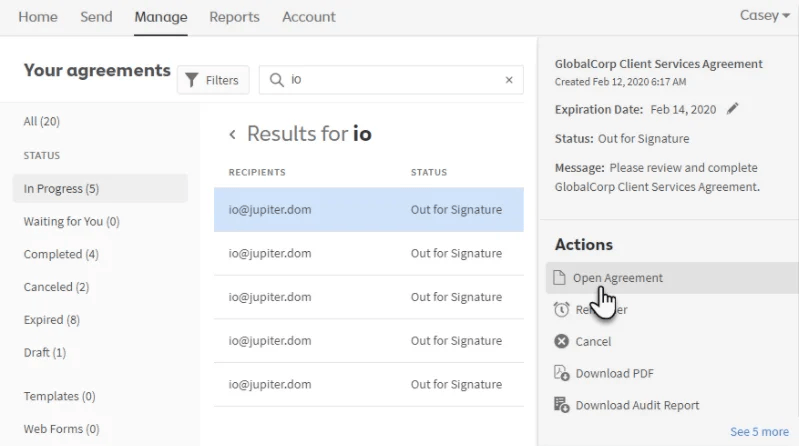
If your team already uses Adobe Acrobat or Creative Cloud, Adobe Sign is the natural choice. As an enterprise-grade e-signature platform, it's compliant with ESIGN, UETA, and eIDAS for contract management, legal agreements, and forms.
It's built for document-heavy workflows, making it ideal for legal, HR, and operations teams rather than sales teams.
Key Features
- Adobe ecosystem integrations: Works with Adobe Acrobat and Creative Cloud
- Web forms and bulk signing: Collect signatures at scale using embedded forms
- Workflow automations: Automates reminders, approvals, and document routing across teams
Pricing
- Acrobat Standard ($14.99/user/month): Includes e-signature capabilities
- Acrobat Pro ($23.99/user/month): Full PDF editing plus e-signatures
- Enterprise plans with custom pricing for larger teams
Pros
- Seamless if you're already in the Adobe ecosystem
- Strong PDF editing capabilities combined with e-signatures
- Reliable compliance and security
- Good mobile experience
Cons
- Pricing gets expensive for multiple users
- Overkill if you don't need Adobe's other features
- Interface can feel dated compared to newer competitors
4. PandaDoc
Best For: Sales teams looking for comprehensive e-signature software with document automation, proposals, and payment processing
PandaDoc is an all-in-one e-signature software platform that combines document creation, pricing tables, and e-signatures. It’s similar to Proposify but stronger on payment collection.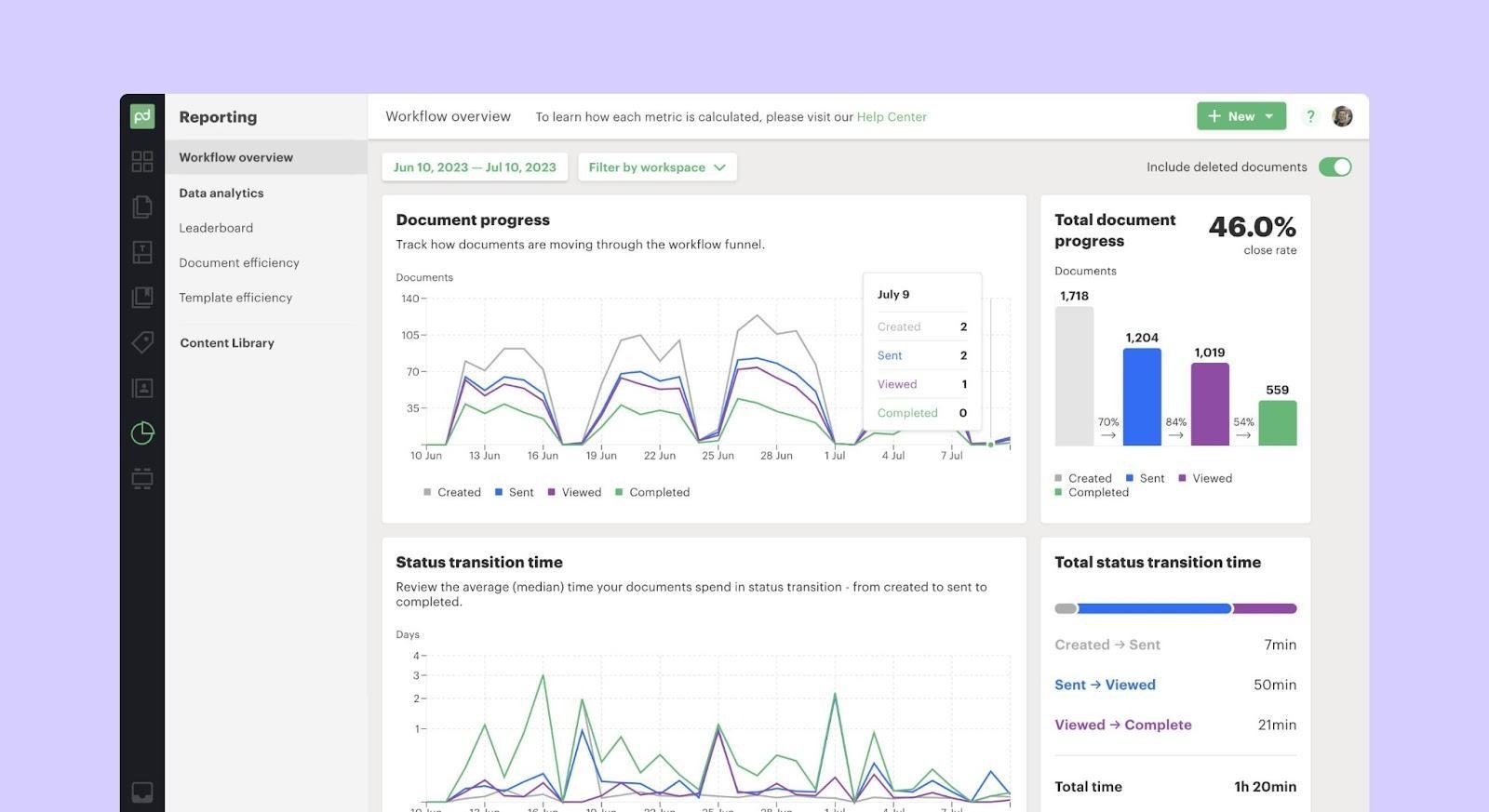
The platform includes analytics, CRM integrations, and content libraries. It's a strong option for sales teams, though design flexibility and permission controls are more limited than Proposify's. For example, you can't lock individual pricing fields while leaving quantities editable.
Key Features
- Document editor: Build proposals and contracts using a drag-and-drop editor with reusable blocks
- Pricing tables and quoting: Interactive pricing tables for quotes and sales documents
- E-signature and payments: Collect legally binding signatures and payments in the same workflow
Pricing
- Essentials ($19/user/month): Core document features and unlimited e-signatures
- Business ($49/user/month): Adds approvals, Salesforce integration, and roles
- Enterprise: Custom pricing with advanced controls and support
Pros
- All-in-one platform combining proposals, payments, and signatures
- Built-in payment collection
- Strong CRM integrations
- Good analytics on document engagement
Cons
- Interface less intuitive than Proposify
- Permission controls are less granular
- Pricing jumps significantly at the Business tier
5. HelloSign (Dropbox Sign)
Best For: Small businesses looking for affordable e-signature software with simple functionality and Dropbox integration
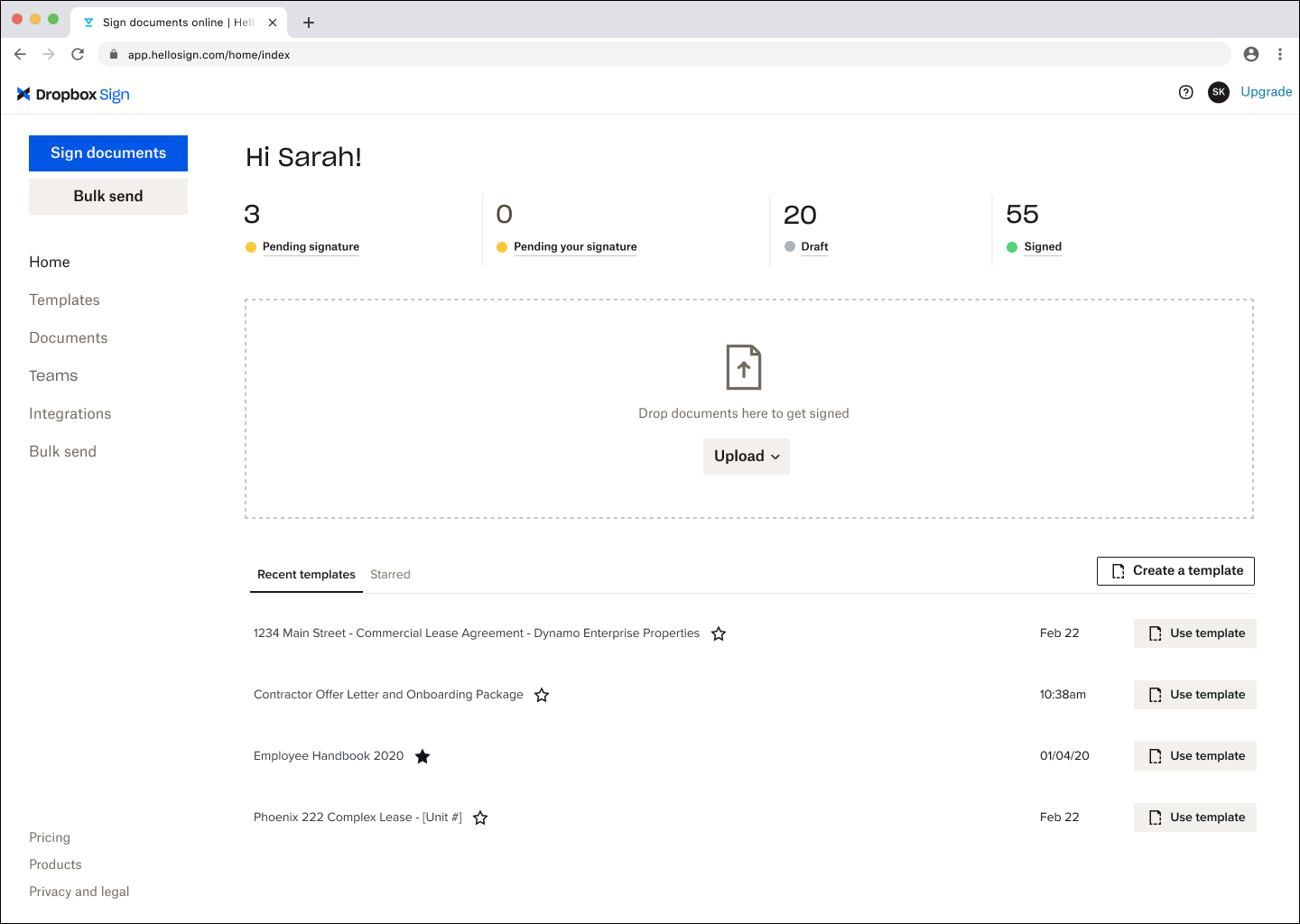
HelloSign (now Dropbox Sign) is a cost-effective e-signature platform with straightforward functionality for small businesses. The interface is clean, the mobile experience is smooth, and Dropbox integration makes document management seamless.
It's a straightforward e-signature platform built for contracts, agreements, and simple forms. Not complex proposals or advanced workflows.
Key Features
- Dropbox integration: Store, manage, and sign documents directly from Dropbox
- Mobile-friendly signing: Allows recipients to sign easily on any device
- Reusable templates: Save commonly used documents to speed up repeat workflows
Pricing
- Essentials ($15/user/month): Unlimited signatures, templates, and basic features
- Standard ($25/user/month): Adds team management and advanced templates
- Premium: Custom pricing with API access and advanced integrations
Pros
- Affordable for small teams and startups
- Simple, intuitive interface
- Good mobile experience
- Dropbox integration if you're already using it
Cons
- Limited features compared to full proposal platforms
- No pricing tables or interactive elements
- Basic analytics
6. SignNow
Best For: High-volume teams looking for affordable e-signature software with unlimited signatures
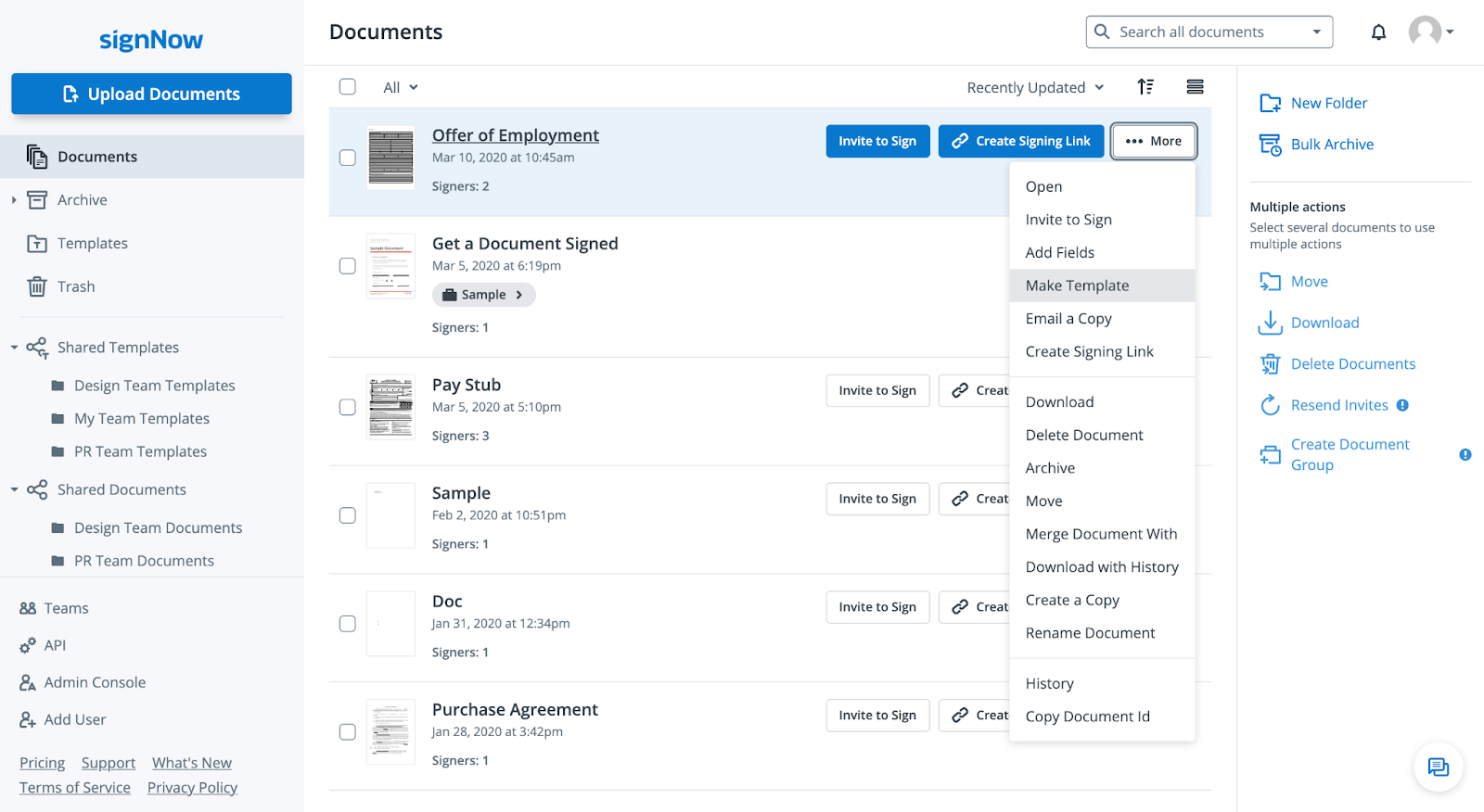
SignNow offers unlimited signatures at a flat monthly rate, saving teams significant money compared to per-document pricing. This e-signature solution includes templates, mobile signing, and audit trails without enterprise complexity. Popular with real estate teams, HR departments, and anyone managing high document volumes.
Key Features
- Unlimited signatures: Send and sign an unlimited number of documents on all plans
- Document workflows: Route documents for approval, signing, and completion automatically
- Customizable branding: Apply logos and brand elements to documents and emails
Pricing
- Business ($8/user/month): Unlimited signatures and core features
- Business Premium ($15/user/month): Adds advanced integrations and branding
- Enterprise ($30/user/month): API access and dedicated support
Pros
- Unlimited signatures at a very competitive price
- Simple interface and quick setup
- Good for high-volume signing needs
- Strong mobile app
Cons
- Basic feature set compared to proposal platforms
- Limited analytics and tracking
- Support can be slow on lower tiers
7. Signeasy
Best For: Field service teams looking for mobile-optimized e-signature software
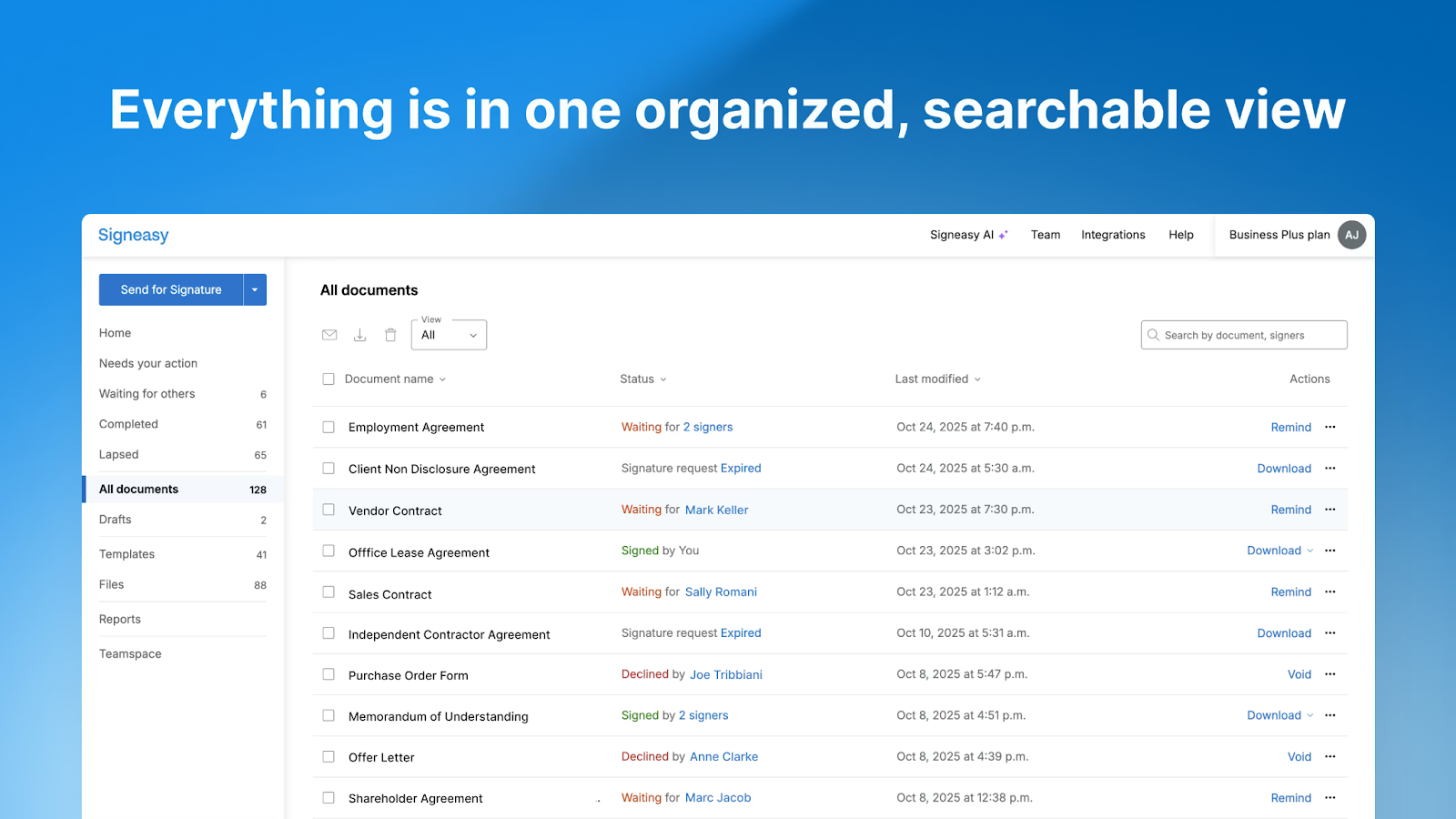
SignEasy has the best mobile e-signature experience. As a mobile-focused e-signature solution, it handles signing smoothly on phones and tablets for field teams, even offline. The app syncs when back online and works well on smaller screens. Ideal for field service businesses, contractors, and teams closing deals face-to-face.
Key Features
- Mobile-first e-signatures: Optimized apps for iOS and Android designed for on-the-go teams
- Offline signing: Capture signatures without internet access and sync automatically later
- In-person signing mode: Collect signatures face-to-face on shared devices
Pricing
- Essential ($10/user/month): Unlimited signatures and basic features
- Business ($20/user/month): Adds team features and branding
- Business Pro ($30/user/month): Advanced integrations and controls
Pros
- Best-in-class mobile e-signature experience for field and remote teams
- Works offline for field teams
- In-person signing mode for face-to-face deals
- Clean, simple interface
Cons
- Desktop experience is less robust than competitors
- Limited proposal or document creation features
- Basic analytics
8. Qwilr
Best For: Creative and sales teams looking for engaging e-signature software with interactive proposals
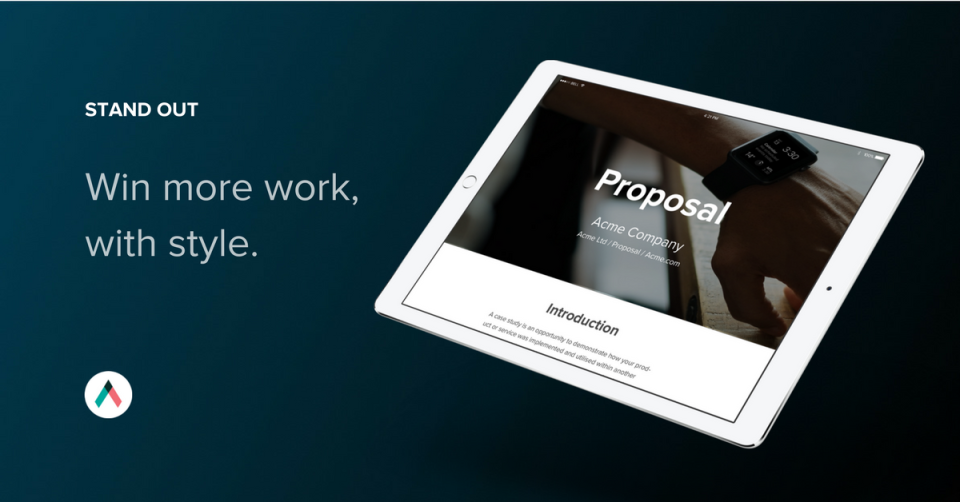
As a web-based e-signature platform, Qwilr turns proposals into interactive webpages that prospects can view on any device. For visually driven services such as design, architecture, or marketing, this e-signature solution offers greater flexibility than static PDF-based tools. Clients can review everything and sign without leaving the page.
Key Features
- Interactive web proposals: Turn proposals into responsive webpages instead of static PDFs
- Embedded payments and e-signatures: Prospects sign and pay directly within the proposal
- Live proposal analytics: Track views, engagement, and completion in real time
Pricing
- Business ($35/user/month): Core features for small teams, includes HubSpot integration
- Enterprise ($59/user/month, billed annually with a 10-user minimum): Adds Salesforce integration, advanced security, and dedicated support
Pros
- Webpage format creates an engaging, interactive client experience
- Easy for clients to accept and pay directly from the proposal
- Templates are simple to customize for different sales scenarios
- CRM integrations keep data synced without manual entry
Cons
- Interface can feel less intuitive than dedicated proposal tools like Proposify
- Page layout and design options are more limited for complex customization
- Lacks advanced features like granular permission controls for protecting pricing
9. Zoho Sign
Best For: Zoho users looking for affordable e-signature software that integrates natively
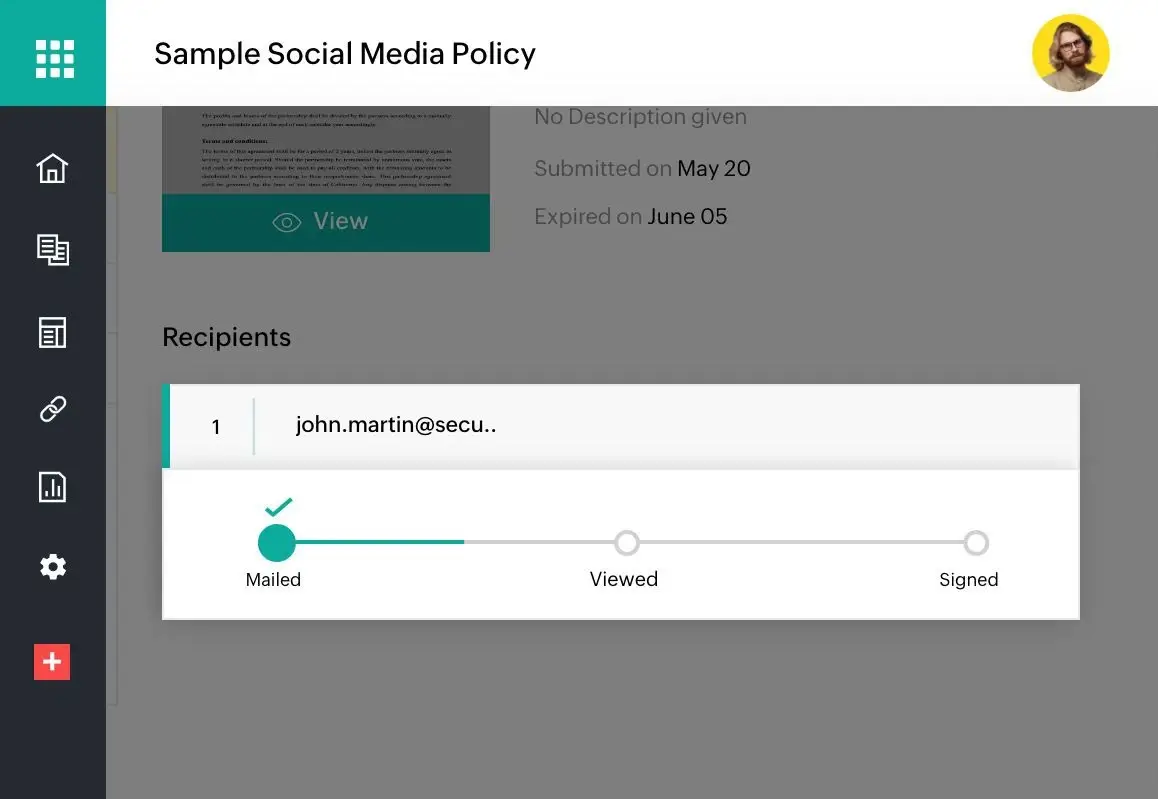
If you're using Zoho CRM, Zoho Docs, or other Zoho products, Zoho Sign integrates seamlessly and stays affordable. This e-signature solution includes all standard features at a competitive price point. Advanced features and analytics are more limited than standalone tools like DocuSign.
Key Features
- Zoho ecosystem integration: Works natively with Zoho CRM, Zoho Books, and other Zoho apps
- Multi-party signing workflows: Manage sequential and parallel signing processes
- Compliance and audit trails: Provides legally binding signatures with detailed records
Pricing
- Standard ($10/user/month): 25 signatures per month with basic features
- Professional ($16/user/month): Unlimited signatures, advanced features, and integrations
- Enterprise ($22/user/month): Enhanced security and dedicated support
Pros
- Ideal for small businesses on a budget
- Seamless integration with other Zoho products
- Solid basic feature set
- Compliance with major e-signature standards
Cons
- Limited features outside the Zoho ecosystem
- Interface feels dated
- Basic analytics and tracking
10. Juro
Best For: Legal and procurement teams seeking comprehensive contract software with integrated e-signatures
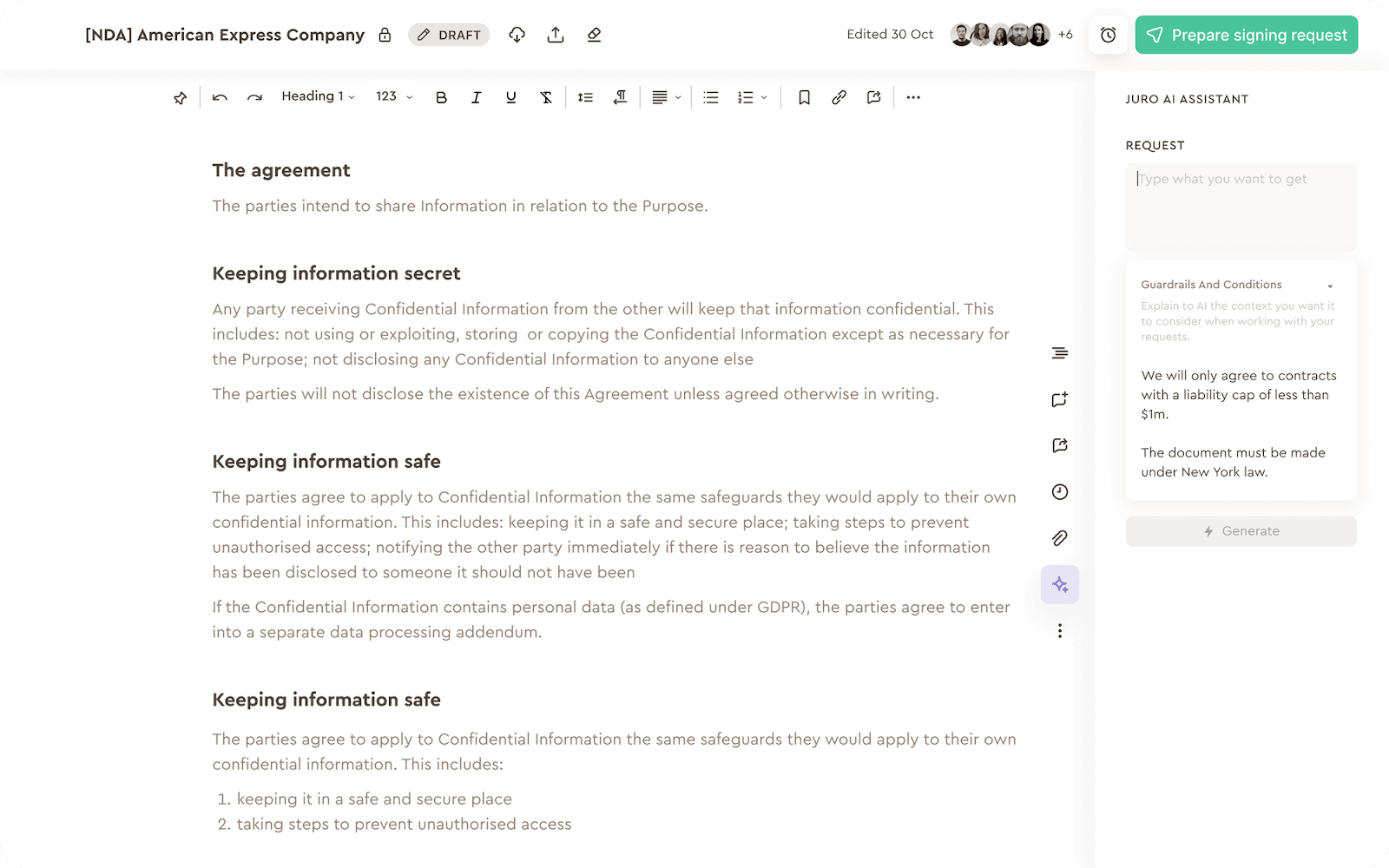
Juro is a contract lifecycle management platform with built-in e-signature. It's designed for legal and procurement teams managing complex contract workflows with extensive negotiation and redlining. The platform handles contract creation, real-time collaboration, approval workflows, and e-signatures in one system. Best for in-house legal teams at scaling companies.
Key Features
- Contract lifecycle management: Manage contracts from creation through signing and renewal
- Real-time collaboration and redlining: Edit, comment, and negotiate contracts directly
- AI-assisted contract review: Identify risks and key clauses using built-in AI tools
Pricing
Custom pricing based on contract volume and feature needs
Pros
- Comprehensive contract management beyond just signatures
- Strong collaboration features for legal teams
- AI-powered contract review
- Excellent for complex negotiation workflows
Cons
- Overkill for simple sales proposals
- Pricing not transparent
- Learning curve for sales teams
Why Proposify Is the Best E-Signature Software for Sales Teams
Right now, you're probably juggling Word for proposals, Excel for pricing, and DocuSign for signatures. Every time you switch tools, you create friction, delays, and opportunities for deals to go dark.
Proposify delivers professional proposals, real-time analytics, and native e-signatures in one seamless experience. Your prospects get a polished, branded proposal where they can review pricing, read terms, and sign without ever leaving the page. You get visibility into exactly how they're engaging with your proposal, so you know when to follow up and what to say.
Ready to close deals faster? Book a demo today and see how Proposify transforms your sales process.