







Published: August 18, 2026
Updated: August 18, 2026

Quick Summary
Looking for sales productivity tools for the closing stage? According to Proposify's State of Proposals report, 43% of winning proposals close within a day of opening. Manual quotes, slow approvals, and email chains for signatures burn through that time fast. The right sales productivity tools speed up those steps so you close before the deal slips. Here are 15 tools to help you close deals faster, with Proposify leading the list.
The Closing Stage Is Where Deals Actually Get Won
Sales teams pour their energy into the top of the funnel: more leads, sharper outreach, tighter qualification. Then the deal reaches the closing stages, and everything slows down. Reps build quotes by hand, chase approvals, and watch buyers go quiet after a proposal is sent.
That's the closing stage, and it decides who wins the deal. The right mix of proposal and quoting software, automation, buyer engagement tools, and e-signature platforms turns that stretch into the fastest, most controlled part of your sales process. This roundup covers 15 tools across five jobs, so you can match the right tool to your bottleneck.
Why Listen to Us
Proposify is proposal management software that helps B2B sales and marketing teams manage the entire proposal process—from creating professional, on-brand proposals to streamlining approvals, tracking buyer engagement, and closing more deals. With more than a decade focused exclusively on proposals, we understand firsthand what slows deals down, and what helps businesses close them faster.
What are Closing-Stage Sales Productivity Tools?
Closing-stage sales productivity tools are software built for the final part of the sales process, the steps right after discovery and qualification where a deal gets quoted, proposed, approved internally, and signed.
That's a different job from prospecting tools, which fill the pipeline rather than close what's already in it. One finds you the deal. The other gets it signed, and that's where the real gains start.
What are the Benefits of Sales Productivity Tools for the Closing Stage?
When the tools from your closing-stage stack work together, the whole process gets faster, more consistent, and easier to manage. Here's what that looks like in practice:
- Shorter sales cycles by streamlining proposal creation, approvals, contracts, and e-signatures, reducing delays between buyer interest and close.
- Higher win rates with professional, personalized, and interactive sales documents that make it easier for buyers to evaluate and approve offers.
- Consistent messaging and branding through standardized templates, approved content, and automated workflows across every sales rep and location.
- Better buyer insights with real-time engagement tracking that helps reps prioritize follow-ups based on actual buyer behavior instead of guesswork.
- Fewer costly errors by automating pricing, approvals, and document generation while reducing manual data entry.
- More selling time for reps by removing repetitive administrative work, allowing them to focus on building relationships and closing deals.
In short, you spend less time on documents and more time closing. The gains also compound: a faster, more consistent closing process is far easier to scale as you add reps or open new locations. Here are the tools, grouped by the closing-stage job they do:
The Best Sales Closing Tools at a Glance
The following tables display quick information regarding the 15 best sales productivity tools for the closing stage reviewed in detail in the latter sections:
|
Tool |
Helps You |
Best for |
Standout feature |
Reviews |
Starting price* |
|
Proposify |
Create proposals, quote, and close, all in one place |
Professional, on-brand proposal management |
Design flexibility AI-assisted proposal generation, Element locking, Video embedding, Buyer engagement analytics |
4.6/5 (G2, ~1,000 reviews) |
$19/user/mo |
|
PandaDoc |
Create & manage proposals |
General document workflows |
Large template library |
4.7/5 (G2, 3,400+ reviews) |
$19/seat/mo |
|
Qwilr |
Create & manage proposals |
Interactive web proposals |
Webpage-style proposals |
4.6/5 (G2, 870+ reviews) |
$35/user/mo |
|
Quoter |
Create quotes & estimates |
High-volume recurring quotes |
Unlimited-user pricing |
4.7/5 (G2, 250+ reviews) |
$299/mo |
|
QuoteWerks |
Create quotes & estimates |
CRM & PSA quoting |
Concurrent-user licensing |
4.4/5 (Capterra, 900+ reviews) |
$21/user/mo |
|
DealHub CPQ |
Create quotes & estimates |
Complex configurable pricing |
Guided selling |
4.7/5 (G2, 700+ reviews) |
~$60/user/mo |
|
Zapier |
Automate closing tasks |
No-code automations |
9,000+ integrations |
4.5/5 (G2, 1,400+ reviews) |
Free / $19.99/mo |
|
Make |
Automate closing tasks |
Visual workflow automation |
Scenario builder |
4.7/5 (G2, 500+ reviews) |
Free / $9/mo |
|
Activepieces |
Automate closing tasks |
Open-source automation |
Human approval steps |
4.8/5 (G2, 140+ reviews) |
Free / $5 per active flow |
|
Dock |
Keep buyers engaged |
Mutual action plans |
Digital sales rooms |
4.8/5 (G2, 250+ reviews) |
Free / $49/user/mo |
|
Trumpet |
Keep buyers engaged |
Interactive buyer microsites |
Personalized buyer pods |
4.7/5 (G2, 150+ reviews) |
~$450/mo |
|
Aligned |
Keep buyers engaged |
Buyer collaboration rooms |
Free plan for 3 users |
4.7/5 (G2, 120+ reviews) |
Free / ~$35/seat/mo |
|
DocuSign |
Collect signatures |
Enterprise signing |
Court-tested audit trail |
4.5/5 (G2, 2,500+ reviews) |
$30/user/mo |
|
Dropbox Sign |
Collect signatures |
Developer-friendly signing |
Clean API |
4.7/5 (G2, 2,200+ reviews) |
$15/user/mo |
|
SignWell |
Collect signatures |
Budget-friendly signing |
Free plan |
4.8/5 (G2, 250+ reviews) |
Free / $10/mo |
Tools for Creating and Managing Proposals
Here are the best sales productivity tools for creating and managing proposals
1. Proposify
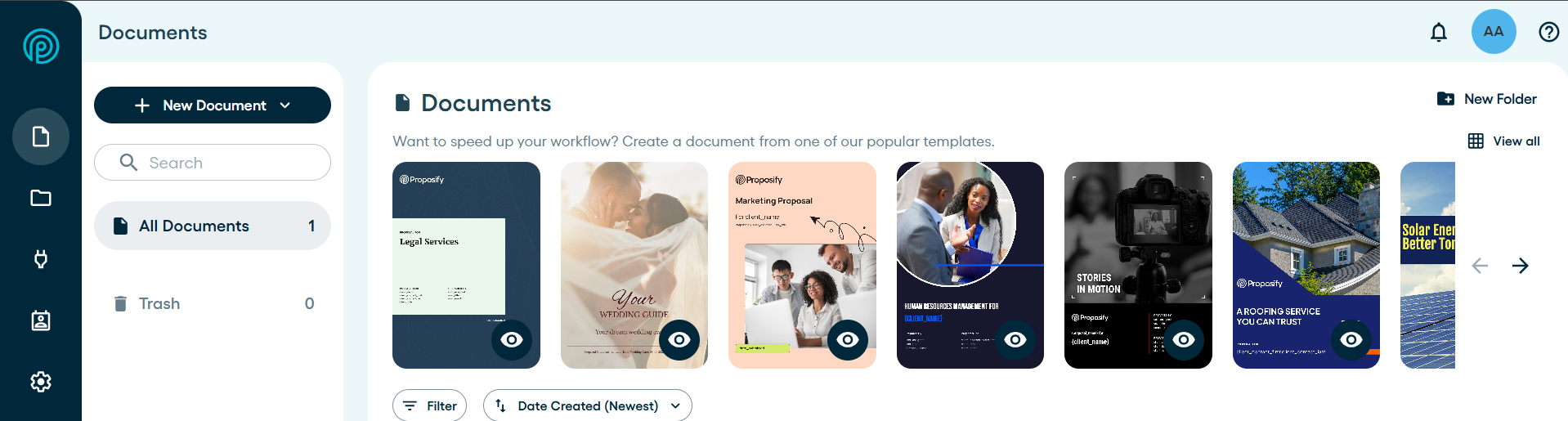
Best for: Professional, on-brand proposal management, including approval workflows, engagement analytics, and e-signature built in.
Proposify is an all-in-one proposal software built for sales teams. You turn a qualified opportunity into a polished, on-brand proposal, send it, and then track exactly how the buyer engages with it. Reusable templates and a content library speed up creation, approval workflows keep pricing and terms in check, and built-in e-signatures let the buyer sign directly in the document.
Pricing lives inside that same proposal document. Interactive tables let buyers adjust quantities or add-ons and watch the total update live. That way, the quote never has to leave the proposal for a spreadsheet or a separate quoting tool.
Two things set Proposify’s proposals apart: design and control. Proposify produces the most polished proposals in the space, and even competing tools tend to concede the point. Control goes further than a standard approval step: you can lock pricing, terms, and brand elements by role, so nothing off-brand or mispriced goes out by accident.
Add embedded video, real-time engagement analytics, and follow-ups triggered by proposal activity, and you get productivity gains across the whole late-stage workflow rather than one slice of it. Most proposals still skip video entirely, so a short personalized intro or walkthrough is a low-effort way to stand out before the buyer even gets to pricing. Compared to lighter tools like Better Proposals, Proposify also goes further in internal workflows, approvals, collaboration, and buyer insights.
The software fits teams that exist in proposals: agencies, consultants, professional services, law firms, construction contractors, and SaaS companies that need consistency across reps and offices. The payoff is practical. You get shorter sales cycles, fewer pricing and terms errors, and a consistent, professional impression on every buyer. Proposify has been credited with helping customers grow their businesses, not just send nicer documents.
Key Features
- Customizable templates and a reusable content library
- Approval workflows with role-based element locking
- Embedded video for personalized intros, walkthroughs, and demos
- Built-in, legally binding e-signatures
- Real-time tracking and buyer engagement analytics
- AI proposal generation
- Interactive pricing tables buyers can adjust in real time
Pros
- Covers proposal creation, quoting, approvals, and e-signature in one flow, with no handoff to a separate tool
- Role-based locking catches pricing and legal errors before they go out, not just after
- An add-on done-for-you template design service, so you launch fast without building everything yourself
What customers are saying: Proposify has a 4.6/5 rating on G2 based on nearly 1,000 reviews. One customer noted their close rate doubled after launching a custom template.
Pricing
Proposify's published pricing lists Basic at $19/user/mo and Team at $41/user/mo, billed annually. Business is custom, starting at $3,900/year, and includes premium onboarding and a dedicated success manager. Every plan comes with a set number of free collaborator seats (1, 3, and 5). Extra seats are paid, not unlimited. Support scales with your plan too, from email and chat up to phone, Zoom, and a named success manager.
Free trial: 14 days, no credit card required.
2. PandaDoc
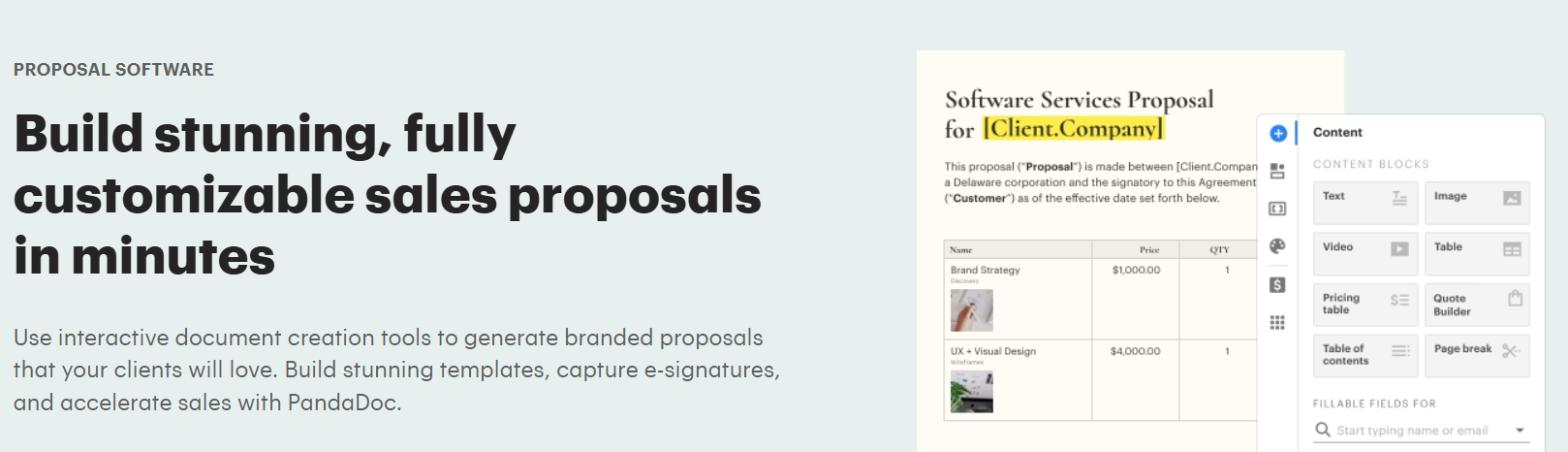
Best for: general document and e-signature workflows
PandaDoc is document software that spans proposals, contracts, quotes, and forms in one place. It ships with a large template library, e-signatures, and CRM integrations, and there is a free plan for light use. For teams sending a high volume of fairly standard documents, that range is genuinely useful.
The breadth has a trade-off. Spread across many document types, PandaDoc's proposal design is capable rather than distinctive, and fine layout control can feel limited. That is the clearest gap relative to Proposify, which focuses on proposals and produces more polished, on-brand documents.
If your proposals mainly need to be functional, PandaDoc is a reasonable fit. But if the proposal has to win the deal on look and feel, Proposify has the edge. For operations-heavy teams standardizing many document types at once, its single-platform approach is a genuine draw.
Key Features
- Editor for proposals, contracts, and quotes
- Large template library
- Built-in e-signatures
- CRM integrations and approval workflows
- Deal rooms and web forms
Pros
- Free plan for light users
- Covers many document types
- Well-stocked template marketplace
What customers are saying: PandaDoc rates 4.7/5 on G2 across 3,400+ reviews, with users citing ease of use and template variety.
Pricing
PandaDoc's pricing (billed annually) includes a Free plan for up to 60 docs/year, Starter at $19/seat/mo, Business at $49/seat/mo, and a custom Enterprise tier.
Free trial: 14 days.
3. Qwilr
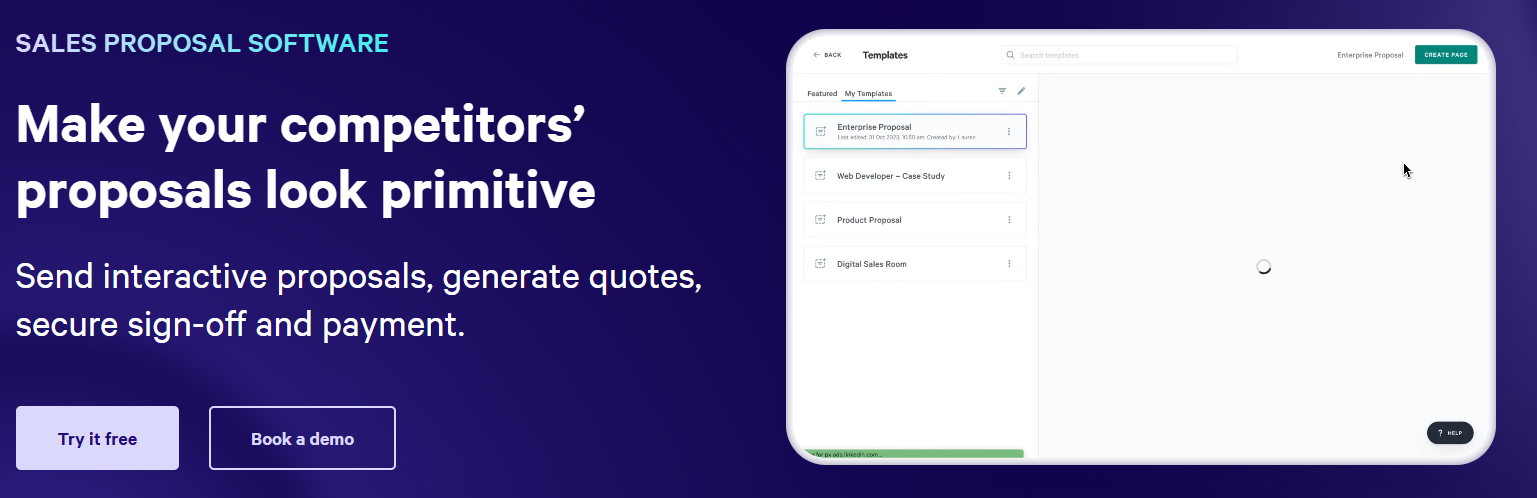
Best for: webpage-style interactive proposals
Qwilr builds proposals as interactive web pages rather than static PDFs, with embedded media, live pricing blocks, and payments. The format is modern and works well on any screen, which appeals to design-conscious teams.
Though the harder part is price and structure. The Growth and Scale plans have user minimums. So, costs rise quickly as the team grows, and some teams find the web page format less flexible for long, multi-section proposals.
Proposify offers similar interactivity and analytics, with more design control and lower entry pricing, which is where it wins in terms of value. Better Proposals plays in the same space but trails Proposify on internal workflows, approvals, collaboration, and buyer insights.
Key Features
- Web-page proposals with embedded media
- Live, interactive pricing blocks
- Built-in analytics and e-signature
- QwilrPay for collecting payment
- CRM integrations and API access
Pros
- Modern, web-based format
- Strong on mobile
- Interactive quote blocks
What customers are saying: Qwilr holds 4.6/5 on G2 across 870+ reviews, with users praising the design and some flagging the plan minimums.
Pricing
Qwilr's pricing (billed annually) runs Starter $35/user/mo, Growth $55/user/mo (5-user minimum), and Scale $75/user/mo (10-user minimum).
Free trial: 14 days, no credit card required.
Tools for Creating Quotes and Estimates
Here are some of the sales productivity tools for creating quotes and estimates:
4. Quoter
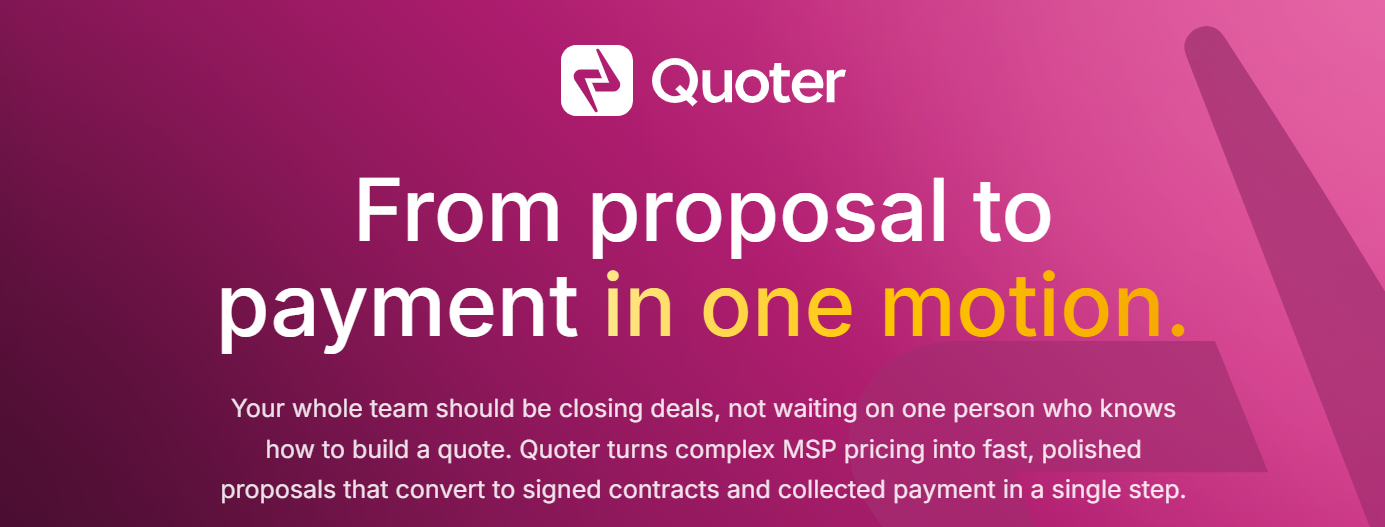
Best for: high-volume recurring quotes for IT and MSP teams
Quoter is quoting software designed for teams that produce many repeatable quotes, especially MSPs and IT resellers. It pulls live pricing from a product catalog, automates reminders, and lets buyers accept online, with unlimited users on every plan.
Quoter is built for speed and volume rather than for presenting a full proposal, so the output is a clean quote, not a designed pitch. Proposify overlaps on quoting but adds interactive pricing tables inside a proposal you can brand and track. Many teams use Quoter for routine, high-volume quotes and bring in Proposify when a deal needs a proper proposal with the numbers behind it.
Key Features
- Live product catalog pricing
- Automated quote reminders
- Online acceptance and e-signature
- PSA, CRM, and accounting integrations
- Quote approvals and reusable line items
Pros
- Unlimited users on every plan
- Strong fit for MSP and IT resellers
- Fast, templated quote creation
What customers are saying: Reviewers on G2 consistently highlight its fast quoting and its unlimited-user pricing model.
Pricing
Quoter's pricing is Standard $299/mo (75 quotes), Pro $449/mo (150 quotes), and Enterprise $599/mo, billed on a 12-month term.
Free trial: Not published; a demo is available on request.
5. QuoteWerks
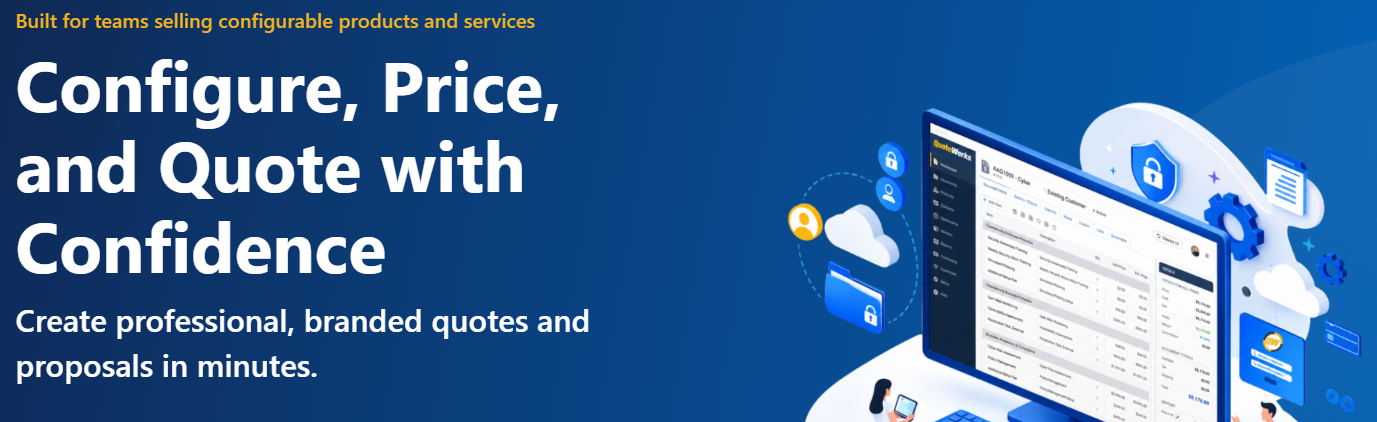
Best for: quoting inside an existing CRM or PSA stack.
QuoteWerks is long-established quoting software that connects to a wide range of CRMs, PSAs, and accounting tools. Its concurrent-user licensing means you pay for the people quoting at the same time rather than for every login, which keeps costs down for occasional users.
It is efficient for back-office quoting, but the interface shows its age, and it is not designed to be buyer-facing. Proposify is the better choice when the document needs to look current and report back on how the buyer engages. In practice, QuoteWerks can run internal quoting while Proposify handles what the buyer actually sees.
Key Features
- Deep CRM and PSA integrations
- Concurrent-user licensing
- Product sourcing and pricing controls
- Quote approvals and revisions
- Order and invoice handling
Pros
- Pay only for concurrent users
- Mature integration ecosystem
- One-time or subscription licensing
What customers are saying: Long-time users on Capterra praise its reliability and the depth of its integrations.
Pricing
QuoteWerks' pricing runs Professional $21/user/mo and Corporate $30/user/mo, on a concurrent-user licensing model.
Free trial: Available on request.
6. DealHub CPQ
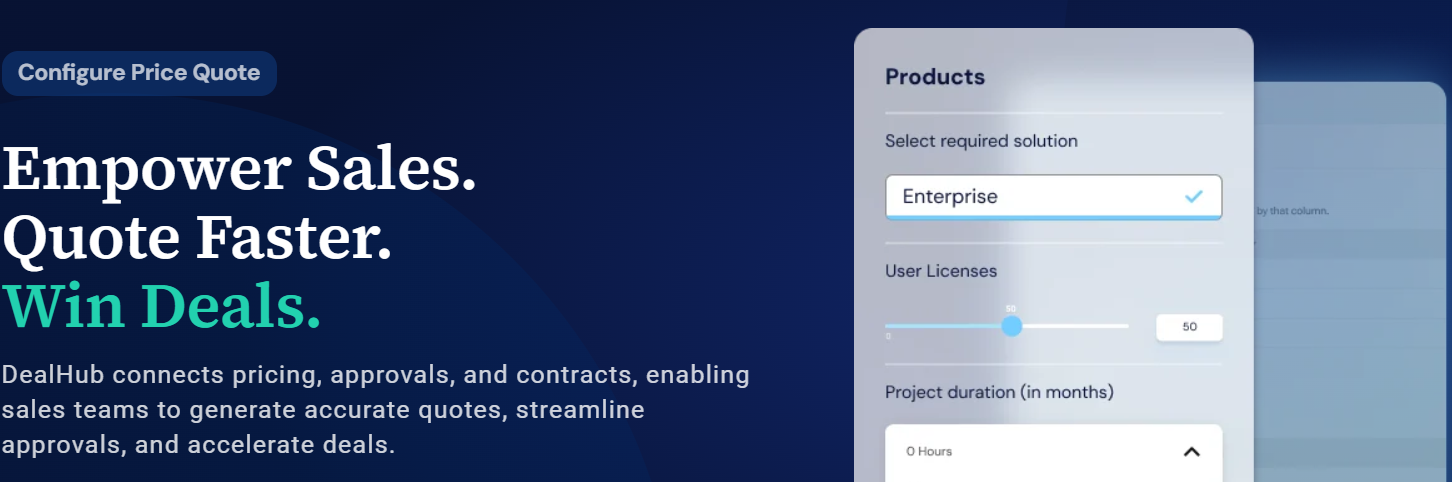
Best for: complex, configurable deals that need guided selling.
DealHub is a CPQ platform for teams with complicated pricing. It guides reps through configuration rules and approvals and can extend to contract management and billing. For large, configuration-heavy deals, that structure reduces quoting errors.
The trade-off is weight and cost. Setup is heavier, pricing is custom and quote-based, and most SMB or mid-market teams need far less machinery than this. Proposify covers quoting and the full proposal without the enterprise overhead, which suits the majority of closing-stage teams. If you want the detail, Proposify publishes a DealHub pricing guide that breaks it down.
Key Features
- Guided selling and configuration rules
- Automated approval workflows
- CPQ with CLM and billing modules
- Real-time pricing controls
- Salesforce and HubSpot integrations
Pros
- Handles complex pricing logic
- Guided quoting reduces errors
- Modular across CPQ, CLM, billing
What customers are saying: On G2, reviewers rate DealHub highly for its guided selling and its handling of complicated quotes.
Pricing
DealHub's pricing is custom, typically $60-$83/user/mo, billed annually, with no public list price.
Free trial: None; demo only.
Tools for Automating Repetitive Closing Tasks
Here are some of the best sales productivity tools for repetitive closing tasks:
7. Zapier

Best for: no-code automation across the widest range of apps.
Zapier is a no-code automation tool that connects the apps in your sales stack. In the closing stage, it can update your CRM, create follow-up tasks, and alert managers automatically when a proposal is opened or signed. Its large integration library means most teams can set it up without help.
Zapier does not create or manage proposals itself, so it works alongside a tool like Proposify rather than replacing it. A common setup is to trigger Zapier workflows from Proposify events, so the admin around each deal runs on its own. The main caution is that task-based pricing can add up as your automations grow. A typical closing-stage use is nudging a rep to follow up the moment a proposal is viewed but not signed.
Key Features
- 9,000+ app integrations
- Multi-step workflows (Zaps)
- Conditional logic and filters
- Webhooks and AI fields
- Shared team workflows
Pros
- Largest integration library
- Friendly for non-technical users
- Free plan to get started
What customers are saying: Zapier is widely rated on G2 for its reliability and the breadth of its integrations.
Pricing
Zapier's pricing (billed annually) starts with a Free plan (100 tasks/mo), then Professional from $19.99/mo, Team from $69/mo, and a custom Enterprise tier.
Free trial: Free plan; trials on the paid tiers.
8. Make

Best for: visual, complex multi-step automations.
Make is an automation platform with a visual builder for mapping out multi-step workflows. It suits closing processes with detailed, branching logic, and it tends to cost less than comparable tools. The visual canvas makes complex sequences easier to follow.
Like Zapier, Make supports the closing stage rather than running it, so it pairs with your proposal tool rather than replacing it. You can route Proposify events into follow-up actions across your stack. It has a steeper learning curve than simpler automation tools, so plan for some setup time.
Key Features
- Visual, drag-and-drop scenario builder
- 3,000+ app connections
- Routers, filters, and custom variables
- Minute-level scheduling
- Reusable scenario templates
Pros
- Highly visual and flexible
- Competitive pricing
- Generous free credits
What customers are saying: Reviewers on G2 praise Make for its flexibility and its value for money.
Pricing
Make's pricing (billed annually) offers a Free plan (1,000 credits/mo), Core $9/mo, Pro $16/mo, Teams $29/mo, and a custom Enterprise tier.
Free trial: Free plan, with no time limit.
9. Activepieces

Best for: open-source automation with AI and human approvals.
Activepieces is an open-source, no-code automation platform that connects your apps and AI agents into a single workflow. You can use the hosted version or self-host it, and it is known for being quick to set up. In the closing stage, it can update your CRM, send follow-ups, and route AI-drafted actions through a review step.
Activepieces’s useful feature for this list is the human approval step. An AI agent can prepare an action, then wait for a person to approve or reject it before it runs. That control echoes how Proposify locks pricing and terms by role, keeping a human on anything sensitive. Like the other automation tools here, Activepieces supports your proposal software rather than replacing it, so it exists alongside Proposify. Self-hosting needs some technical setup, though the hosted version stays no-code.
Key features:
- Open-source (hosted or self-hosted)
- Human approval steps
- AI agents + no-code builder
- 700+ integrations
- Unlimited runs on active flows
Pros:
- Open-source and self-hostable
- Human approvals on AI actions
- Fast, no-code setup
What customers are saying: 4.8/5 on G2 across 140+ reviews, praised for ease of setup and open-source flexibility.
Pricing
Activepieces' pricing is free with 10 active flows, then usage-based from $5 per active flow/mo; custom Ultimate tier
Free trial: Free plan (10 active flows) plus a free self-hosted Community Edition.
Tools for Keeping Buyers Engaged
Here are the top sales productivity tools for keeping buyers engaged:
10. Dock
Best for: mutual action plans and organized deal rooms.
Dock is a digital sales room tool that gives each buyer one shared space for the deal. It holds collateral, mutual action plans, and next steps behind a single link, and it tracks what the buyer opens. The same room carries into onboarding after the deal closes.
Dock organizes everything around the deal, but it is not where you build the proposal. It works alongside Proposify. Send the proposal from Proposify, then keep the wider deal organized in Dock. If your main risk is proposals stalling rather than deals losing structure, start with the proposal tool first. It is a strong fit for complex deals with several stakeholders to keep aligned.
Key Features
- Digital sales rooms and client portals
- Mutual action plans
- Content management and tracking
- Onboarding and renewal spaces
- Engagement notifications
Pros
- Clean, flexible workspaces
- Strong mutual action plans
- Covers post-sale onboarding
What customers are saying: Dock holds an impressive 4.8/5 on G2, with reviewers repeatedly praising its clean, flexible design.
Pricing
Dock's pricing starts with a Free plan (up to 5 workspaces), with paid plans from about $49/user/mo, billed annually.
Free trial: Free plan available.
11. Trumpet
Best for: interactive buyer microsites.
Trumpet packages sales content into interactive microsites, called pods, with video, mutual action plans, and engagement tracking. They are quick to build and give the buyer a single, organized place to review a deal.
A pod is an engagement layer around the deal, not the proposal itself, so it complements Proposify rather than competing with it. Proposify still handles the core proposal, with more control over design and pricing. If you are weighing the two, the proposal is usually the higher-stakes document, so prioritize it.
Key Features
- Personalized buyer pods
- Engagement tracking and analytics
- Mutual action plan blocks
- Video and content embedding
- HubSpot and CRM integrations
Pros
- Modern buyer experience
- Quick to build and share
- Useful engagement insights
What customers are saying: Trumpet holds 4.7/5 on G2 and has ranked #1 for best results in the digital sales room category.
Pricing
Trumpet's pricing starts around $450/mo. Check the vendor for current tiers.
Free trial: Demo and trial on request.
12. Aligned
Best for: free-to-start buyer collaboration rooms.
Aligned is a buyer collaboration tool that centralizes content, stakeholders, and next steps in one room and tracks engagement. The interface is straightforward, and the free plan covers up to 3 users, making it easy to trial.
Aligned focuses on the shared workspace, not on building the proposal, so it exists alongside Proposify rather than replacing it. One limitation to note is that key CRM integrations are reserved for the enterprise tier. Used together, Aligned runs the room while Proposify handles the proposal at its center. For a small team testing whether a sales room helps at all, the free tier is a low-risk place to start.
Key Features
- Buyer collaboration deal rooms
- Engagement analytics and next steps
- Content and stakeholder management
- Mutual action plans
- Free tier for up to three users
Pros
- Genuinely useful free plan
- Straightforward interface
- Clear engagement tracking
What customers are saying: Aligned holds 4.7/5 on G2, where reviewers single out its ease of use and intuitive interface.
Pricing
Aligned's pricing (billed annually) starts free for up to 3 users, with paid plans from about $35/seat/mo and a custom Enterprise tier.
Free trial: Free plan available.
Tools for Collecting Signatures
Here are the best sales productivity tools for collecting signatures:
13. DocuSign
Best for: enterprise-grade, court-tested e-signatures.
DocuSign is a widely recognized e-signature platform, backed by strong compliance, and security, and a large integration library. If your only gap is collecting a legally binding signature, it handles that reliably and at scale.
DocuSign is limited to signing, so you still need a separate tool to build and track the proposal that leads to it. Proposify includes e-signatures within the proposal, removing a handoff and keeping the process in one place. DocuSign makes more sense when signing is a standalone need across many document types.
Key Features
- Legally binding e-signatures
- Reusable templates and bulk send
- Audit trail and identity verification
- 1,000+ integrations
- Mobile signing
Pros
- Widely recognized and trusted
- Strong compliance and security
- Large integration ecosystem
What customers are saying: DocuSign is highly rated on G2 for its reliability and its performance at real scale.
Pricing
DocuSign's pricing (billed annually) runs Personal $11/mo (5 envelopes/mo), Standard $30/user/mo, Business Pro $45/user/mo, and a custom Enterprise tier.
Free trial: 30-day refund on annual plans.
14. Dropbox Sign

Best for: simple, developer-friendly signing.
Dropbox Sign, formerly HelloSign, is a straightforward e-signature tool with unlimited signature requests, templates, and a well-documented API. It suits teams that want simple signing or want to add signing to their own product.
Like other standalone signers, it handles the signature but nothing before it. Proposify builds signing into the full proposal flow, so you skip the extra step to close a won deal. If signing really is your only gap, Dropbox Sign is a clean option; if it is part of a larger proposal process, an all-in-one tool fits better.
Key Features
- Unlimited signature requests
- Reusable templates
- Well-documented API
- Custom branding
- Audit trail and integrations
Pros
- Simple, intuitive interface
- Strong developer experience
- Reliable core signing
What customers are saying: Reviewers on G2 praise Dropbox Sign for its simplicity and its developer-friendly API.
Pricing
Dropbox Sign's pricing (billed annually) runs Essentials at $15/user/mo and Standard at $25/user/mo (2-user minimum), plus a custom Enterprise tier.
Free trial: Free trial available.
15. SignWell
Best for: budget-friendly signing for small teams.
SignWell is a low-cost e-signature tool with a free plan for occasional use and inexpensive paid tiers. For basic, legally binding signatures, it is good value and quick to set up.
It covers signing only, with no proposal capability. Proposify gives you the proposal and the signature in a single flow, which matters more when the goal is to close deals rather than just sign documents. For teams that genuinely only need a signature, SignWell is a sensible, affordable pick.
Key Features
- Legally binding e-signatures
- Free tier with three docs per month
- Reusable templates
- Bulk send
- 9,000+ integrations
Pros
- Very affordable paid plans
- Useful free tier
- Fast setup
What customers are saying: SignWell is well rated on G2 for its value and its ease of use.
Pricing
SignWell's pricing (billed annually) includes a Free plan (3 docs/mo), Light $10/mo, Business $30/mo, and a custom Enterprise tier.
Free trial: Free plan available.
How We Evaluated These Tools
We didn't score by feature count. Instead, we checked how many of the five closing-stage jobs each tool actually covers.
First, we mapped each tool onto those five jobs:
- Proposal: creating the document itself
- Quote: building estimates that are accurate and quick to generate
- Approval: routing sign-off on pricing, terms, brand, and content quickly, without bottlenecking the deal
- Engagement: showing how the buyer interacts
- Signature: closing with a legally binding sign-off
Next, we applied four multipliers that decide whether a tool actually gets used, not just bought:
- Depth over breadth: whether covering more jobs comes at the cost of doing each one shallowly
- Time-to-live: minutes from setup to a working result: a sent proposal, a running automation, a signed document, or a buyer-facing room
- Cost curve: if price scales predictably with seats and volume, or jumps at plan minimums and hidden tiers
- Error resistance: how well the tool prevents costly mistakes, whether that's a mispriced proposal, a missed follow-up, or an unsigned contract
A tool that handled several jobs well scored well above a specialist that owned one. The specialists still earned a place for the single job they do best, which is why this list mixes broad platforms with focused tools.
How Do You Choose the Right Tool?
Do not buy the one with the longest feature list. Start with the bottleneck that is costing you deals, then match the tool to it:
- Manual, inconsistent or off-brand proposals
- High quote volume
- Busywork eating selling time
- Deals going dark
- Signatures only
There is one more thing worth weighing. Every extra tool is another login, another handoff, and another place for something to go wrong. The bigger gains usually come from consolidation, getting your proposal, approvals, signature, and analytics into one place instead of five. That is where Proposify earns its keep.
Which Closing-Stage Tool Should You Pick?
The closing stage is where deals are won or lost, yet it is still the part most teams leave to a recycled Word template. Tighten it, and you will see shorter cycles and higher win rates.
Every tool here is good at its own piece. Automation removes busywork, digital sales rooms keep buyers engaged, and signature tools handle the sign-off. But the proposal is usually where the deal turns, and that is what Proposify is built for. You create, send, track, and close on-brand proposals faster, in one place.
If closing faster is the goal, that is where we would start.
Ready to close more deals?
Start your Proposify free trial, no credit card required. Or, book a demo with one of our team members to see how Proposify can help you close deals more effectively and efficiently.
Frequently Asked Questions
What are sales productivity tools for the closing stage?
Sales productivity tools are tools that support the final phase of the sale process: quotes, proposals, approvals, buyer engagement, and signatures. Used together, they help you close deals faster and with fewer errors than manual documents and email threads allow.
What is the difference between proposal software and CPQ?
Proposal software creates and tracks the buyer-facing proposal. CPQ configures complex pricing and quotes behind the scenes. Many teams use both, and some tools, including Proposify, cover quoting within the proposal, so smaller teams often do not need a separate CPQ.
Will these tools integrate with my CRM, or do I still have to update deals manually?
Most tools on this list sync with HubSpot and Salesforce, the two CRMs most sales teams already run on, so a won deal updates the record automatically. How deep that sync goes varies: some just flip a status field, others pull live deal data into the document itself. Confirm exactly what syncs before you buy, not after.
Do I need separate e-signature software?
Not always. A standalone signer works if signing is your only gap. But proposal tools with built-in e-signatures close the deal in one flow, with no extra tool and no extra handoff.
What is the best tool to close deals faster?
It depends on your bottleneck, but for most teams, the proposal is the choke point. Proposify targets it directly, with strong design, engagement analytics, and built-in signing, which is why it tops this list.

.png?width=450&height=250&name=Blog_Artwork_-_How_to_Follow_Up_on_a_Sales_Proposal_(The_Right_Way).png)