







Published: March 12, 2026
Updated: March 12, 2026

Quick Summary
Before investing in a proposal tool, you deserve to know exactly what you're paying for. This guide explains DocuSign’s pricing plans, features, limitations, and hidden costs you won’t spot at first glance. You’ll see what each tier includes, and if they fit your team’s requirements. And when we compare the experience end-to-end, you’ll see where Proposify delivers more value for sales teams who care about closing deals, not just collecting signatures.
Can DocuSign Fit Into Your Workflow?
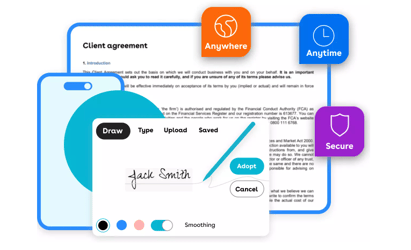
DocuSign seamlessly integrates into modern digital workflows by eliminating the need for printing, scanning, and mailing documents. It is widely recognized as a leading e-signature platform, streamlining critical processes such as contract signing from anywhere on any device.
While praising its merits, many customers have noted a steep learning curve and complicated setup, especially for advanced features. The common complaint is that advanced features are confusing and cost too much time and money to learn.
In this Proposify pricing guide, we'll dive into DocuSign’s subscription fees and uncover hidden costs in both time and productivity. You’ll also discover a clearer, more transparent alternative in Proposify, an all-in-one platform with straightforward pricing designed to support your organizational needs.
Why Listen to Us?
We’re the proposal experts. Over a million proposals are sent through our systems every year, and we’ve helped thousands of businesses streamline their sales process. Proposify makes it easier for sales teams to create on-brand, error-free proposals that impress buyers and close faster.
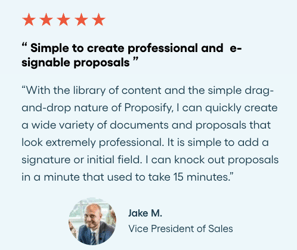
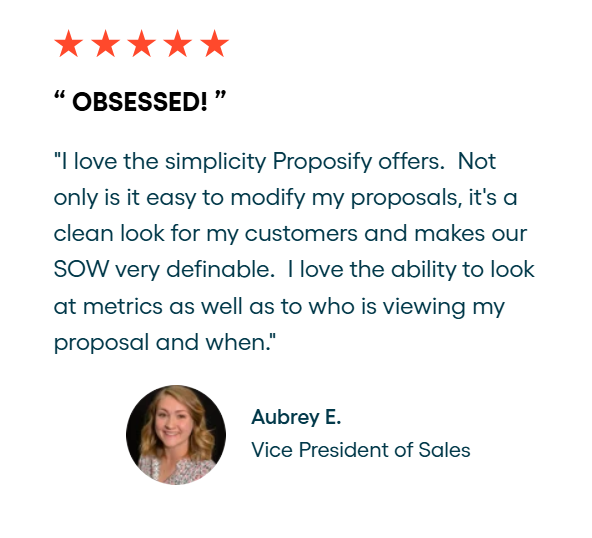
Here’s what a customer had to say about how well Proposify fit into their workflow:
What is DocuSign?
DocuSign started out as an e-signature tool for signing agreements anywhere and on any device. Today, it has expanded into an Intelligent Agreement Management (IAM) platform that includes workflow automation, AI-powered agreements and analytics, contract lifecycle management, web forms, and electronic notarization.
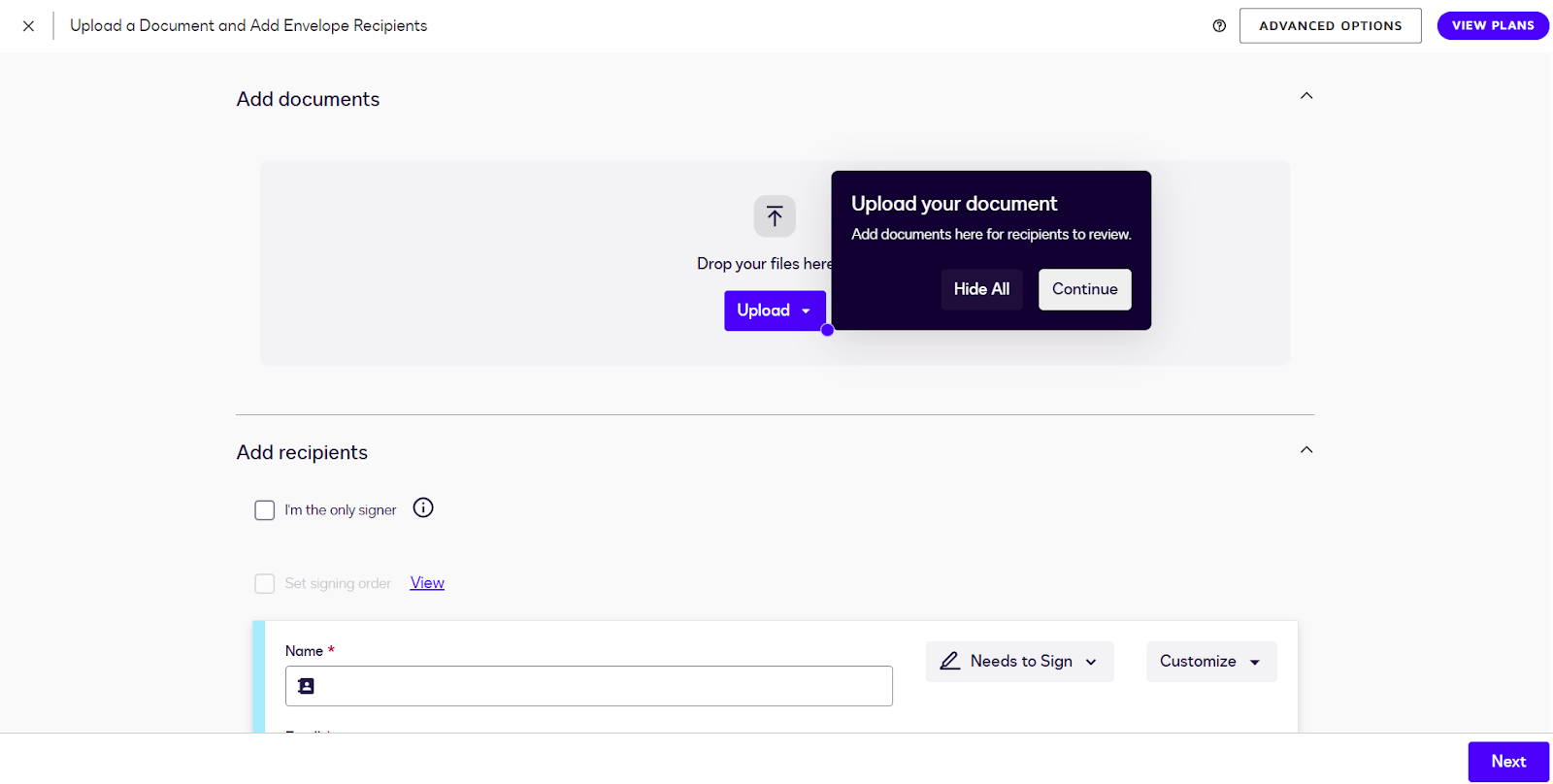
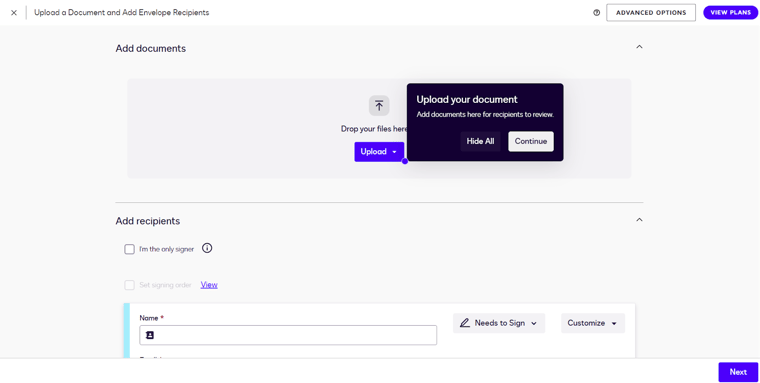
With DocuSign, you can create reusable envelope templates by pre-defining recipients, assigning roles such as Signer, Approver, or Viewer, and setting up the required fields in advance. Templates can be shared with team members, reducing errors and ensuring consistency during collaboration.
Key Features
- Navigator: Centralize your agreements in a searchable repository while using AI to extract key data from unstructured documents, bringing hidden insights to light.
- Contract Lifestyle Management (CLM): Create, review, negotiate, route, and manage contracts with speed, accuracy, and control. CLM streamlines every stage of the agreement process.
- Maestro: Build and deploy workflow sequences for proposal automation.
- e-Signature: Signing documents electronically on any device with enterprise-grade security for agreements.
- AI-Assisted Review: Speed up contract review with AI that suggests redlines, answers agreement questions, and even drafts new clauses.
- Integrations: You can integrate eSignature and agreement workflows directly with over 1000 third-party apps, and the tools your team already uses.
DocuSign’s Pricing Structure
eSignature Plans
This pricing plan is broken into four tiers:
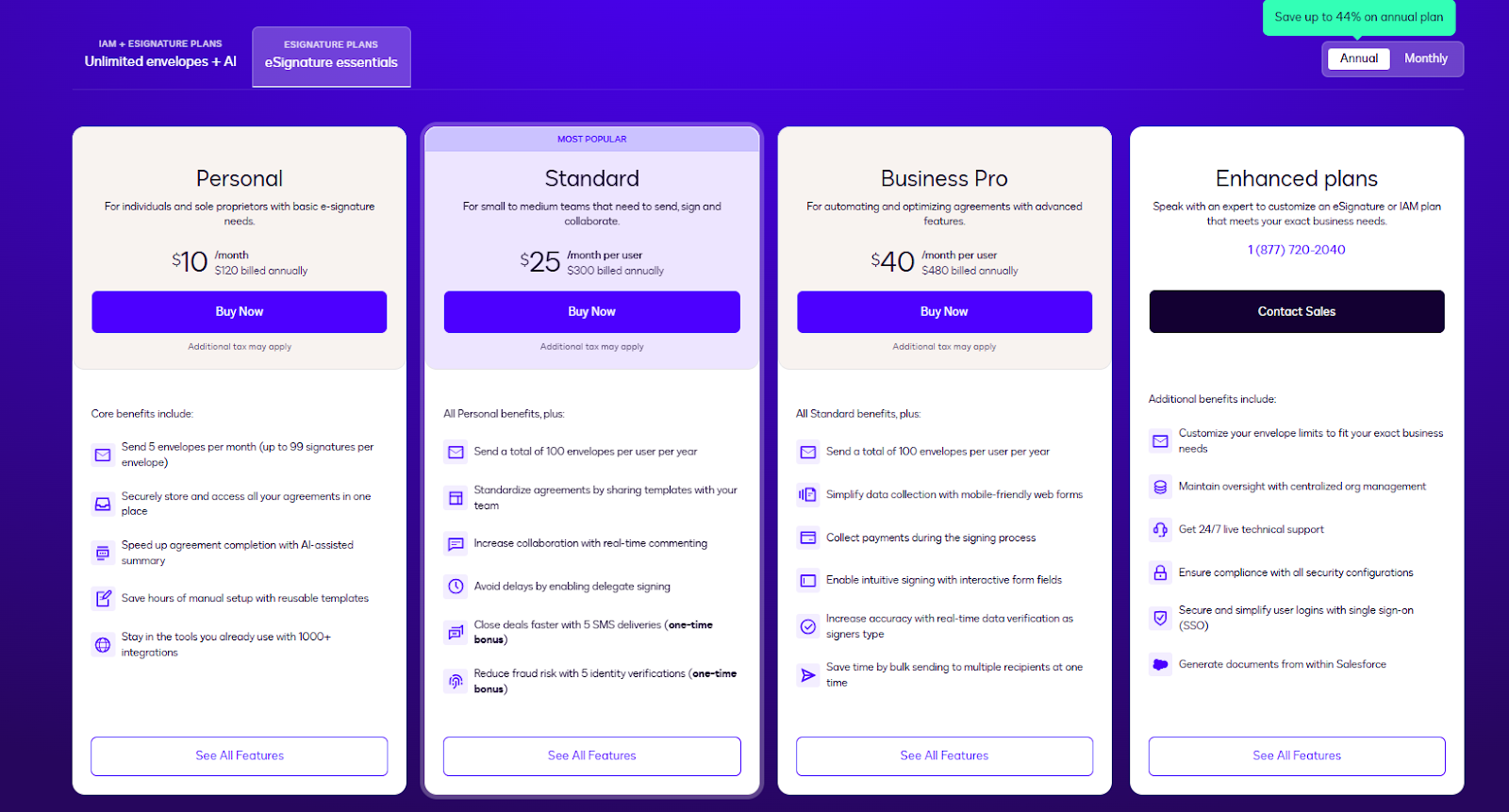
- Personal ($10/month, billed annually)
- Standard ($25/month, billed annually)
- Business Pro ($40/month, billed annually)
- Enhanced (custom pricing)
eSignature Pricing Plans Explained
Personal
DocuSign’s personal plan is for individuals and sole proprietors with basic e-signature needs. It supports the following features:
e-Signature
- Send up to five envelopes for eSignature per month (up to 99 signatures per envelope)
- Simultaneous signing for multiple recipients in a specific order
Automation & Workflow Management
- Send documents in up to 14 languages, while recipients can sign in 44 languages
- Drag-and-drop fields to collect information
- Reminders and deadline notifications
- Reusable templates
- AI-assisted summary
Analytics & Insights
- Real-time tracking of engagement
- Custom reporting to visualize activity
Customer Service
- Mobile app for signing documents on the go
- Mobile responsive signing
Integration
- 1,000+ third-party integrations so you can work in the tools you already use
Standard
For small to medium teams that need collaboration and shared workflows. Includes everything in Personal, plus the following:
- 100 envelopes per user/year
- Shared templates, so your team can use a consistent starting point
- Real-time comments on documents for team collaboration
- Delegate signing.
- 5 SMS deliveries included as a one-time bonus.
- 5 identity verifications for fraud reduction as a one-time bonus
Business Pro
For teams that need more powerful features for automation and optimizing agreements. Includes all Standard features, plus:
- Mobile-friendly web forms for data collection
- Interactive form fields for intuitive signing
- Send one envelope to multiple recipients at once
- Collect payments during signing (credit card, etc.)
- Real-time data verification as users fill form fields to improve accuracy
Enhanced
Custom plan tailored for enterprise or large-scale usage. Prospective users must talk to sales for a price quote. Key features include:
- Customizable envelope limits
- Centralized organization management to manage accounts with oversight
- Single Sign-On (SSO) for securing and simplicity
- 24/7 live technical support for enterprise customers
- Deep integration with Salesforce to generate documents from within CRM
DocuSign Pricing Table
Here’s a comprehensive table containing details about each pricing tier:
|
Plan |
Personal |
Standard |
Business Pro |
Enhanced |
|
Monthly Price |
$10/user |
$25/user |
$40/user |
Custom |
|
Envelope/Document Limit |
5 envelopes/month |
100 envelopes/user/year |
100 envelopes/user/year |
Custom |
|
Templates |
Reusable templates |
Shared templates |
Templates with advanced fields |
Full custom/shared templates |
|
Collaboration & Workflow |
No |
Real-time commenting on documents |
Bulk sending, interactive web forms |
Custom workflows, org-wide management |
|
Signer Attachments |
No |
No |
Request attachments (e.g. photos, invoices) from signers |
Full attachment capabilities + advanced form handling |
|
Integrations / APIs |
1,000+ third-party integrations |
All integrations + team collaboration tools |
Full API access and 3rd-party app integration |
Advanced API, SSO, org-wide integration |
|
Org / User Management |
Single user |
Up to 50 users |
Up to 50 users, advanced permissions |
Centralized org management + SSO |
|
Support & Security |
Standard support |
Standard support |
Standard support + audit trails |
24/7 live support + enterprise-grade security, SSO, compliance |
DocuSign Pricing Pros and Cons
Pros
- Multiple plan tiers for different business sizes
- Transparent pricing and features for all three plans
- Integration options even on lower tiers
Cons
- Envelope limits are restrictive, even on higher plans
- Extra features locked behind paid add-ons
- Pricing scales quickly, with little additional features
- Advanced features are complicated to use, costing teams time and money from productivity loss.
Smarter Alternative to DocuSign: Proposify
For users who want to create professional proposals with legally binding e-signatures built-in, Proposify is the better choice.
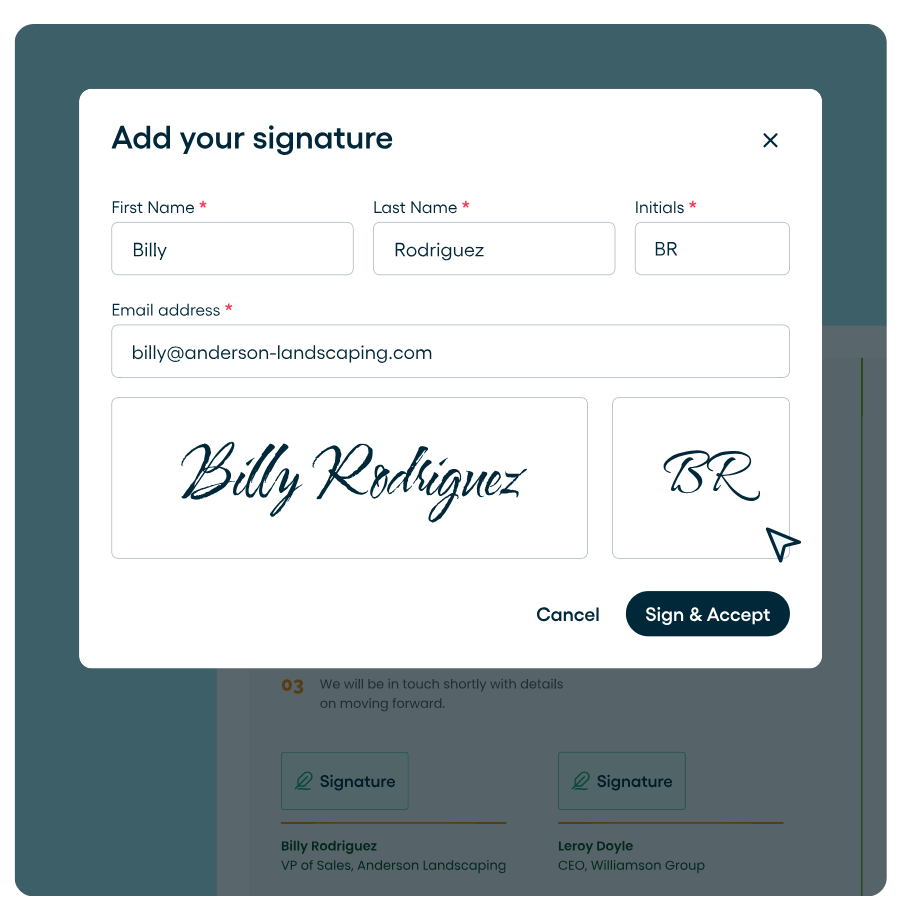
Proposify's electronic signature software lets prospects sign from any device, anywhere in the world, with 256-bit bank-grade encryption and full compliance with international e-signature laws. You can set up automatic reminders for pending signatures and expiration notifications to keep deals moving.
And unlike DocuSign, e-signatures are included on every plan at no extra cost.
Beyond signatures, Proposify’s real time document tracking gives you visibility into how prospects engage with your proposals. You can see which sections they spend the most time on and where they drop off, so you can time your follow-up perfectly and focus on the deals most likely to close.
Key Features
- Proposal Software: Craft winning proposals with an intuitive drag-and-drop proposal editor. Use templates to create a consistent brand identity and close more deals faster.
- eSignature: Bind your agreements legally from anywhere on any device with Proposify. Set up automatic reminders for pending signatures, keeping teams on track.
- Interactive quotes: Build flexible quotes that will allow your prospects to adjust pricing and select options in real-time. Quotes can also be converted into contracts once accepted.
- Contract Management: Create contracts with reusable, customizable, error-free templates.
- Document Automation: Automate repetitive processes and reduce proposal creation time from days to minutes.
- APIs: Access a robust API that allows customization for your unique enterprise needs. Your team has the power to create, send, track, and close proposals faster, and more efficiently.
Proposify Pricing Structure
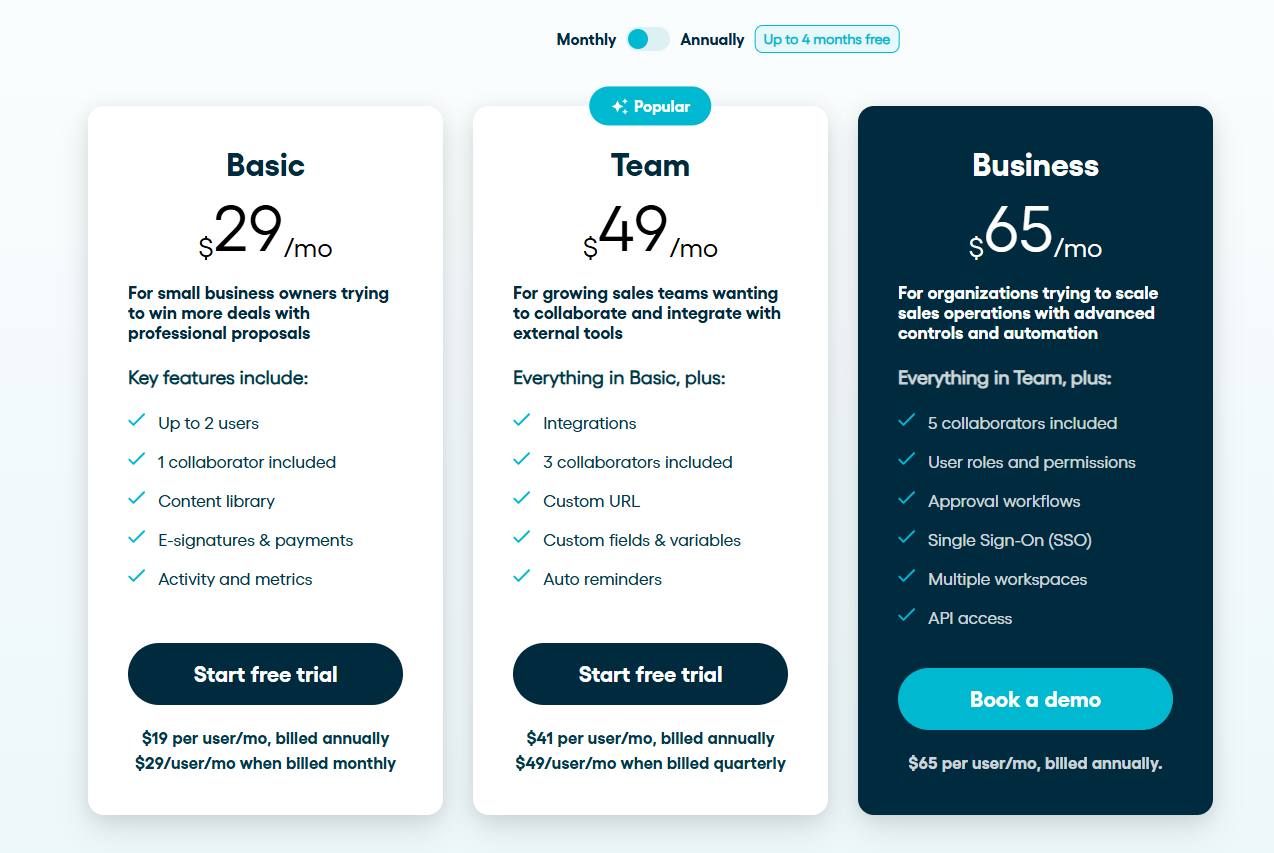
We offer a 14-day free trial (no credit card required) so you can evaluate the platform and make an informed decision. Unlike DocuSign, we don’t have any paid add-ons or additional charges for essential features. This means that with Proposify you see exactly what you’re paying for before entering your credit card details.
Proposify uses a tiered pricing model with three plans:
- Basic ($29/month when billed monthly, $19/month when billed annually)
- Team ($49/month when billed monthly, $41/month when billed annually)
- Business ($65/month when billed annually)
All the tiers feature robust security layers to protect your data, which is very important when dealing with sensitive documents.
Proposify Pricing Plans Explained
Basic
Best for small business owners trying to create, send and win businesses with professional, polished proposals. The key features here include:
Content Authoring:
- Legally binding e-signatures on every document
- Interactive quoting
- 5 document per sends month
- 1 collaborator seat included
Brand Customization:
- Unlimited templates
- Content library
- Embed images & videos
Visibility & Integration:
- Activity notifications and metrics
- Integrate with popular business tools and CRMs
- Payments via Stripe
Team
Best for growing sales teams and businesses who want to collaborate and integrate Proposify with external tools. Includes everything in Basic, plus:
Content Authoring:
- Legally binding e-signatures included
- Client input forms
- Unlimited document sends
- 3 collaborator seats included
Brand Customization:
- Custom domain
Process & control:
- Customize fields & variable
- Automatic reminders for pending signatures
- Set up or customize automations
Business
Best for organizations looking to scale sales operations with advanced controls and automation. Includes everything in Team, plus:
Content Authoring:
- Legally binding e-signatures included
- 5 collaborator seats included
Integrations & API:
- Single sign-on (SSO)
- API access
Process & control:
- User roles and permissions
- Approval workflows
- Multiple workspaces
Proposify’s Pricing Pros and Cons
Pros
- Legally binding e-signatures included on every plan at no extra cost
- No per-envelope limits on Team and Business plans, so you can send unlimited proposals without worrying about overage fees
- E-signatures, proposals, and tracking in one platform—no need to pay for and manage separate tools
- Transparent pricing with no hidden costs for essential features like automatic signature reminders
- Flexible pricing tiers for different business needs with stronger feature-to-price ratio
Cons
- No option to increase sending limits without upgrading plans
Proposify Keeps It Simple (and Affordable)
DocuSign excels at secure e-signatures, compliance, and broad workflow automation, but it isn’t designed to handle the creative, sales-driven side of closing deals. It charges extra for essential add-ons and is complicated to use, costing your team time and money.
Proposify delivers the same legally binding e-signature capabilities—bank-grade encryption, audit trails, global compliance, mobile signing—without the extra cost. But that's just the starting point. You also get visually compelling proposal design, real-time engagement tracking, automatic signature reminders, and full proposal lifecycle management in one platform. Where DocuSign focuses on completing agreements, Proposify focuses on winning them.
Ready to close winning proposals without breaking the bank? Get started with Proposify today.