








Published: September 15, 2026
Updated: September 15, 2026

Quick Summary
If ClientPoint gives you visibility but the proposal workflow still feels slow or hard to control, Proposify is the best place to start. It gives proposal-first teams stronger design control, reusable templates, permissions, tracking, and e-signatures. Other options on our list include PandaDoc and Better Proposals.
|
# |
Tool |
Best for |
|
1 |
Proposify |
Proposal-first teams that need design control, permissions, tracking, and e-signatures |
|
2 |
PandaDoc |
Teams that need proposals, quotes, contracts, payments, and document automation |
|
3 |
Better Proposals |
Small teams that want simple, polished proposals with less setup |
Looking for a ClientPoint Alternative That Fits Your Proposal Workflow?
ClientPoint is a popular digital sales room that gives sales teams one place to share proposal content, then shows how buyers engage with it.
But visibility after sending does not always mean the proposal workflow feels smooth. Slow saving, slow uploads, clunky navigation, unreliable support, and occasional formatting issues can all dampen the user experience.
If any of these is why you’re considering a ClientPoint alternative, or you’re simply comparing options before choosing a proposal platform this, Proposify guide will help you find the right fit.
Why Listen to Us?
We are the proposal experts at Proposify. We help sales teams take control of every stage of their sales process, from creating polished proposals to tracking buyer engagement and getting deals signed. More than 8000 companies use our softwareto create, send, and manage proposals, with close rates that are 2x the industry average.
This review is based on our expert knowledge, alternative listings, product positioning, and feedback from ClientPoint users. It also considers what each tool is actually better suited for: proposal design, e-signatures, document automation, digital sales rooms, CPQ, or RFP response management.
Why You Should Look for a ClientPoint Alternative
ClientPoint helps teams share proposals and track buyer activity, but it may not solve every workflow challenge.
Here are four reasons it may be worth comparing ClientPoint alternatives.
1. Proposal Creation Can Feel Slower Than It Should
ClientPoint can make proposal sharing easier but the work before sending can still feel slow.
One G2 reviewer said ClientPoint was “slow to load pages” and that uploading or saving new documents could take “a few seconds to a minute.”

A GetApp reviewer shared a similar complaint, saying the system sometimes “freezes and is slow.”

If your reps have to update proposals often, those small delays can quickly turn into lost selling time.
2. Proposal Layout May Not Always Stay the Way You Want
Design matters because buyers judge the proposal before they read every word. If graphics shift or pagination breaks, your team is no longer fully in control of how the proposal lands. That is the kind of friction some ClientPoint users mention. One Capterr reviewer said their “pagination and graphics get thrown out of alignment” and they could not easily override or correct it.

So if your team needs proposals to look clean, consistent, and on-brand every time, you may want an alternative with stronger design control.
3. Setup Can Take More Work Than Expected
ClientPoint may become easier once your templates and content libraries are ready. But getting there can take real work. A Software Advice reviewer said ClientPoint “takes a collaborative effort on implementation,” even though they also said it becomes fast and easy once templates are up and running.
4. Support Back-and-Forth Can Slow Simple Fixes
Support matters when your team needs help quickly. One ClientPoint user pointed to support back-and-forth as another frustration. The issue was not just getting a response. It was having to explain the request again when the person helping did not fully understand what needed to be fixed.
That can slow things down when your team is trying to recreate proposal assets, fix a workflow issue, or move quickly during an active sales process.
11 Best ClientPoint Alternatives to Consider
Here are the best ClientPoint alternatives based on what your team needs most, from proposal design and document automation to e-signatures, CPQ, digital sales rooms, and RFP management.
|
# |
Tool |
Best for |
Core strength |
Starting price |
|
|
1 |
Proposify |
B2B sales teams that need control, tracking, and e-signatures when sending out proposals |
Reusable templates, locked sections, permissions, proposal analytics, and built-in signing |
$19/user/month billed annually |
|
|
2 |
PandaDoc |
Teams that need proposals, quotes, contracts, payments, and document automation |
Broad document workflow beyond proposals |
Free plan available; paid from $19/user/month billed annually |
|
|
3 |
Better Proposals |
Small teams that want simple web-based proposals |
Clean proposal links, templates, pricing, tracking, signatures, and payments |
$13/user/month billed annually |
|
|
4 |
DocuSign |
Teams that create proposals elsewhere and need signing |
Trusted e-signatures, routing, templates, tracking, and agreement storage |
$10/month billed annually |
|
|
5 |
DealHub |
Teams with complex quoting and approvals |
CPQ, pricing rules, approvals, contracts, and quote-to-revenue workflows |
Custom pricing |
|
|
6 |
Conga Composer |
Salesforce-heavy teams |
Generates proposals and sales documents from CRM data |
Custom pricing |
|
|
7 |
QorusDocs |
Microsoft 365 teams creating proposals, pitches, and RFPs |
Approved content reuse inside Word, PowerPoint, Outlook, and SharePoint |
Custom pricing |
|
|
8 |
Responsive |
Bid teams handling repeat RFPs, RFIs, and questionnaires |
Approved answer library, AI drafts, SME reviews, and RFP workflows |
$5,000/year for 5 users |
|
|
9 |
RELAYTO |
Teams that want interactive sales documents |
Turns PDFs, decks, and sales documents into branded, trackable buyer experiences |
$750/month billed annually |
|
|
10 |
Aligned |
Sales teams managing post-proposal follow-up |
Shared deal rooms for proposals, demos, pricing, tasks, timelines, and next steps |
Free plan available; paid from $35/seat/month |
|
|
11 |
Ignition |
Service businesses that need proposal-to-payment workflows |
Connects proposals, contracts, billing, invoices, and payments |
$39/month annually |
|
1. Proposify
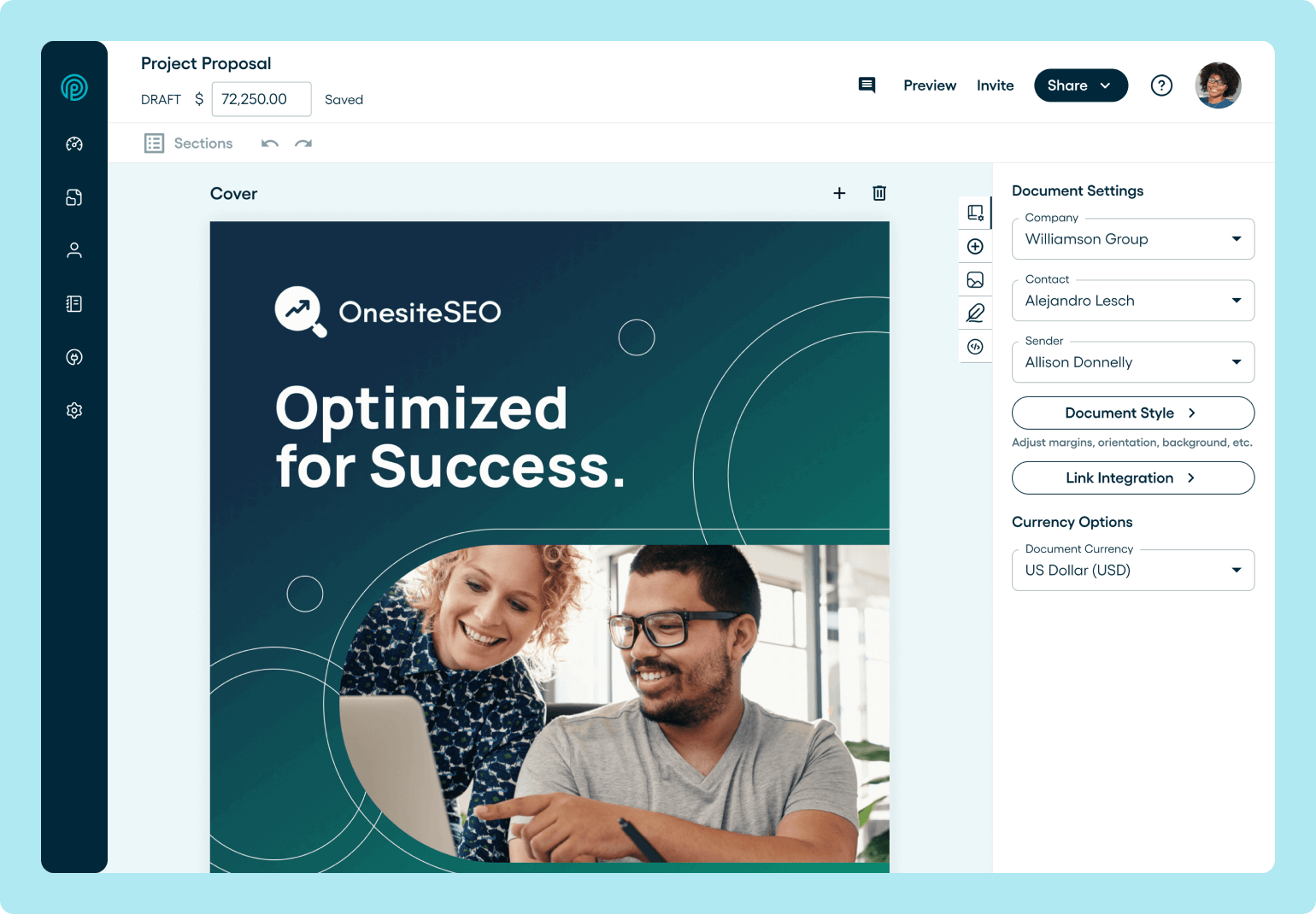
Proposify is built around the part of the proposal workflow ClientPoint users often look to improve: control before the proposal gets sent.It gives teams reusable templates, role-based permissions, locked sections, proposal analytics, CRM integrations, and built-in e-signatures.
That means reps can create polished proposals faster, while marketing, legal, and sales leaders still control the parts that should not be changed, like pricing, terms, boilerplate, and brand-approved content. And when you need help, Proposify's support team is responsive and human, not a ticket queue.
It also gives teams the buyer visibility they get from ClientPoint. Sales teams can see when buyers open a proposal, what they spend time on, and when to follow up.
Key Features
- Interactive Proposal Builder: Design polished, on-brand proposals with a drag-and-drop editor that gives your team control without relying on design support.
- Reusable Proposal Templates: Create approved templates reps can reuse to build proposals faster while keeping structure and messaging consistent.
- Collaborator Seats: Each plan includes a select number of free collaborator seats for occasional contributors.
- Locked Content and Permissions: Protect pricing, legal terms, boilerplate, and brand-approved sections so reps only edit what they should.
- Proposal Analytics: See when buyers open a proposal, what they view, how long they spend, and when your team should follow up.
- Built-In E-Signatures: Let buyers review and sign proposals in the same workflow, without sending them to a separate signing tool.
- CRM Integrations: Connect proposal activity with your sales tools so reps can keep deal records and proposal progress aligned.
Pricing
Proposify offers three plans:
- Basic: $19/user/month billed annually. Includes 10 document sends, 3 templates, e-signatures, document tracking, email support, and a 14-day free trial with no credit card required.
- Team: $41/user/month billed annually. Includes unlimited sending, 10 templates, document analytics, integrations, automations, custom fields, and variables.
- Business: Starts at $3,900/year, talk to sales for more accurate pricing. Includes unlimited templates, roles and permissions, SSO, API access, multiple workspaces, premium onboarding, and dedicated support.
Pros
- Strong control over proposal design and layout
- Responsive, human support that improves with plan tier
- Helps reps create proposals faster with reusable templates
- Protects pricing, legal, and brand-approved content
- Tracks buyer engagement after sending
- Keeps e-signatures inside the proposal workflow
Cons
- May be more than you need for simple, occasional proposals
- Advanced workflow needs may require the Business plan
2. PandaDoc
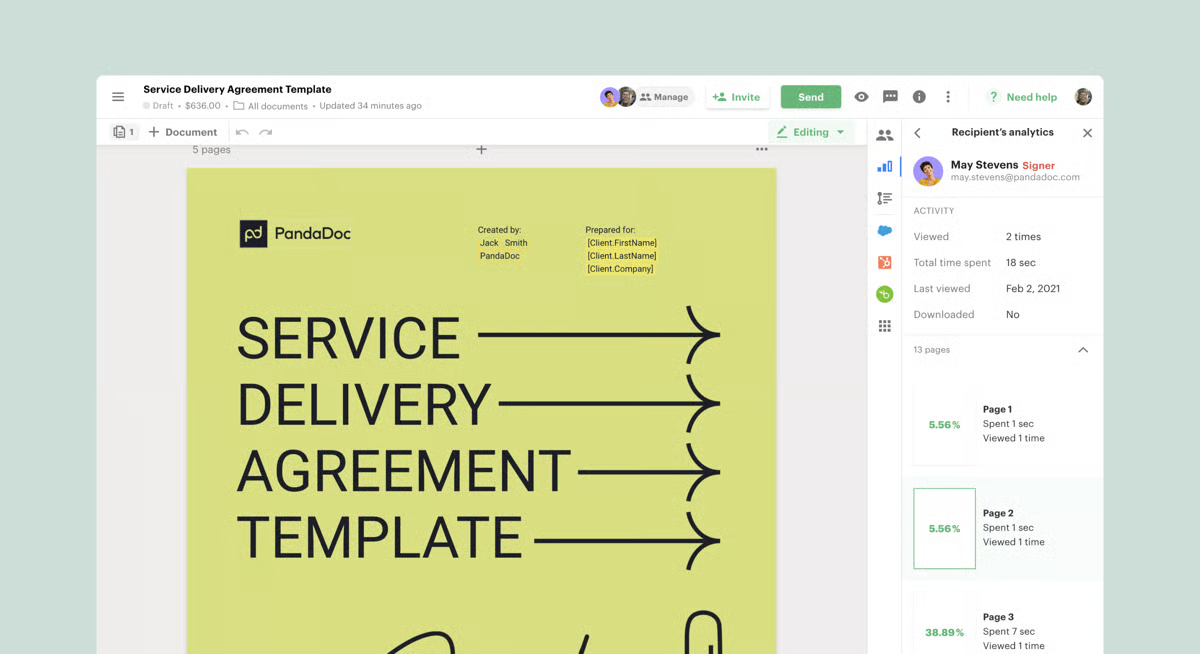
PandaDoc may be worth considering if your proposals sit inside a wider document workflow. Beyond proposals, teams can use it for quotes, contracts, forms, approvals, e-signatures, payments, deal rooms, and document tracking. That makes it useful when the sales process does not end at “send proposal,” but continues into pricing, approval, signing, and payment collection.
While PandaDoc is often praised for ease of use, fast document creation, CRM integrations, and keeping client-facing documents in one place, it may feel broader than some proposal teams need. As one G2 reviewer put it, the main landing page can feel “cluttered with so many different options.”
Key Features
- Document Workflow Builder: Create proposals, quotes, contracts, and forms in one platform instead of managing each document type separately.
- E-Signatures and Payments: Let buyers sign documents and complete payments without leaving the document workflow.
- Deal Rooms and Tracking: Share client-facing documents in one place and track how recipients engage with them.
Pricing
PandaDoc offers four plans:
- Free: $0/month with unlimited seats and 60 documents per year.
- Starter: $19/user/month billed annually.
- Business: $49/user/month billed annually.
- Enterprise: custom per-seat or per-document pricing.
Pros
- Handles more than proposals
- Strong e-signature features
- Useful CRM integrations
- Good for quotes, contracts, approvals, and payments
Cons
- May feel too broad for proposal-only teams
- Advanced CPQ can take more setup
- Some users mention pricing and renewal friction
3. Better Proposals

Better Proposals helps teams replace Word docs, PDF attachments, and scattered email follow-ups with clean web-based proposals.
Teams can create proposals from templates, send them as mobile-friendly links, add interactive pricing, collect e-signatures and payments, track opens, and nudge prospects when it is time to follow up.
Users often praise it for ease of use, proposal design, templates, tracking, and human support. But because the product is built around web-based proposals, teams that rely on clean PDF exports may run into issues. One G2 reviewer said the web view looks good, but downloads can “throw off the formatting.”
Key Features
- Web-Based Proposal Builder: Create clean, mobile-friendly proposals buyers can open through a link instead of downloading a static attachment.
- Interactive Pricing and Payments: Let prospects review pricing options, accept proposals, sign, and pay from the same proposal experience.
- Proposal Tracking and Nudges: Track proposal opens and use follow-up nudges to keep deals moving after sending.
Pricing
Better Proposals has three paid plans:
- Starter: $13/user/month annually or $19/user/month monthly.
- Premium: $21/user/month annually or $29/user/month monthly.
- Enterprise: $42/user/month annually or $49/user/month monthly.
Nudge is available as a $10/user/month add-on. Custom template design starts from $1,495.
Pros
- Good replacement for Word and PDF proposals
- Strong templates and visual presentation
- Built-in signing and payment collection
- Helpful for small teams that need speed
Cons
- PDF downloads may affect formatting
- Complex pricing layouts can be limiting
- Setup can feel fiddly at first
4. DocuSign
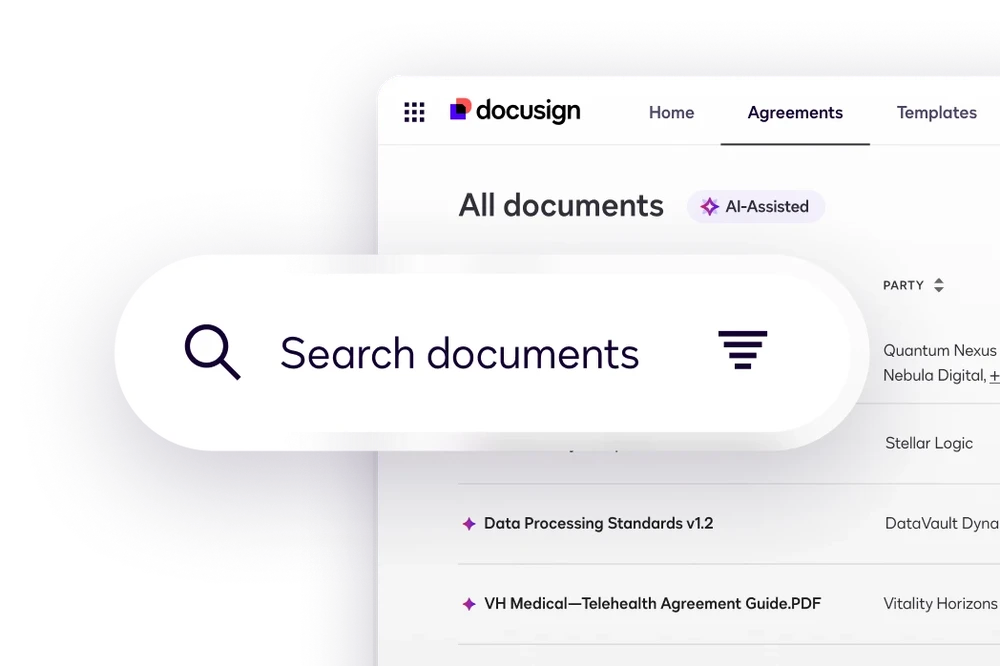
DocuSign fits teams that already create proposals elsewhere and need a trusted way to send, sign, track, and store agreements.
It covers e-signatures, signing order, templates, reminders, commenting, audit trails, agreement storage, web forms, payments on higher plans, and 1,000+ integrations. So if your team mainly needs the agreement layer after a proposal is ready, DocuSign can handle that without forcing you into a full proposal platform.
Key Features
- Electronic Signatures: Send proposals, contracts, and agreements for secure digital signing.
- Signing Order and Reminders: Control who signs first, route agreements to the right people, and remind recipients to complete signing.
- Agreement Storage and Audit Trails: Store signed documents securely and keep a record of every signing action.
Pricing
DocuSign eSignature plans include:
- Personal: $10/month annually, with 5 envelopes per month.
- Standard: $25/user/month annually, with 100 envelopes per user per year.
- Business Pro: $40/user/month annually, with web forms, bulk send, payments, and advanced fields.
- Enhanced plans: custom pricing for higher envelope limits, AES/QES, SSO, live technical support, and advanced agreement needs.
Pros
- Strong for e-signatures
- Easy for senders and signers
- Secure agreement storage
- Useful templates, reminders, and routing
Cons
- Not built for proposal creation
- Envelope costs can add up
- Advanced features sit on higher plans
5. DealHub
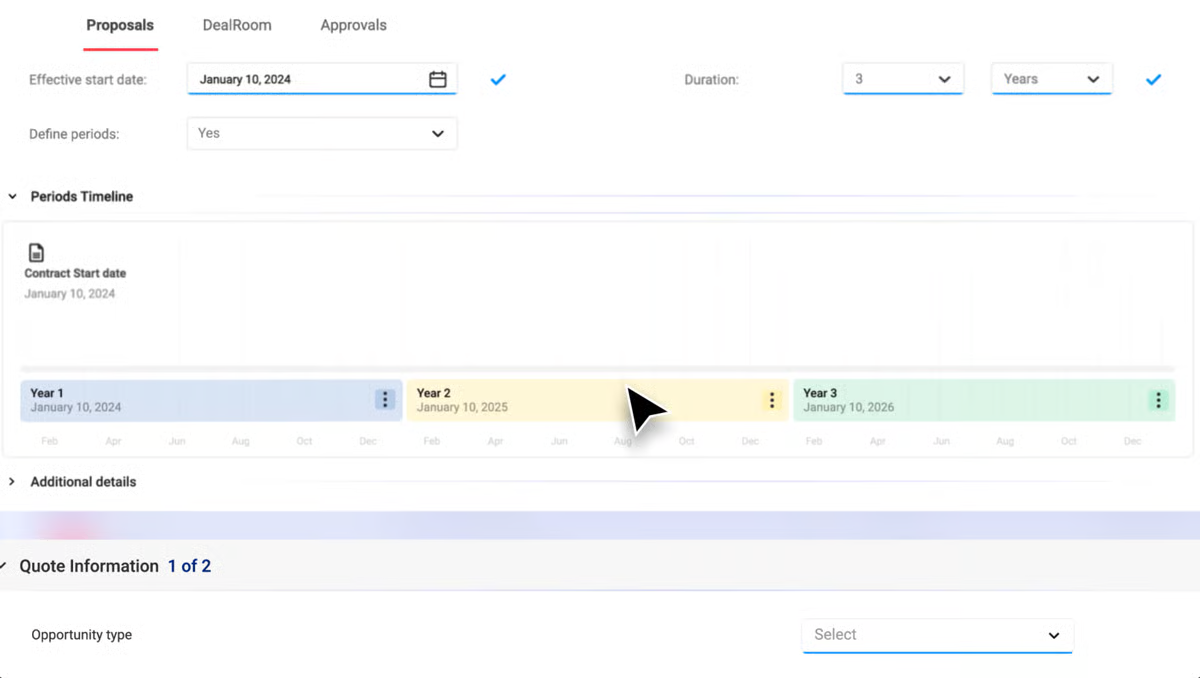
DealHub earns a spot on this list for teams whose proposal bottleneck starts in quoting and approvals. It brings CPQ, approval workflows, contracts, DealRoom, subscription billing, and revenue intelligence into the part of the sales process a standard proposal tool may not cover.
However, that same depth can become too much if your team only needs faster proposal creation, tracking, and signatures. In that case, a proposal-first like Proposify may be the cleaner fit.
Key Features
- CPQ and Quote Configuration: Build accurate quotes with pricing rules, product logic, and discount controls.
- Approval Workflows: Route quotes, discounts, and deal terms to the right approvers before they reach the buyer.
- Quote-to-Revenue Workflow: Connect quoting, contracts, DealRoom, subscription billing, and revenue operations in one sales process.
Pricing
DealHub uses custom pricing. Its plans are grouped around:
- CPQ+: for quote and proposal generation
- CPQ + CLM: for connecting quotes and contracts
- Quote-to-Revenue: for a fuller workflow across sales, finance, billing, and revenue operations
Pros
- Strong for complex quoting
- Good pricing and approval governance
- Useful for RevOps and deal desk teams
- Supports quote-to-revenue workflows
Cons
- Too heavy for simple proposal needs
- New users may need time to learn it
- Implementation can take longer when requirements are complex
6. Conga Composer
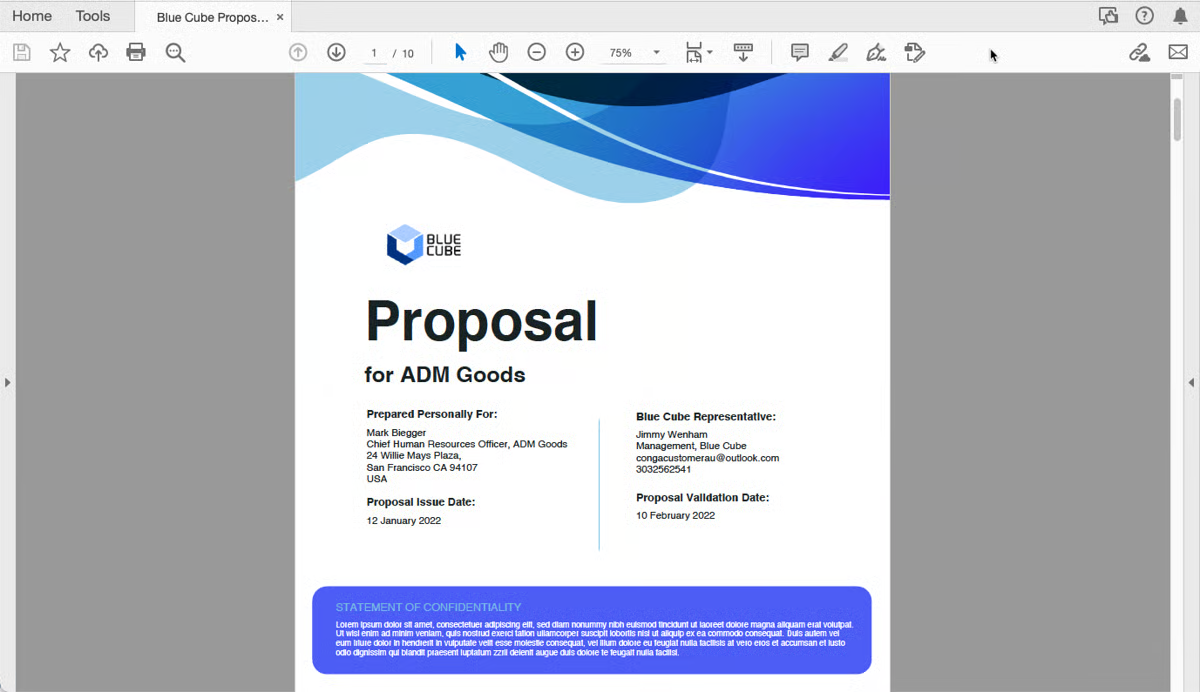
Conga Composer makes sense for Salesforce-heavy teams that need accurate sales documents generated from CRM data. Instead of asking reps to copy account, pricing, and deal details into a proposal, Conga pulls data from Salesforce or other systems into approved templates.
That makes it useful for proposals, quotes, contracts, invoices, reports, and presentations where accuracy and consistency matter more than a highly visual proposal experience. However one G2 reviewer noted that getting proposals “pixel-perfect” means becoming “very comfortable with composer parameters.”
Key Features
- Salesforce Document Generation: Pull CRM data into proposals, contracts, quotes, invoices, reports, and presentations automatically.
- Custom Templates and Logic: Use approved templates, conditional content, and business rules to create consistent sales documents.
- Conga Workflow Connections: Connect document generation with Conga Sign, Conga CPQ, Conga CLM, and API-supported workflows.
Pricing
Conga Composer uses custom pricing. You need to contact sales or request a demo.
Pros
- Strong for Salesforce-based document generation
- Reduces copy-paste errors
- Helps standardize proposals, contracts, and reports
- Useful when documents need approved data and branding
Cons
- Setup can get technical
- Advanced templates may need admin support
- Composer parameters can take time to learn
7. QorusDocs
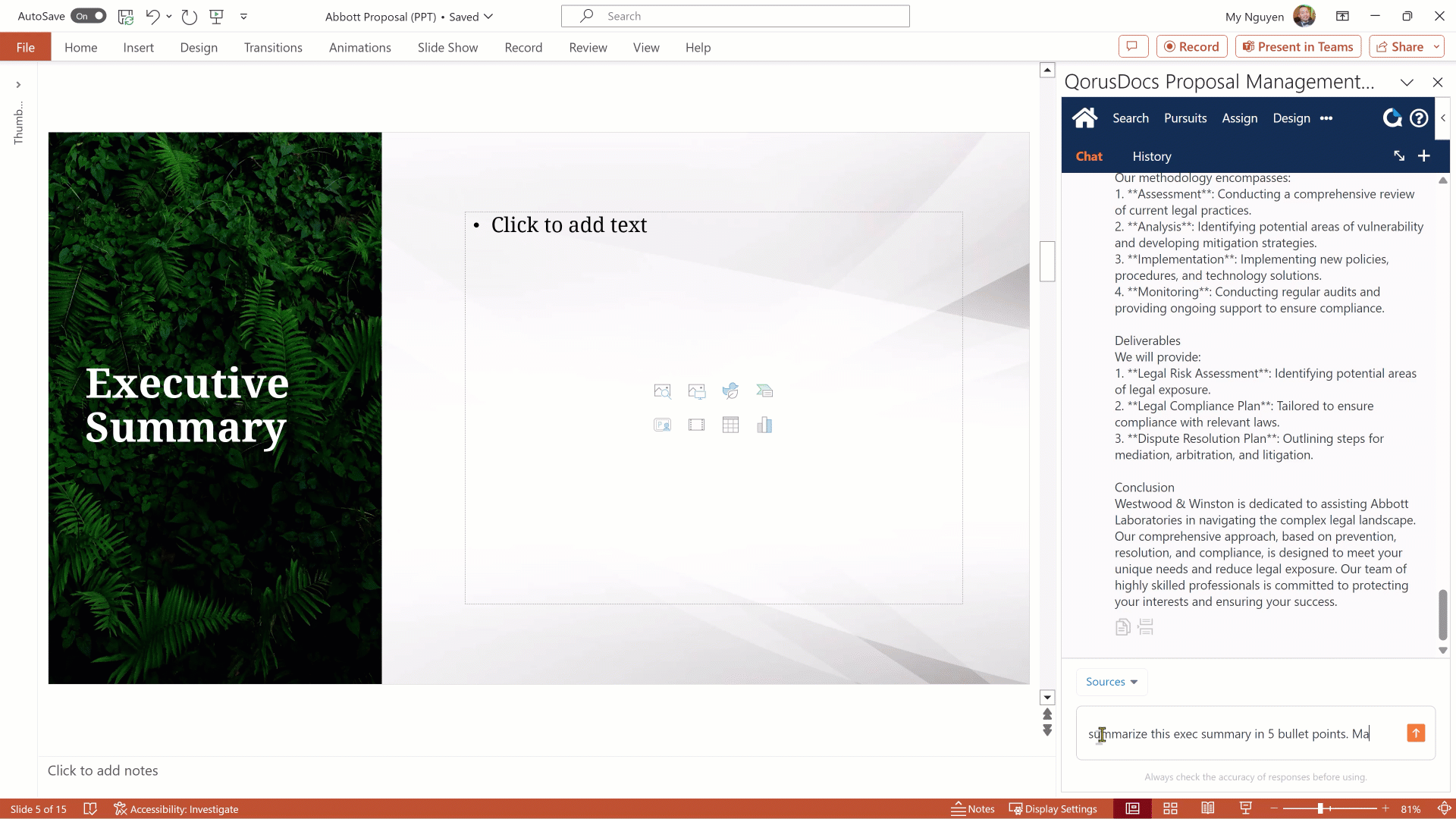
QorusDocs helps Microsoft 365 teams turn approved content into client-ready proposals, pitches, and RFP responses faster.
It pulls bios, case studies, templates, answers, and value messaging into Word, PowerPoint, Outlook, and SharePoint, so teams spend less time hunting for content and more time shaping the response. That makes it useful when proposal work depends on collaboration, content reuse, industry-specific messaging, and on-brand documents.
Key Features
- Microsoft 365 Proposal Creation: Build proposals, pitches, and RFP responses inside Word, PowerPoint, Outlook, and SharePoint.
- Approved Content Library: Reuse bios, case studies, templates, answers, and value messaging without hunting through scattered files.
- AI-Assisted First Drafts: Generate proposal and RFP response drafts from approved content so teams can move faster.
Pricing
QorusDocs uses custom pricing. You need to request a demo or contact sales.
Pros
- Strong fit for Microsoft 365 teams
- Useful for proposals, pitches, and RFPs
- Helps teams reuse approved content faster
- Good for professional services, legal, AEC, and IT teams
Cons
- Not plug-and-play
- May need a technical owner
- Best suited for teams with standardized processes
8. Responsive
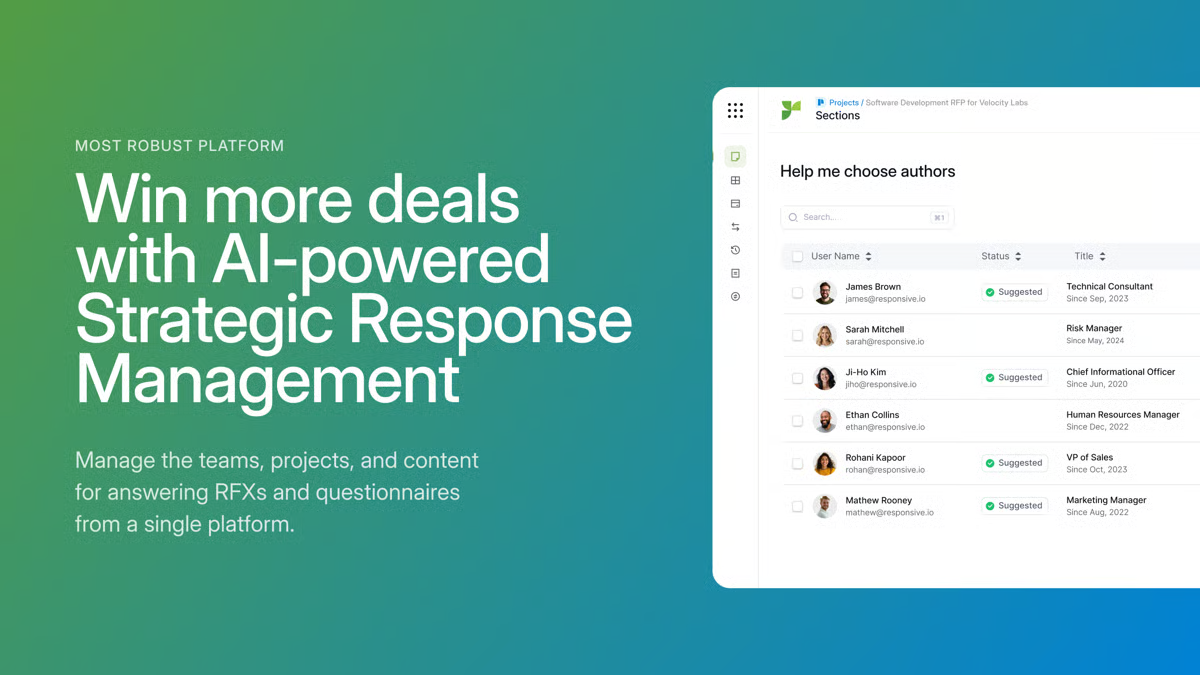
Responsive helps proposal teams manage repeat response work, not one-off proposal documents.
Instead of starting from scattered files every time, teams can answer RFPs, RFIs, and security questionnaires from approved content, route sections to SMEs, cite sources, sync CRM data, and move submissions through review faster.
The catch is upkeep. Responsive saves time when the answer library stays clean, but one G2 reviewer said it takes ongoing work to keep answers “current and well organized.”
Key Features
- AI-Assisted Response Drafting: Generate first drafts for RFPs, RFIs, and questionnaires using approved source content.
- Verified Answer Library: Store trusted answers in one place so teams can reuse accurate content across response projects.
- SME Review Workflows: Route sections to subject matter experts, manage reviews, and keep submissions moving toward approval.
Pricing
Responsive has four editions:
- Lite: starts at $5,000/year for 5 users.
- Emerging: custom pricing for structured RFP processes.
- Growth: custom pricing for automation, integrations, and visibility.
- Enterprise: custom pricing for complex, multi-team response operations.
Pros
- Strong for high-volume RFP and RFI work
- Helps teams reuse approved answers faster
- Good for SME collaboration
- Useful for security questionnaires
Cons
- Too much for simple proposals
- Content library needs upkeep
- New users may need training
9. RELAYTO
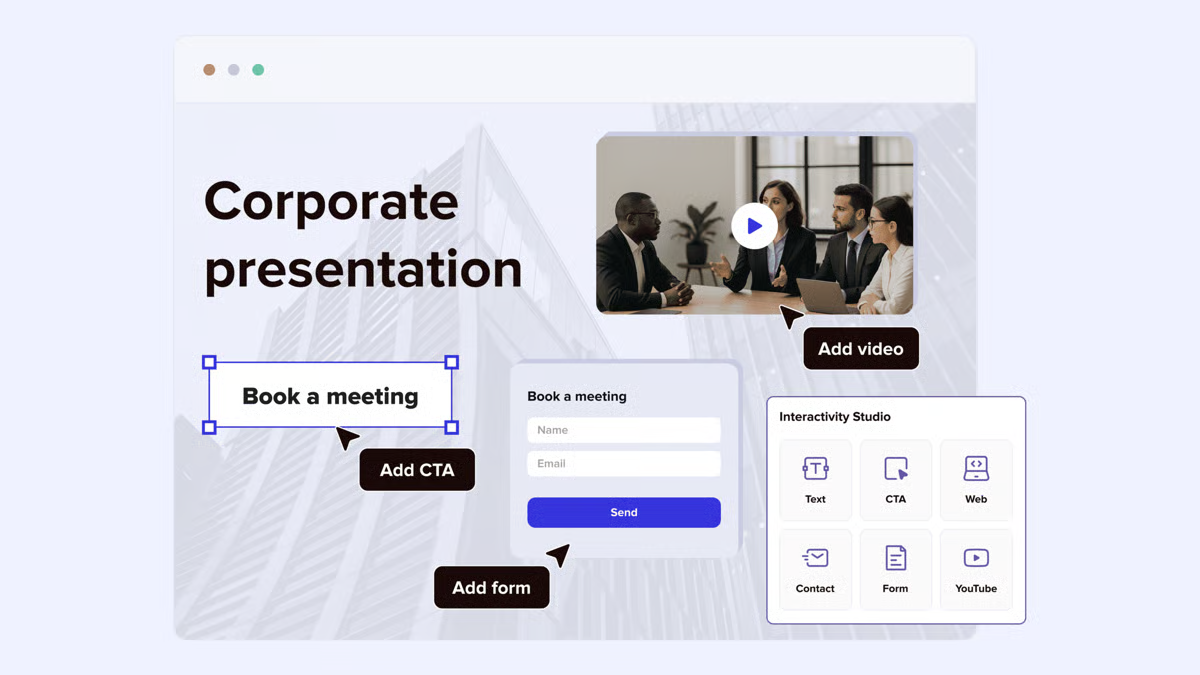
RELAYTO’s main advantage is turning static sales documents into interactive, trackable buyer experiences.
That makes it different from most ClientPoint alternatives. Instead of using it to build proposals from scratch, you can upload an existing PDF, deck, or sales document and turn it into a branded experience with videos, embeds, controlled access, and engagement analytics.
The upside is better buyer engagement after the content is shared. The tradeoff is the learning curve. One G2 reviewer said the “sheer number of features was a little intimidating” at first.
Key Features
- Interactive Document Experiences: Turn static PDFs, decks, and sales documents into branded experiences with videos, embeds, and clickable content.
- Buyer Engagement Analytics: Track how buyers interact with shared content, including what they view and where they spend time.
- Content Hubs and Access Controls: Organize sales content into branded hubs and control who can access each experience.
Pricing
RELAYTO has three main plans:
- Team: starts at $750/month, billed annually.
- Business: starts at $2,500/month, billed annually.
- Enterprise: custom pricing for white-labeling, onboarding, SLAs, SSO, advanced security, APIs, and data residency options.
Pros
- Turns static documents into interactive experiences
- Strong for sales decks, bid materials, and technical content
- Useful engagement analytics
- Good for branded buyer journeys
Cons
- Learning curve at the start
- Can feel overwhelming for new users
- Advanced customization may still have limits
10. Aligned
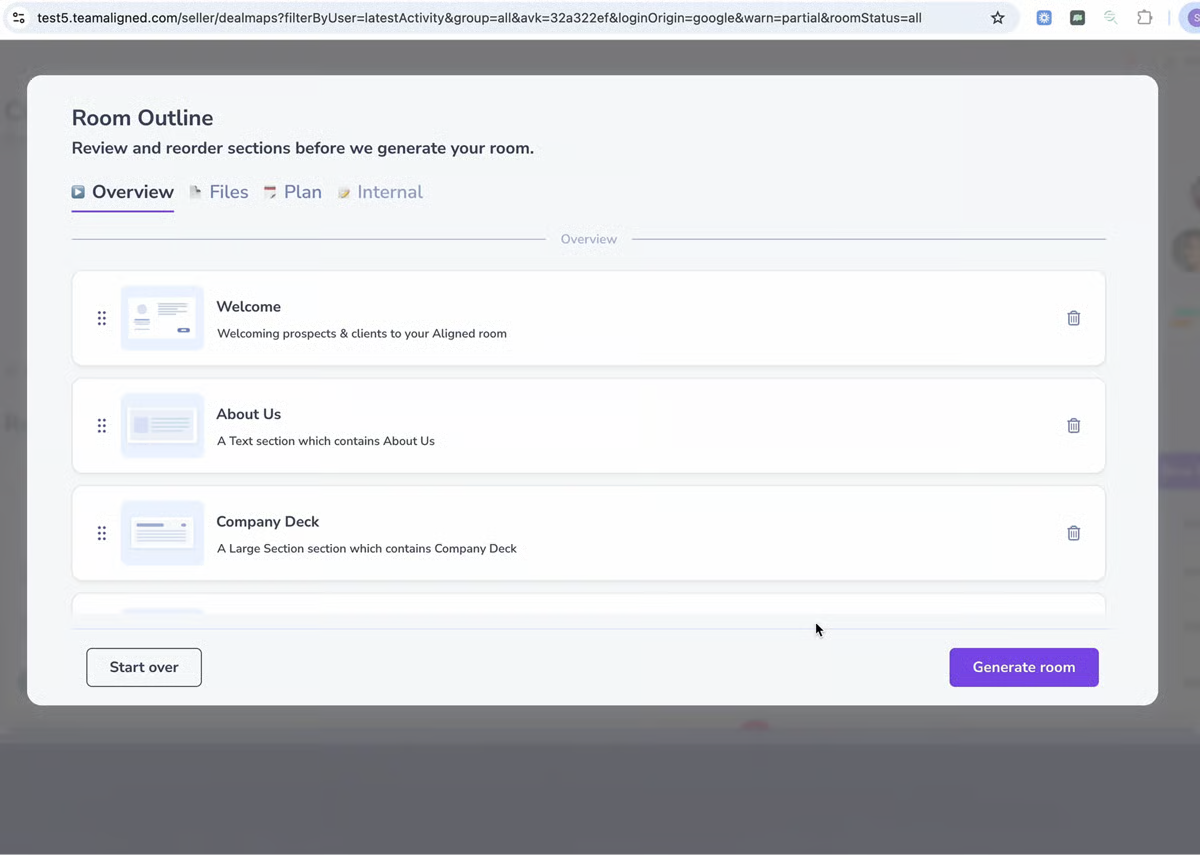
Aligned is for sales teams that want to keep buyers engaged after the proposal is sent. It gives buyers one shared room for the proposal, demo recording, pricing, mutual action plan, timelines, tasks, and next steps, so reps are not chasing scattered email threads after every meeting.
It is not mainly for designing proposals from scratch. It is for keeping the buying process organized after the proposal is shared, especially when several stakeholders need to review materials, ask questions, and agree on next steps.
Key Features
- Digital Sales Rooms: Give buyers one shared room for proposals, demo recordings, pricing, timelines, and next steps.
- Mutual Action Plans: Keep tasks, timelines, responsibilities, and follow-up steps visible to buyers and sellers.
- Buyer Engagement Signals: Track who visits the room, what they view, and whether new stakeholders are getting involved.
Pricing
Aligned has four plans:
- Starter: free. Includes 4 rooms per seat, room analytics, a personal domain, and secured room sharing.
- Basic: $35/seat/month. Includes unlimited rooms and templates, task manager, 1 TB content storage, and a content management system.
- Pro: $60/seat/month. Includes AI Client Assist, AI Content Generator, AI Deal Builder, Gong integration, PandaDoc integration, section templates, and secured tabs.
- Enterprise: custom pricing. Includes AI insights and actions, bi-directional CRM integration, multiple team workspaces, custom domain, dedicated customer success, SSO, employee training, and SLAs.
Pros
- Keeps proposal follow-up in one shared room
- Helpful for multi-stakeholder deals
- Shows who is engaging with sales materials
- Useful for mutual action plans and next steps
Cons
- Library and template setup can take time
- Reps may need to adjust to structured deal rooms
- Sharing settings may feel confusing at first
11. Ignition
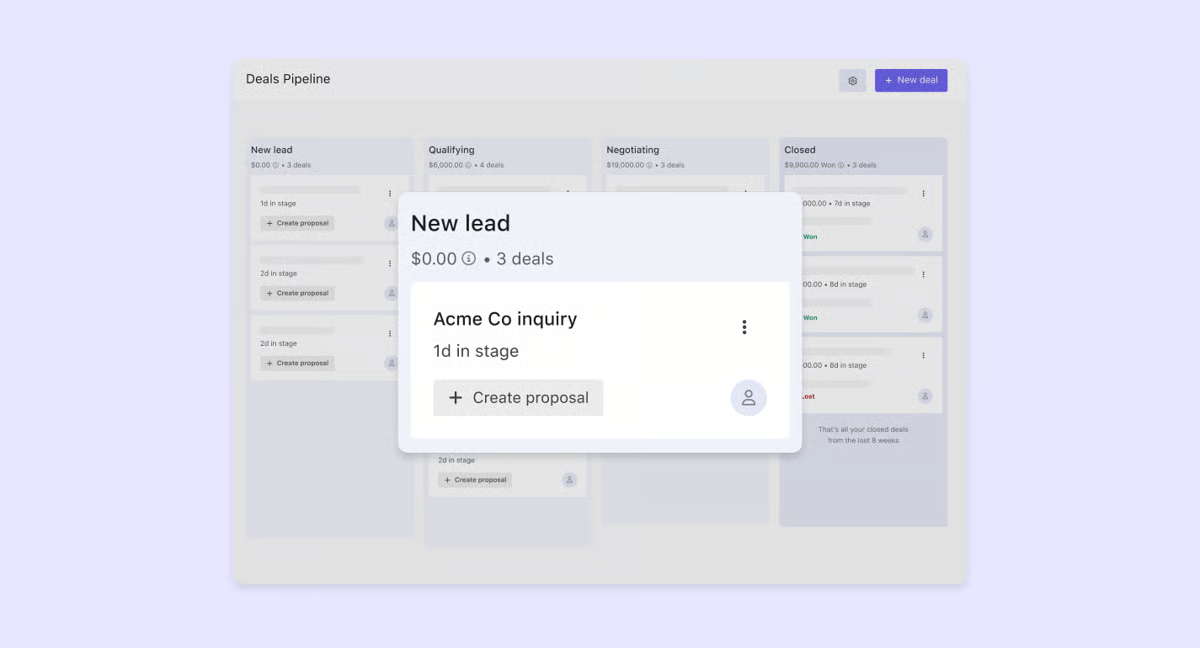
Ignition is for service businesses that want proposals to connect directly to contracts, billing, and payment.
Instead of sending a proposal and chasing the client later, firms can add pricing options, collect e-signatures, automate engagement letters, set billing schedules, and collect payment details upfront. That makes it useful for accounting firms, agencies, consultants, bookkeepers, and professional service teams that sell recurring or project-based work.
Key Features
- Online Proposals and Engagement Letters: Send proposals with pricing, terms, e-signatures, and engagement letters in one client-facing flow.
- Automated Billing and Payments: Collect payment details upfront, set billing schedules, and reduce follow-up after the proposal is accepted.
- Accounting Integrations: Connect Ignition with tools like Xero, QuickBooks, Zapier, Karbon, and Slack to reduce manual admin.
Pricing
- Solo: $39/month, billed annually.
- Core: $99/month, billed annually.
- Pro: $229/month, billed annually.
- Pro+: $399/month, billed annually.
Pros
- Connects proposals, contracts, billing, and payments
- Strong for professional services firms
- Helps collect payment details upfront
- Useful for recurring billing and renewals
Cons
- Can feel expensive
- Setup takes some upfront work
- Some integrations could be better
Which ClientPoint Alternative Should You Choose?
The right ClientPoint alternative depends on where your proposal workflow breaks down. If you only need signatures, DocuSign may be enough. If your team runs complex RFPs, Responsive or QorusDocs may fit better. If you need deal rooms, Aligned is worth comparing.
But if your main problem is creating polished, controlled, trackable proposals without slowing reps down, Proposify is the strongest place to start. It gives your team reusable templates, locked content, buyer analytics, and e-signatures in one proposal-first workflow.
Start your free trial or book a demo today to begin creating better proposals faster with Proposify.
FAQs
1. How do I choose the right ClientPoint alternative?
Match the tool to the problem. Use Proposify if proposals take too long to create or control. Use DocuSign if you only need signing. Use DealHub if quoting is the bottleneck. Use Responsive or QorusDocs for RFPs. Use Aligned if buyers need a shared room after the proposal is sent.
2. Which ClientPoint alternative is best for proposal creation?
Proposify is best for proposal creation because it helps teams build, control, send, track, and sign proposals in one workflow.
3. Can I replace ClientPoint without changing my full sales process?
Yes. The easiest switch is to choose a tool that fits how your team already sells. If your team mainly needs better proposal creation, content control, buyer tracking, and e-signatures, Proposify can replace that workflow without forcing a larger sales process change.
4. How is proposal software different from a digital sales room?
Proposal software helps teams create, send, track, and sign proposals. A digital sales room helps manage what happens after the proposal is shared, such as buyer follow-up, stakeholder activity, mutual action plans, and next steps.
5. Do ClientPoint alternatives track buyer engagement?
Yes. Many alternatives show when buyers open a proposal, what they view, and when they sign. Proposify, for example, helps sales teams track buyer activity so reps know when to follow up.