








Published: September 8, 2026
Updated: September 8, 2026

Quick Summary
Proposify works best for B2B teams that send proposals regularly and need a more consistent way to create, approve, and track them. However, it may be too much for businesses that send only a few straightforward proposals. Also, teams with complex CPQ or CLM needs may be better off with a more specialized platform.
|
# |
Area |
Quick Take |
|
1 |
Best for |
Growing B2B teams, agencies, consultants, and service businesses |
|
2 |
Strongest features |
Reusable templates, design controls, approvals, analytics, and e-signatures |
|
3 |
Limitation |
Advanced controls require higher plans |
|
4 |
Pricing |
Basic starts at $19/user/month, billed annually; Team at $41; Business starts at $3,900/year |
|
5 |
Verdict |
A strong choice when proposals are a repeatable team workflow, not occasional one-off documents |
Proposify Review (2026): Is it Worth it for Your Team?
Proposify promises to make proposals easier to create while giving managers more control over what gets sent. But does it offer enough value for the price? This Proposify review breaks down its features, pricing, pros and cons, and alternatives to help you decide.
What is Proposify?
Proposify is proposal software that helps B2B teams create, approve, send, track, and sign proposals from one platform. Beyond proposals, it also supports quotes, statements of work, service agreements, and contracts tied to the proposal stage of a deal.
In practical terms:
- If writing proposals used to mean copying content from old Word documents, Proposify lets you start with reusable templates and approved content instead.
- If proposal design means waiting on a designer or piecing everything together in PowerPoint, Proposify lets you create polished, on-brand proposals yourself.
- And if collecting signatures requires another paid tool, Proposify lets you collect e-signatures within the proposal.
Proposify also covers what happens before and after you send the document. You can route proposals for approval, control which sections users can edit, and track when prospects open and engage with them.
That makes it useful for B2B teams that send proposals regularly, including agencies, SaaS companies, consultants, and other service businesses.
Key Proposify Features
Here’s how Proposify’s key features work in practice:
Proposal Builder
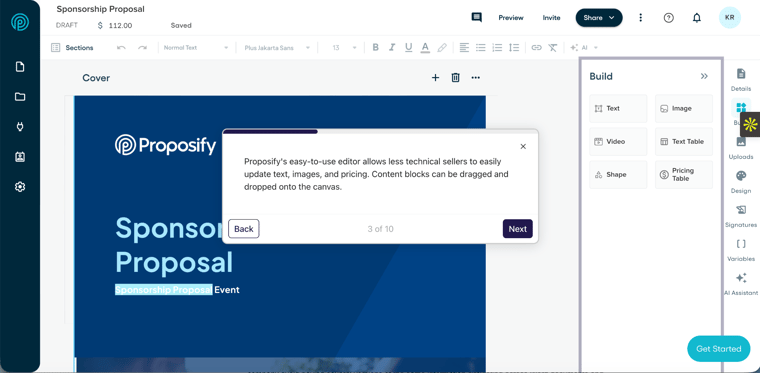
Proposify gives you a drag-and-drop editor for creating visually stunning and professional proposals without relying on Word, PowerPoint, or a designer for every update.
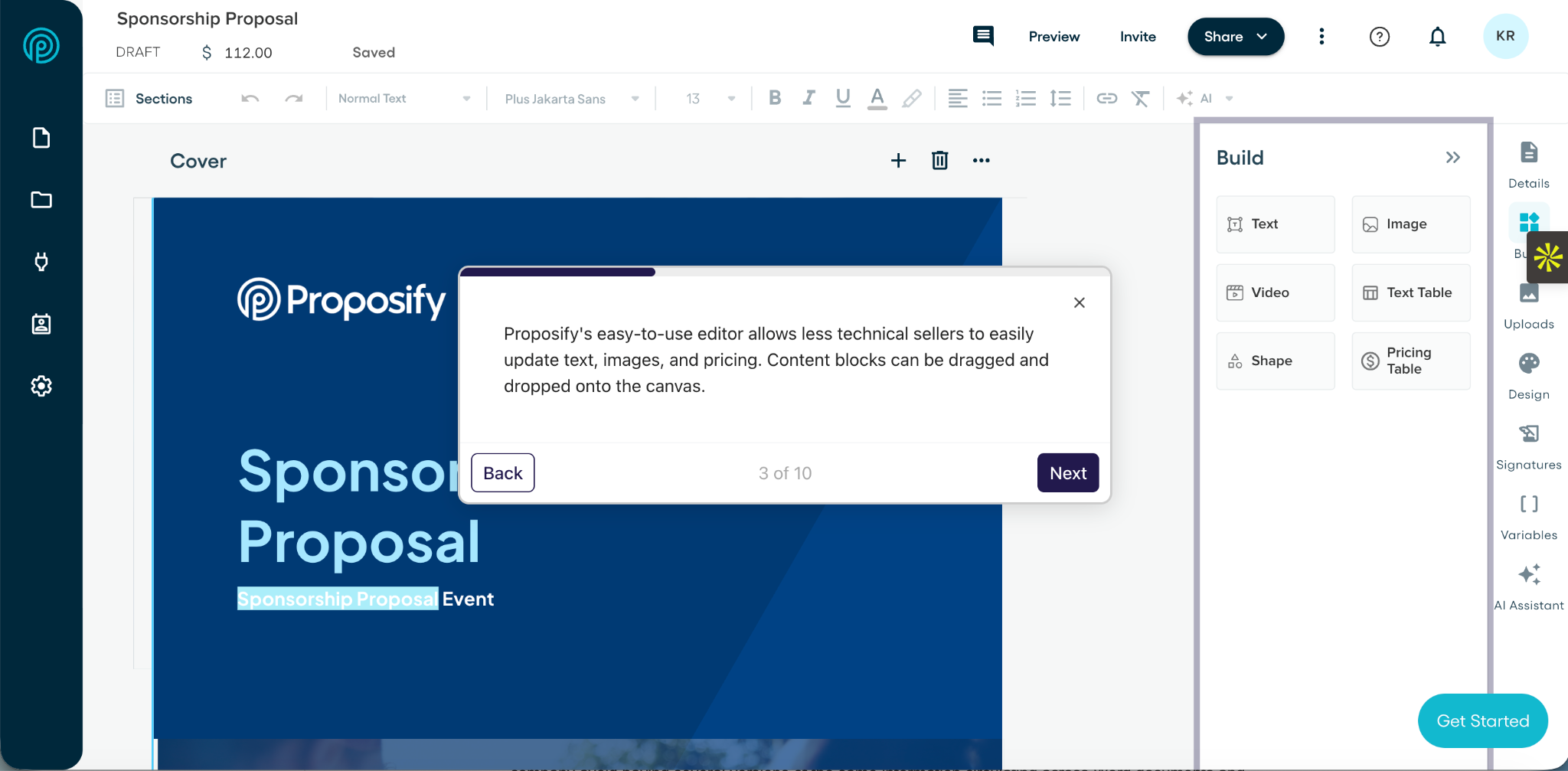
You can start with a reusable template, tailor the content to each prospect, and add your own fonts, colors, images, videos, and layouts. This helps you keep proposals on-brand while still giving reps room to personalize them.
Pricing Tables and Quotes
Proposify lets you add products, services, quantities, pricing options, discounts, and totals directly to a proposal.
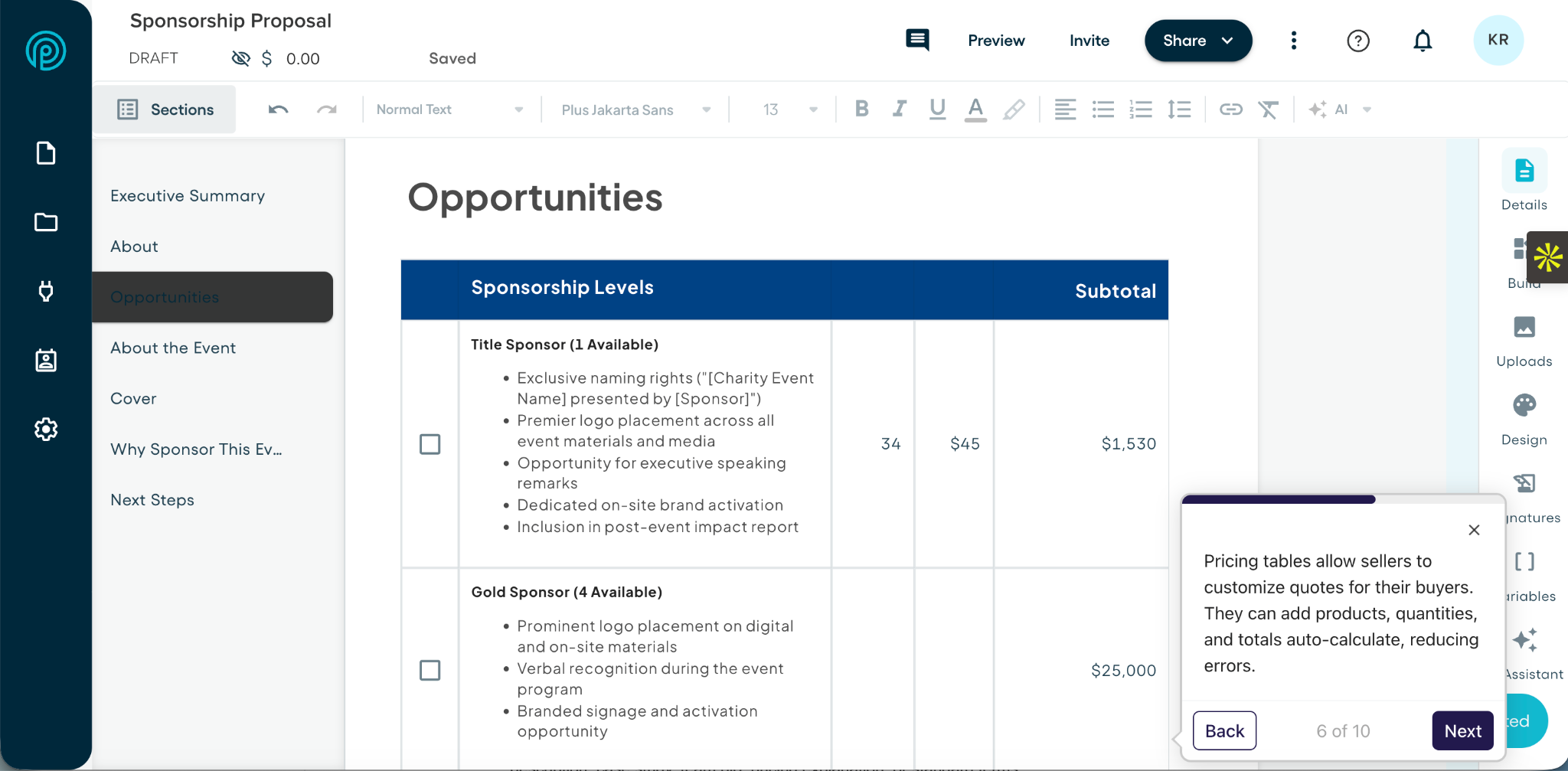
This means you do not have to calculate everything in a spreadsheet and then copy the figures into another document. You can present the scope and pricing together, making it easier for the buyer to understand what they are paying for.
Content Library
The content library helps you stop searching through old proposals every time you need a service description, case study, team bio, pricing explanation, or standard terms.
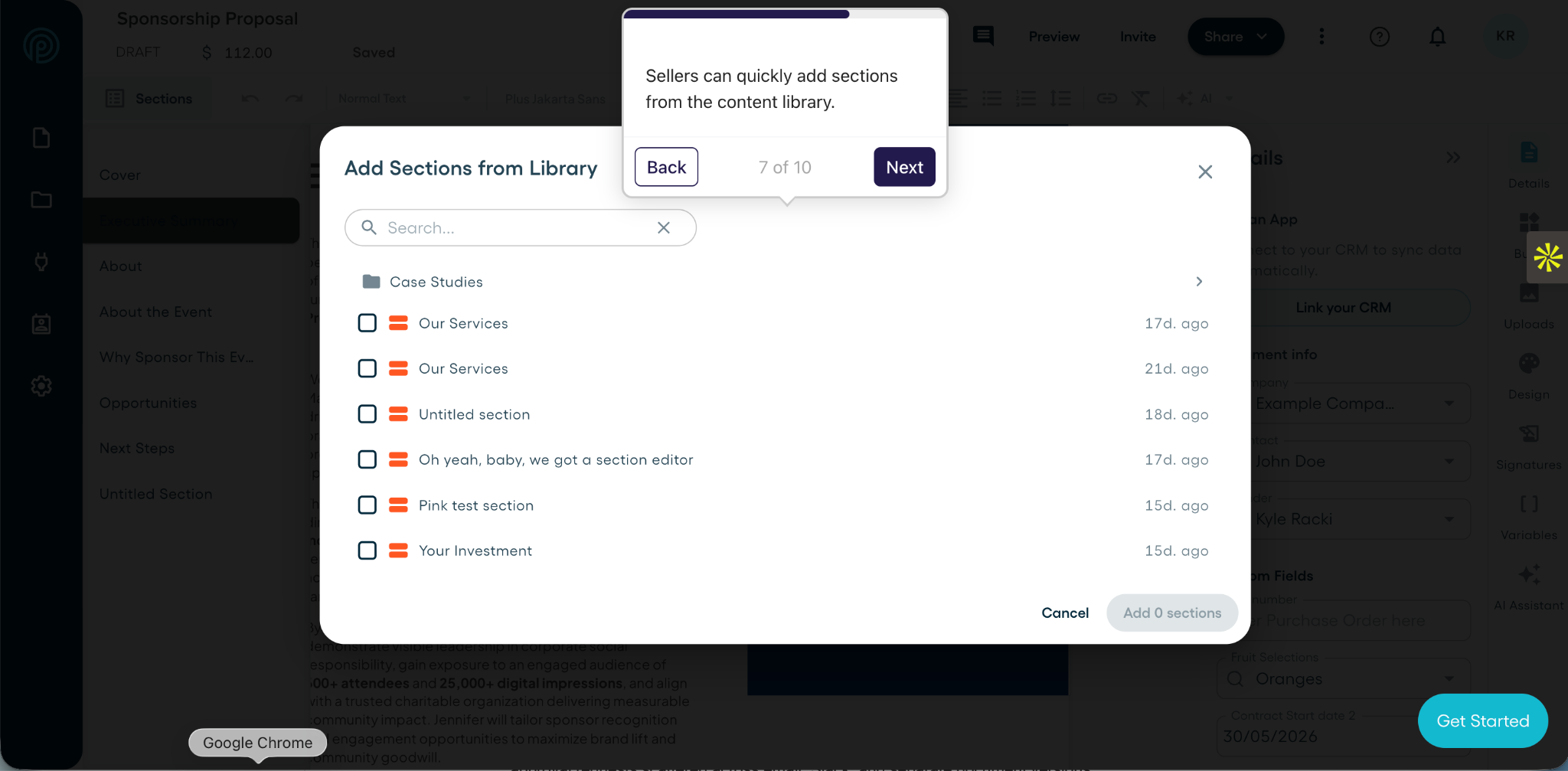
You can store approved content and reuse it across proposals. This saves time for reps and helps the company avoid having several versions of the same information circulating across Word documents and Google Drive folders.
Approval Workflows and Content Controls
Some proposals can go directly to the buyer. Others need approval because they include a discount, custom pricing, unusual terms, or changes to the standard scope.
Proposify lets you route those proposals to the right person before they are sent. This can replace approval requests scattered across email, Slack, and separate document versions. You can also control what each user can change. For example, you may allow a rep to edit the introduction and scope while locking the pricing, legal terms, or branded sections.
These controls matter most to sales managers, finance, legal, operations, and sales enablement teams that need consistency without stopping reps from personalizing each proposal.
Proposal Tracking and Analytics
After sending a PDF through email, you usually have no idea whether the prospect opened it or forwarded it to someone else. Proposify gives you more visibility by showing when recipients open the proposal, how long they spend viewing it, and which sections receive their attention.
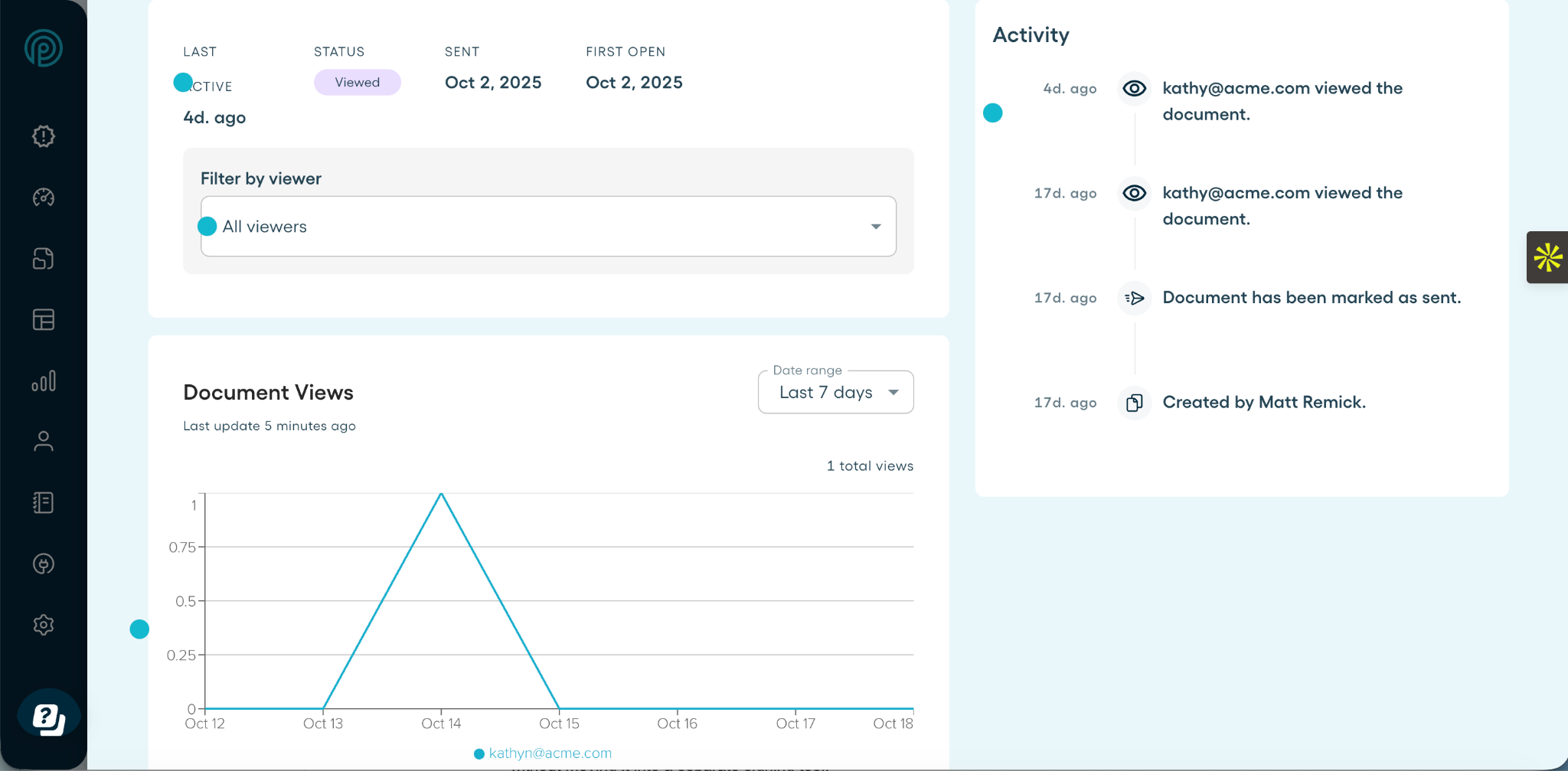
This information can help you follow up with more context. For example, if several people view the proposal or a prospect returns to the pricing section, you may have a better idea of what to discuss during the next conversation.
E-Signatures
Proposify includes electronic signatures, so you can send the proposal for acceptance and signature without moving it into a separate signing tool.
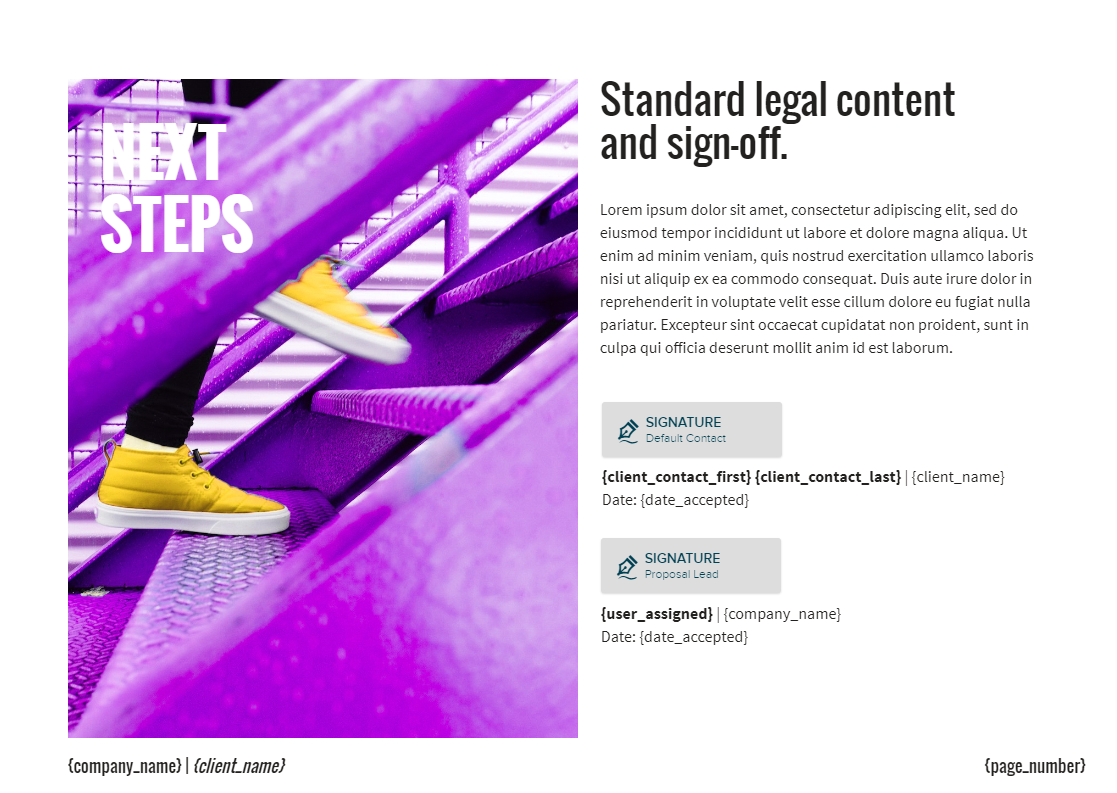
You can add signature fields to the proposal and assign them to the relevant people. This keeps the proposal, approval, and signature process connected instead of asking the buyer to work through several documents or platforms.
CRM and Sales Tool Integrations
Proposify connects with CRMs and other sales tools so you can use existing lead and prospect information when preparing a proposal.
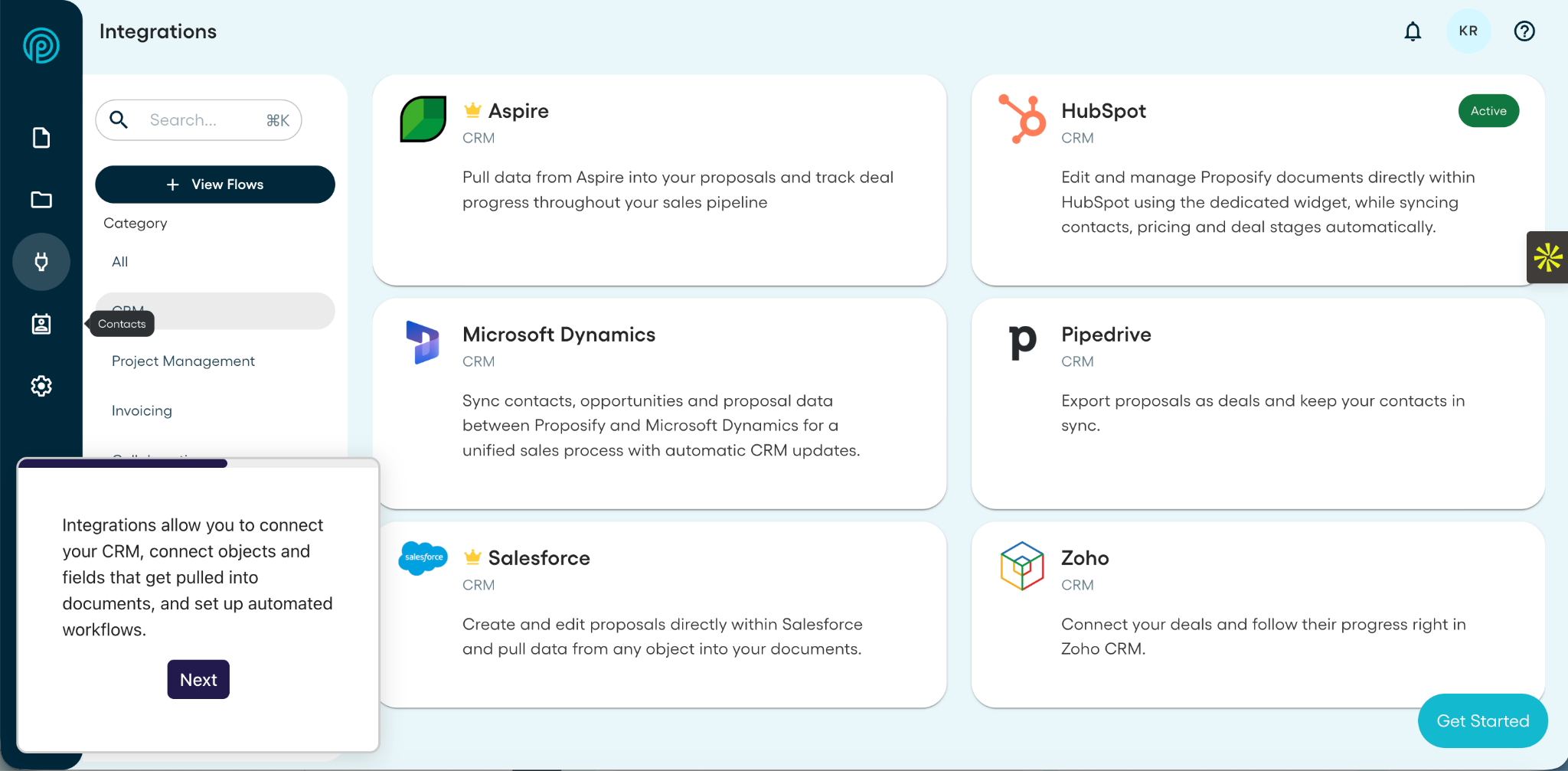
Depending on the integration, you may be able to pull contact details into the proposal, connect it to the relevant deal record, and return proposal activity to the CRM. This reduces duplicate data entry and helps keep the proposal tied to the rest of the sales process.
Proposify Pricing
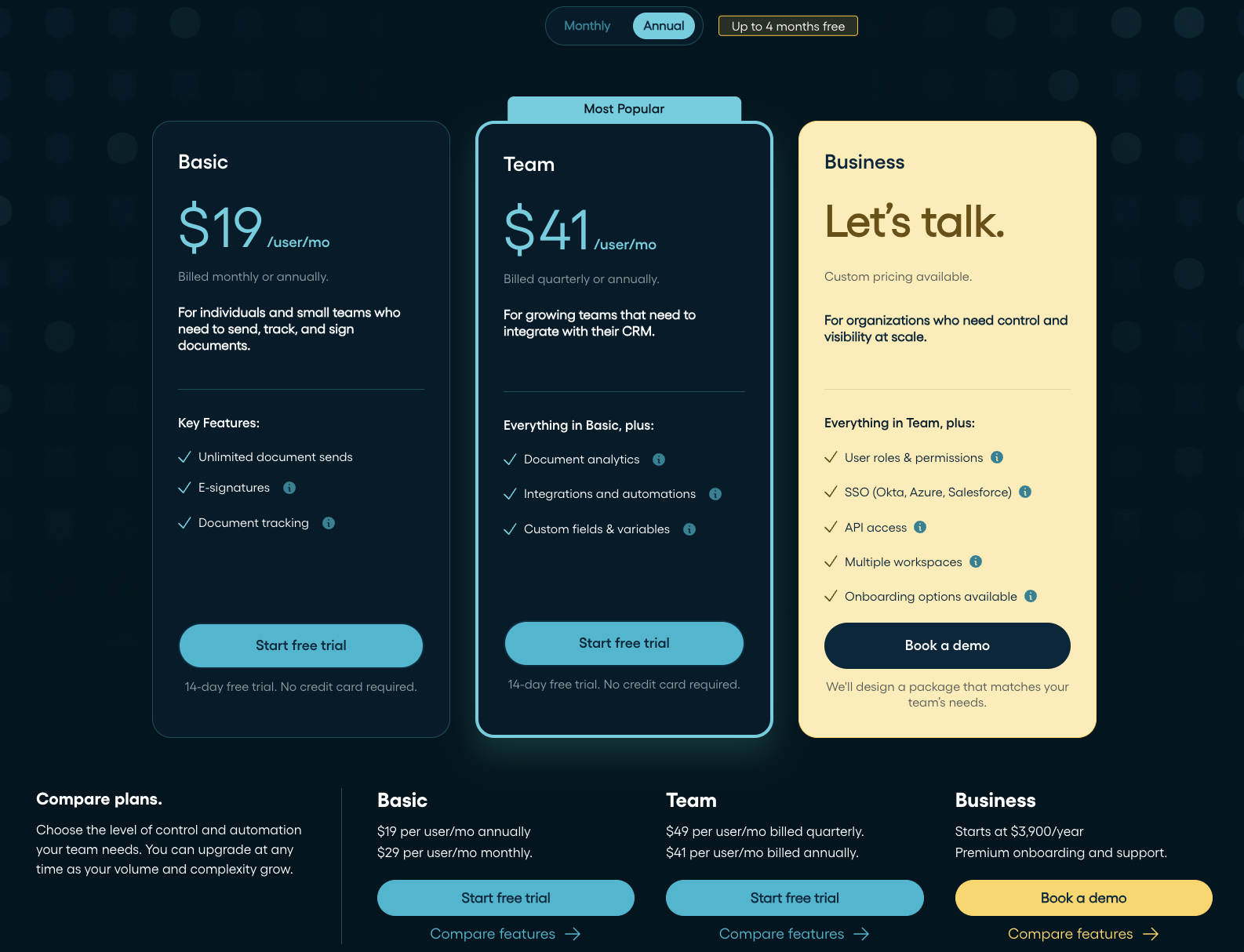
Proposify offers three plans: Basic, Team, and Business. Basic supports monthly billing, while Team offers quarterly or annual billing. The annual plans provide the lowest published rates.
|
# |
Plan |
Monthly billing |
Annual billing |
Best for |
|
1 |
Basic |
$29 per user/month |
$19 per user/month, billed annually |
Individuals and small teams that need the core proposal tools |
|
2 |
Team |
$49 per user/month |
$41 per user/month, billed quarterly or annually |
Growing teams that need integrations and automation |
|
3 |
Business |
Custom pricing |
Talk to Sales, starting at $3,900/year |
Organizations that need tighter controls and more support |
All plans include unlimited document sends, e-signatures, proposal tracking and analytics, interactive quoting, AI writing, and reusable content.
Basic
Basic gives you the main tools to create, send, track, and sign proposals. It also includes one collaborator seat, plus email and live chat support. However, it leaves out integrations, workflow automation, and custom fields. It works best if you need the core proposal features without connecting Proposify to the rest of your sales stack.
Team
Team includes everything in Basic, plus integrations, workflow automation, custom fields and variables, and three collaborator seats. It makes more sense if several reps create proposals and you want to reduce repeated data entry or connect proposal activity with your CRM. Custom permissions, SSO, API access, and multiple workspaces remain limited to Business.
Business
The Business plan includes premium onboarding and support. It adds custom roles and permissions, locked proposal elements, SSO, API access, multiple workspaces, custom reporting, and five collaborator seats.
Business suits larger or more complex organizations that need stronger control over who can create, edit, approve, and send proposals.
How Proposify Pricing Compares
Proposify Basic costs $19 per user/month annually. That matches PandaDoc Starter, sits above Better Proposals Starter at $13, and below Qwilr Starter at $35. So, Proposify is not the cheapest starting option, but its entry price is still in line with other major proposal tools.
For growing teams, Proposify Team costs $41 per user/month annually and adds CRM integrations, automation, and custom fields. Better Proposals Premium is cheaper at $21, but manager approvals, content locking, and advanced permissions sit on its $42 Enterprise plan.Panda Doc business costs $49, while Qwilr Growth costs $55 and starts with five users.
This places Proposify around the middle of the market for teams that need more than basic proposal creation and e-signatures.
Proposify Pros and Cons
Proposify covers the proposal process well, but whether it is worth paying for depends on how often you send proposals and how much control your team needs.
Proposify Pros
1. Strong Design Controls and Reusable Templates
Proposify lets you create branded templates that reps can reuse and tailor without rebuilding the layout for every proposal.
2. Easy for Reps to Use Once Templates Are Set Up
Once templates and approved content are in place, reps can update the deal-specific details and send proposals without fixing the design each time.
3. More Oversight Across the Proposal Process
Permissions, locked content, and approval workflows help managers protect pricing, legal terms, and other sections that should not be changed freely.
4. Better Visibility After Sending
You can see when prospects open a proposal, how long they view it, and which sections receive their attention. The data does not reveal exactly what they are thinking, but it gives reps more context for follow-up.
5. Support Across Every Plan
Basic and Team include email and live chat support, while Business customers can access onboarding and dedicated support options for additional help setting up Proposify.
Proposify Cons
1. Pricing May Be Hard to Justify for Low Volume Proposal Operations
If you send only a few simple proposals, paying for dedicated proposal software may not make sense. A reusable document template and basic e-signature tool may be enough.
2. Advanced Controls Require the Business Plan
Features such as user roles and permissions, SSO, API access, and multiple workspaces are limited to the Business plan. Teams that need these controls must move beyond the publicly priced plans and contact Sales for custom pricing.
Who Proposify is Best For
Proposify works best when proposals are a regular part of your sales process, not something you send once in a while.
1. Sales Teams
Proposify works particularly well for growing SMB and mid-market sales teams where several reps create proposals and managers need more consistency and visibility.
Reps can work from approved templates and reusable content, while managers keep control over pricing, terms, and branding. Proposal tracking also gives the team more context after each document goes out.
2. Agencies and Consulting Firms
Agencies and consultants often reuse the same service descriptions, case studies, team bios, timelines, and pricing structures across proposals. Proposify lets you store that content and pull the relevant sections into each new proposal. You can still tailor the scope and pricing without rebuilding the full document every time.
3. Other Service Businesses
Accounting firms, HR companies, engineering firms, commercial cleaning businesses, and other service providers can use Proposify to present scope, pricing, timelines, and terms in one document. It becomes especially useful when several people contribute to proposals or when the business needs consistency across multiple teams or locations.
4. Teams With a Repeatable Proposal Process
Company size matters less than how you work.
Proposify is likely a good fit if:
- You send proposals regularly.
- Several people create or review them.
- Much of the content repeats.
- Pricing or terms require approval.
- You need greater control over what reps can change.
- You want to track buyer activity after sending.
Who Should Consider Proposify Alternatives?
Proposify will not fit every proposal process. In some cases, a simpler or more specialized tool may make more sense.
1. Freelancers and Occasional Proposal Senders
If you only send a few simple proposals each year, Proposify may be more software than you need. A reusable Google Docs or Word template paired with a basic e-signature tool may handle the job at a lower cost.
2. Enterprises With Contract-Heavy Workflows
A contract lifecycle management platform may suit you better if your main needs come after the proposal stage. That includes legal redlining, clause management, contract repositories, renewal tracking, obligation management, and complex post-signature workflows.
3. Teams That Need Deep CRM-Native Quoting
A specialized CPQ tool may suit you better if quotes depend on CRM product catalogs, complex bundles, pricing rules, discount approvals, or recurring revenue data that must flow directly through the CRM.
Proposify vs. Alternatives
Proposify competes most directly with PandaDoc, Qwilr, and Better Proposals. All four can help you create and send proposals, but they suit slightly different needs.
|
# |
Tool |
Starting price |
Best suited for |
|
1 |
Proposify |
$19/user/month annually |
Teams that need proposal design, reusable content, approvals, analytics, and stronger content controls |
|
2 |
PandaDoc |
$19/user/month annually |
Businesses managing proposals alongside a wider range of sales and business documents |
|
3 |
Qwilr |
$35/user/month annually |
Teams that prefer interactive, webpage-style proposals |
|
4 |
Better Proposals |
$13/user/month annually |
Freelancers and smaller teams looking for a lighter proposal tool |
Proposify vs. PandaDoc
PandaDoc covers a wider range of document workflows, including forms, contracts, and other sales documents. Proposify is the better fit when proposals are the main focus and your team needs flexible design, approved content, engagement analytics, and control over what reps can edit.
Proposify vs. Qwilr
Qwilr focuses more heavily on webpage-style proposals. Proposify is better suited to teams that want a polished buyer experience alongside reusable templates, approvals, permissions, and stronger control over how proposals are created across the team.
Proposify vs. Better Proposals
Better Proposals offers a simpler, lower-cost option for freelancers and smaller teams. Proposify is the stronger option when several people create or approve proposals and you need integrations, automation, analytics, and tighter content controls.
Proposify User Reviews
Across G2 reviews and our customer stories, the same themes come up: templates make proposals quicker to build, the design looks professional, and teams get better control over branding, content, and follow-up.
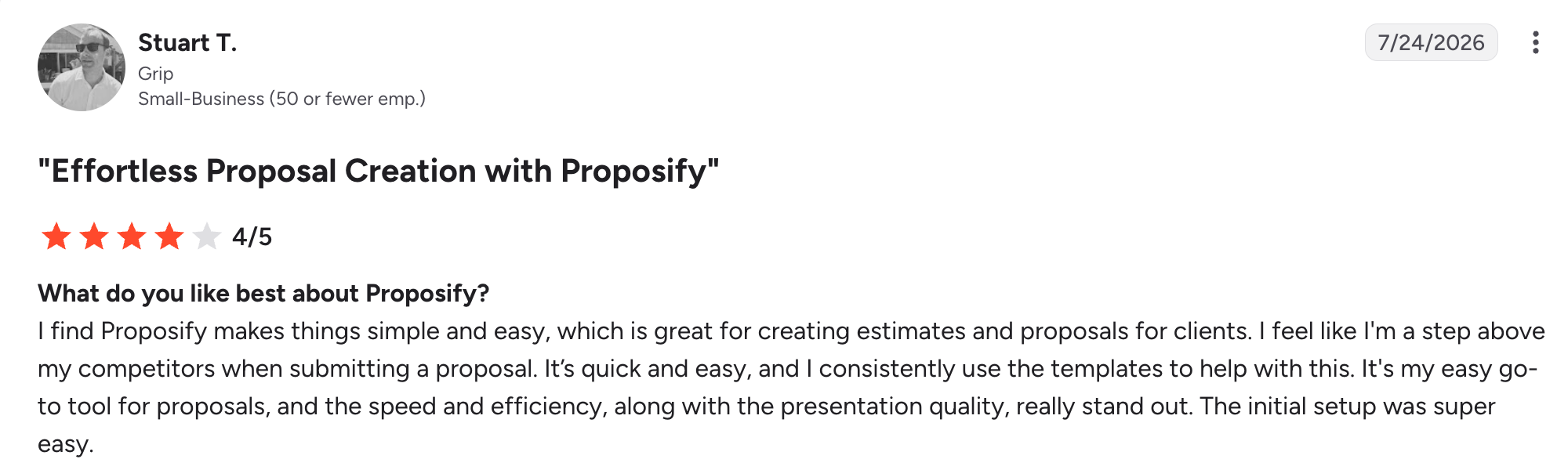
On G2 Stuart T. described Proposify as "quick and easy" and praised its templates and presentation quality.
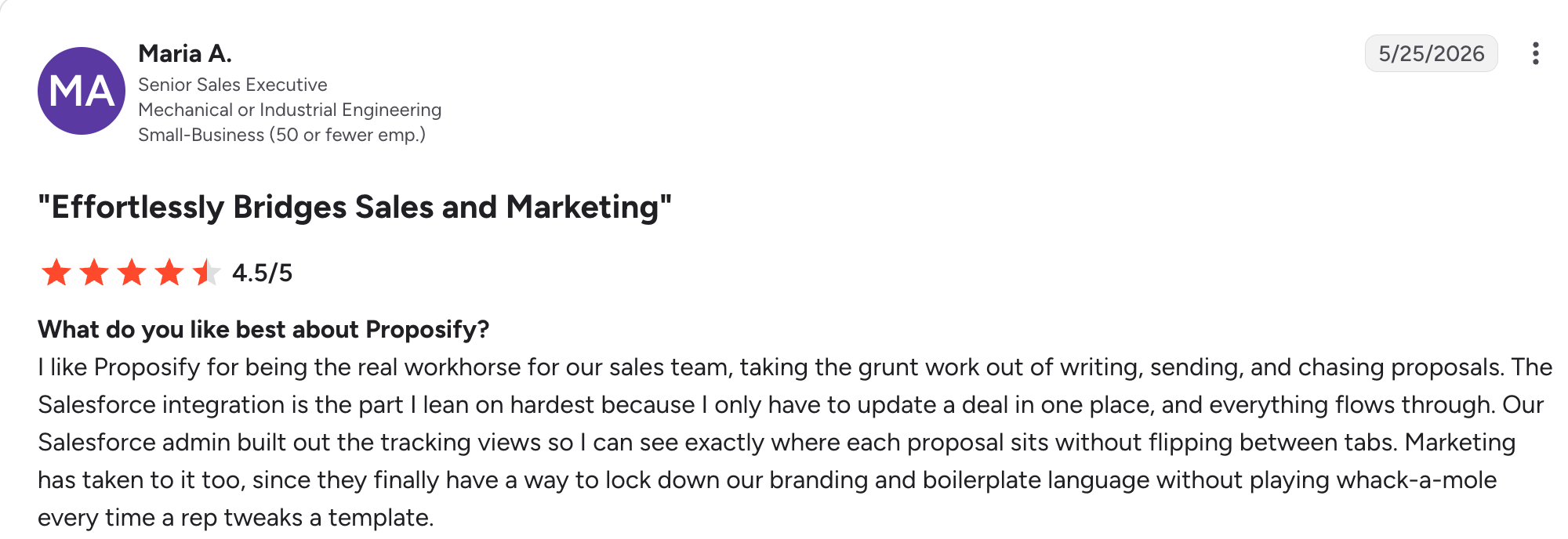
Maria A. highlighted the Salesforce integration and how it helps marketing control branding and approved content.
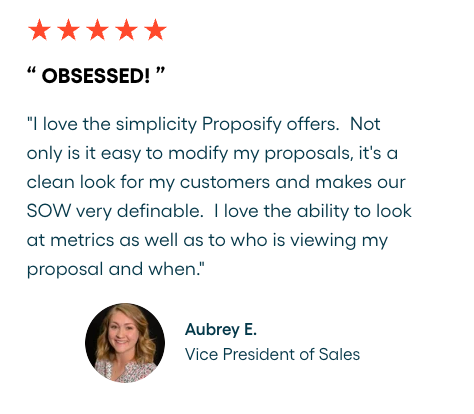
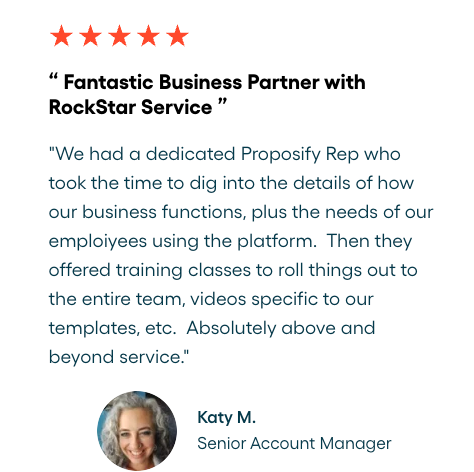
Our customer testimonials add more context. Aubrey E. praised the clean proposal design and viewing metrics, while Katy M. highlighted the dedicated support and training her team received.
Our case studies show similar results at scale. Abdo used Proposify to replace a scattered PowerPoint, Word, and Excel process with reusable templates, analytics, and stronger brand control. And at 360clean a janitorial brand with 70+ franchise locations, Proposify helps owners send consistent quotes while the central team keeps oversight.
Final Verdict: Is Proposify Worth It?
Proposify is worth it if your team sends proposals regularly and needs more than templates and e-signatures. What sets it apart is how it gives reps room to create polished, personalized proposals while giving managers control over pricing, terms, approvals, and branding.
It may be too much if you only send a few simple proposals or only need basic e-signatures.
But for growing B2B teams that want to spend less time creating and approving proposals without losing control over what gets sent, Proposify is a strong fit.
Start your free trial or book a demo today to create a personalized, on brand propasal while keeping pricing terms, and approvals under control.